
Digital Learning Platform Benefits: Why Schools Are Making the Switch
The blog makes the case for replacing patchwork edtech with a single digital learning platform to reduce friction, save staff time, and improve student outcomes. It outlines measurable benefits: teaching consistency, higher engagement and mastery, automated admin, real-time data for decisions, clearer family communication, scalability, and support for blended learning, and gives practical rollout advice: pilot phases, hands‑on training, data hygiene, and family onboarding. It recommends tracking a small set of metrics (teacher time saved, engagement, mastery, parent use, adoption), lists selection criteria (integration, usability, analytics, support), and cites Vidyanova as a vendor built for school workflows.
If you're a principal or academic director, it's something you've heard time and time again: school technology isn't a recent invention, but the way we use it continues to evolve.
Where I have noticed single digital learning platform for schools replacing patchwork set, ups more and more. The outcome typically includes less friction for teachers, clearer data for leaders, and students getting better learning experiences.
Here, I will explain the quantifiable advantages of using a single digital platform for education, describe how it facilitates blended learning, and offer some tips to ensure a smooth implementation. As I have collaborated with school leaders and edtech teams, I will also highlight the common errors that hinder adoption and the simple solutions you can apply immediately.
What do we mean by digital learning platform?
At its most basic, a digital learning platform integrates the different tools teachers and students find essential: curriculum delivery, assessments, gradebooks, communication, and analytics.
Generally, these platforms go by different names depending on the school. You might hear online learning platform for schools, LMS for schools, or e learning platform for K, 12. The main focus of all of them is to simplify the learning process and enhance student results.
Think of it like a central point that can do away with multiple logins and spreadsheets. If the hub is created for schools, it will link classroom activities to the goals of the school and make everyday tasks quicker. I personally have witnessed teams saving hours of work just by centralizing their data in one single place.

Top benefits of a digital learning platform for schools
Referring to the measurable benefits that have made principals and academic directors decide on a digital classroom solution, here they are. Each point will be kept practical along with an indication of how it affects teachers, students, and the school in general.
1. Improved teaching uniformity
When a teacher is connected to the same platform as other teachers, it becomes more straightforward to coordinate the lessons with the standards and with one another. Thus, students will receive a consistent education experience irrespective of their being in Grade 3 or Grade 8.
- Use shared templates to ensure coverage of learning standards.
- Push updates to lesson plans without redoing email chains.
- Monitor lesson adoption across classrooms with a few clicks.
I have seen schools standardize curriculum maps in one week. That saved the leadership team from chasing down different versions of plans and helped new teachers get up to speed faster.
2. Enhanced student participation and academic achievement
Digital platforms publish educational materials through various formats. Students are kept engaged through videos, quizzes, interactive tasks, and forums. Also, since data is constantly coming in, teachers can reach out to students at risk of underperforming even earlier.
Take a teacher for instance, who is able to identify from a quiz that a student did not quite comprehend the question, thus the next day he/she can be given targeted practice. That immediate loop of assessment and input is what really facilitates learning.
3. More time for teachers and staff work other duties
Paper marking, repeating data entry, and looking for parent messages gradually take away from planning time. One single platform is capable of performing many tasks at the same time hence the automation of several of these tasks. Grade syncing, attendance tracking, and automated reports allow teachers to concentrate more on their classes.
From my point of view, teachers quite often do not realize how much time they spend on administrative tasks until they stop doing it. The usual thing is that you get back five to eight hours every week when you introduce a purpose, fit platform.
4. Instant data for wiser decision making
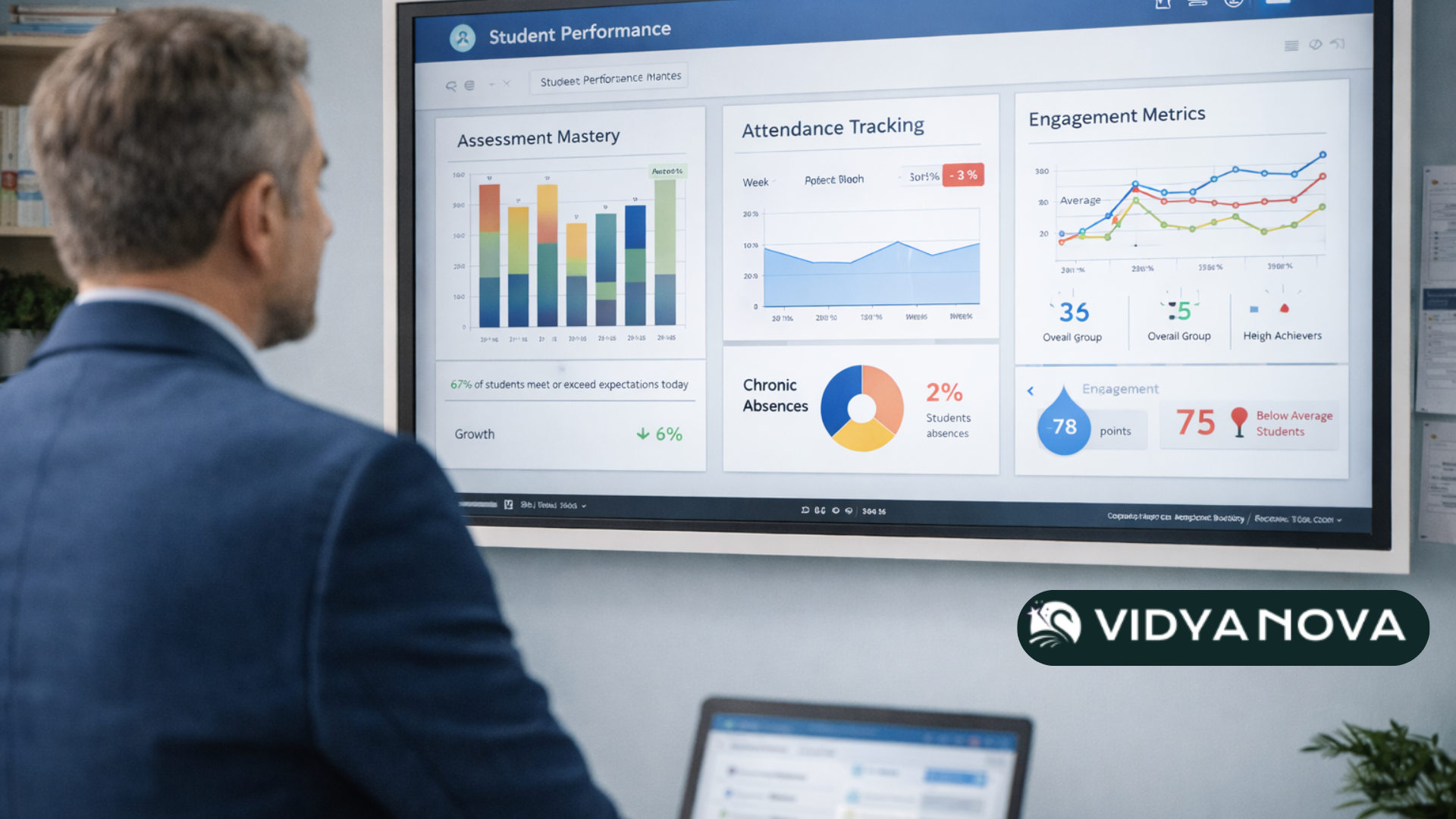
School administrators require up, to, date information that can help them improve teaching and make a well, informed decision on the distribution of funds. A digital learning platform provides progress, help and growth over time through dashboards. This means changing from basing decisions on intuition to making data, informed decisions.
For instance, you can identify learning deficits by subject, grade, or even by subgroup and then provide targeted intervention through coaching or additional resources. Achieving such level of clarity with spreadsheets and PDFs is quite challenging.
5. Improved communication with families
Parents, naturally, want to be informed of their child's learning journey and performance. Educational technology platforms with parent portals, messaging, and automated progress updates bring the communication cycle to completion. Besides easing teachers' burden of making phone calls, you also equip families with necessary information to effectively support learning at home.
A principal I collaborated with shared that he sent out weekly progress snapshots to parents. Follow, up emails declined and parent conversations became more meaningful as all parties had access to the same information.
6. Scalability and cost controlAs schools expand
schools expand or add more programs, a central platform is more likely to scale seamlessly than a loosely organized collection of point solutions. You do not have to pay for multiple apps separately and IT time spent on system integrations is also minimized.
We are constantly thinking about costs. What often surprises leaders is that a single platform might actually be cheaper in the long run after you consider training time, integrations, and administrator labor.
7. Supports blended learning models
Blended learning is no longer experimental. Most schools go through the routine of mixing in person and remote activities daily. A digital learning platform geared to blended learning allows you to timetable asynchronous tasks, have synchronous check, ins and store all learning records in one place.
In fact, teachers can give students online modules for practice and use the class time for projects or discussions. That change in routine helps students to focus on higher, level thinking activities in the classroom more.
How a platform improves school management
Beyond classroom benefits, school leaders will notice improvements in operational workflows. A strong platform connects learning and management systems so nothing falls between the cracks.
- Attendance connects to student engagement dashboards to flag chronic absence earlier.
- Assessment data feeds into reporting for board and accreditation requirements.
- Permissions and roles let you keep sensitive information secure while letting teachers access what they need.
When systems talk to each other, audits, inspections, and compliance work become simpler. You spend less time hunting for files and more time improving programs.
Measuring impact: what to track
When you introduce a new online learning platform for schools, you will want to demonstrate impact. I recommend tracking a small, focused set of metrics so you can show progress without drowning in numbers.
- Teacher time saved on administrative tasks
- Student engagement rates for online assignments
- Assessment mastery rates and growth percentiles
- Parent engagement through portal logins and messages
- System adoption rates by staff and class
Start by collecting baseline numbers. Then measure at one month, three months, and at the end of the school year. You will learn fast which workflows need support and where the platform is already delivering wins.
Common pitfalls and how to avoid them
I have helped schools through a few predictable problems. None are technical showstoppers, but they slow momentum if you do not watch out for them.
Pitfall 1: trying to do everything at once
Rolling out every feature on day one is tempting, but overwhelming. Teachers need time to adopt new grading workflows and new communication tools. Start with the essentials and expand in phases.
Pick a pilot group, get feedback, tweak the setup, and then scale. This phased approach builds champions across staff who can support peers.
Pitfall 2: poor training and follow up
Sending an instruction manual is not training. Teachers want hands on practice tied to their day to day tasks. I prefer short, focused sessions that show exactly how the platform solves a common problem.
For example, run a 30 minute session that covers marking a formative quiz and assigning targeted remediation. Then follow up with peer coaching and open office hours.
Pitfall 3: ignoring data quality
The platform only helps if the data in it is accurate. Common mistakes include inconsistent grade scales, duplicate classes, and outdated student records. Clean data first and set clear roles for who maintains it.
Small, regular audits will prevent messy reports later on. It is worth the five minutes each week to check import jobs and enrollment lists.
Pitfall 4: underestimating family support needs
Parents and caregivers vary in digital comfort. Treat family onboarding as part of your plan. Send simple how to guides, hold a short webinar, and provide a contact for questions.
Schools can also use an AI ad generator to create quick promotional campaigns for open houses, admissions drives, or new program launches. Instead of relying on external agencies, leadership teams can produce professional ads for social media and local outreach in minutes.
Practical rollout plan
Here is a simple phased plan I have used with dozens of schools. It keeps momentum and reduces risk.
- Define priorities and success metrics. Pick two to four outcomes you care most about.
- Clean your data. Fix class lists, enrollment, and grade scales before you go live.
- Pilot with a small group. Choose teachers who are open to learning and who represent different grades.
- Train and provide just in time support. Use short sessions and quick reference guides.
- Collect feedback and iterate. Make changes based on real classroom use.
- Scale across the school. Use champions to lead peer training.
- Monitor impact and report results. Share wins with staff and families.
These steps sound obvious, but many teams skip data cleaning or piloting. That is where projects get stuck. If you take those steps seriously, the rest flows much more smoothly.
How to choose the right platform
Not every tool fits every school. Here are practical criteria I use when evaluating a digital classroom solution.
- Can it scale to your whole school including co curricular programs?
- Does it integrate with your student information system and existing school management software?
- Is the user interface simple for teachers, students, and families?
- Does it support blended learning and asynchronous instruction out of the box?
- Are the analytics clear and actionable rather than just pretty charts?
- What does vendor support look like during rollout and beyond?
Ask for references from schools similar to yours and test the platform with sample data. I recommend a trial that includes your real teachers and a mock assessment so you can see end to end workflows.
Real examples you can relate to
Let me share two brief examples that show how small changes lead to measurable wins.
Example one. A regional school replaced three separate apps with one platform. Teachers no longer copied grades into an overall spreadsheet. That reduced grade entry time by one hour per teacher per week. Over a year, the school saved around 1,200 staff hours that were redeployed to planning and intervention.
Example two. An elementary school used the platform to run formative checks twice a week. Teachers could instantly assign targeted practice to students who needed it. Within a term, the school saw a 10 percent rise in mastery on key literacy benchmarks. The leadership credited the quick feedback loop as the main driver.
Cost and ROI considerations
Cost is always top of mind. Consider total cost of ownership, not only subscription fees. Factor in training, integrations, data migration, and staff time for change management.
ROI often shows up as staff time reclaimed, improved student outcomes, and reduced vendor overhead. Quantify these by comparing baseline metrics to the results you measure after rollout. Even small gains in assessment mastery can justify the investment when scaled across grades.
Security and privacy
Student data privacy is non negotiable. Ask about the platform s compliance with local regulations and about their data handling practices. Confirm encryption in transit and at rest, clear policies for third party access, and routine security audits.
Also, understand the roles and permissions model so you can control access at the right level. Good platforms let you limit who sees sensitive data while still giving teachers what they need to teach.
Why Vidyanova makes sense for many schools
I want to be clear. There are many vendors out there. Vidyanova stands out because it was built with school workflows in mind and because it combines a learning experience layer with school management capabilities. In short, it reduces the number of systems you need while keeping the experience simple for teachers and families.
From deployment to ongoing support, Vidyanova focuses on practical use cases. For example, attendance links to engagement dashboards so leaders can quickly spot which students may need support. Teachers can run formative assessments, grade, and communicate with parents without jumping between apps.
If your school is evaluating options, consider whether the platform will genuinely simplify workflows or just add another login for staff. In my experience, the platforms that win are the ones that make teachers lives easier from day one.
Common questions leaders ask
Below are short answers to questions principals and academic directors ask me all the time.
- How long does implementation take? For a phased rollout, expect six to twelve weeks to go from pilot to school wide if you have clean data and clear priorities.
- Do teachers need to be tech experts? No. Teachers need practical training and on demand support. Design training around common tasks rather than feature lists.
- Can it replace our current student information system? It depends. Some platforms integrate and augment your SIS. Others include basic management features. Evaluate integrations and long term goals.
- How do we measure success? Look at teacher time saved, student assessment growth, and adoption rates. Keep the metric set small and focused.
Quick wins to try this term
If you want to test a digital learning platform without big projects, try these simple experiments.
- Run a formative diagnostic in one subject and use the platform to assign targeted practice.
- Use the parent portal for weekly learning summaries for one grade.
- Consolidate two single purpose apps into the platform and measure time saved.
- Create a shared curriculum map for one unit and ask teachers to use the same template.
These low risk actions give you useful data and build confidence across staff. They also show families a practical benefit right away.
Final thoughts
Switching to a digital learning platform is not magic. It takes planning, data hygiene, and human centered training. But when you get the basics right, the payoff is real. Teachers have more time to teach. Students get faster feedback. Leaders make decisions with better information. And the whole school moves closer to true blended learning.
If you are leading a school digital transformation, keep your priorities simple. Focus on the tasks that matter every day. Pilot with a small group, measure results, and scale with champions. Those steps will protect your team from the common pitfalls and make the platform a tool for improvement rather than a new problem to manage.
Read more:
Frequently Asked Questions
1. What is a digital learning platform for schools?
A digital learning platform is an integrated system that manages curriculum delivery, assessments, grading, communication, and analytics in one centralized solution for schools.
2. How does a digital learning platform improve student outcomes?
It enables real time assessment tracking, faster feedback loops, personalized learning paths, and data driven interventions, which improve engagement and academic performance.
3. How long does it take to implement a digital learning platform?
Most schools complete a phased rollout within six to twelve weeks, depending on data readiness, training structure, and integration requirements.
Helpful Links & Next Steps
- Vidyanova - Company Website
- Vidyanova Blog
- Book a Meeting Today
- Why Every School Needs an E Learning Portal Today
If you want to talk specifics or see how Vidyanova fits your school, Book a Meeting Today. We can walk through a short pilot plan tailored to your priorities and metrics.