School ERP Features Checklist for Principals & Administrators
This blog provides a practical checklist for school leaders evaluating ERP systems (illustrated with Vidyanova). It explains why a student management system matters and outlines core modules—SIS, attendance, academics, assessments, timetabling, fees, HR—plus parent/student engagement, transport, library, inventory, reporting, security, integrations, and deployment options. It covers usability, onboarding, migration, ROI, common implementation pitfalls, demo tasks, vendor scoring, pilots, contract and pricing considerations, and support expectations. The purpose is to help principals, administrators, and IT heads compare vendors, run effective demos and pilots, avoid mistakes, and choose an ERP that staff will adopt and that delivers measurable operational benefits.
Choosing the right school ERP like VidhyaNova is one of the most important operational decisions you’ll make. Get it right, and you empower teachers, reduce administrative workload, and give parents clear visibility into student progress. Get it wrong, and you risk investing in a complex system that goes unused. I’ve seen both outcomes firsthand. In my experience, having a clear checklist especially when evaluating a solution like VidhyaNova helps cut through vendor noise and keeps the focus on what truly matters.
This checklist will be addressed to principals, school administrators, IT heads, academic coordinators and school owners. It addresses the key school ERP capabilities, useful assessment guidelines, pitfalls, and actions to a more successful ERP implementation in schools. Use to compare solutions, vendor demonstrations, and make decisions.
Why a School ERP Matters
School administration software does more than digitize forms. It connects students, teachers, parents, and staff. It automates repetitive tasks. It helps leaders make data driven decisions. When a school ERP is done right, it becomes the backbone of daily operations.
Think about fee collection, attendance, grade books, and timetables. Those are daily workflows. A good student management system frees up time so educators can focus on teaching. If you’re wondering whether to move to a cloud-based school ERP, consider long term accessibility, security, and reduced on-site IT burden.
How to Use This Checklist
Walk through the sections below. For each feature, ask: do we need it now? Will we need it in two years? Does the vendor show it working? Request a hands-on demo. I recommend scoring vendors against the checklist and involving at least one teacher and one IT person in the demo.If you’re planning a deeper evaluation, you can also explore this ERP for Schools: Modules, Benefits & Implementation Strategy guide to understand how different modules work together in real scenarios.
Core Modules Every School ERP Should Include
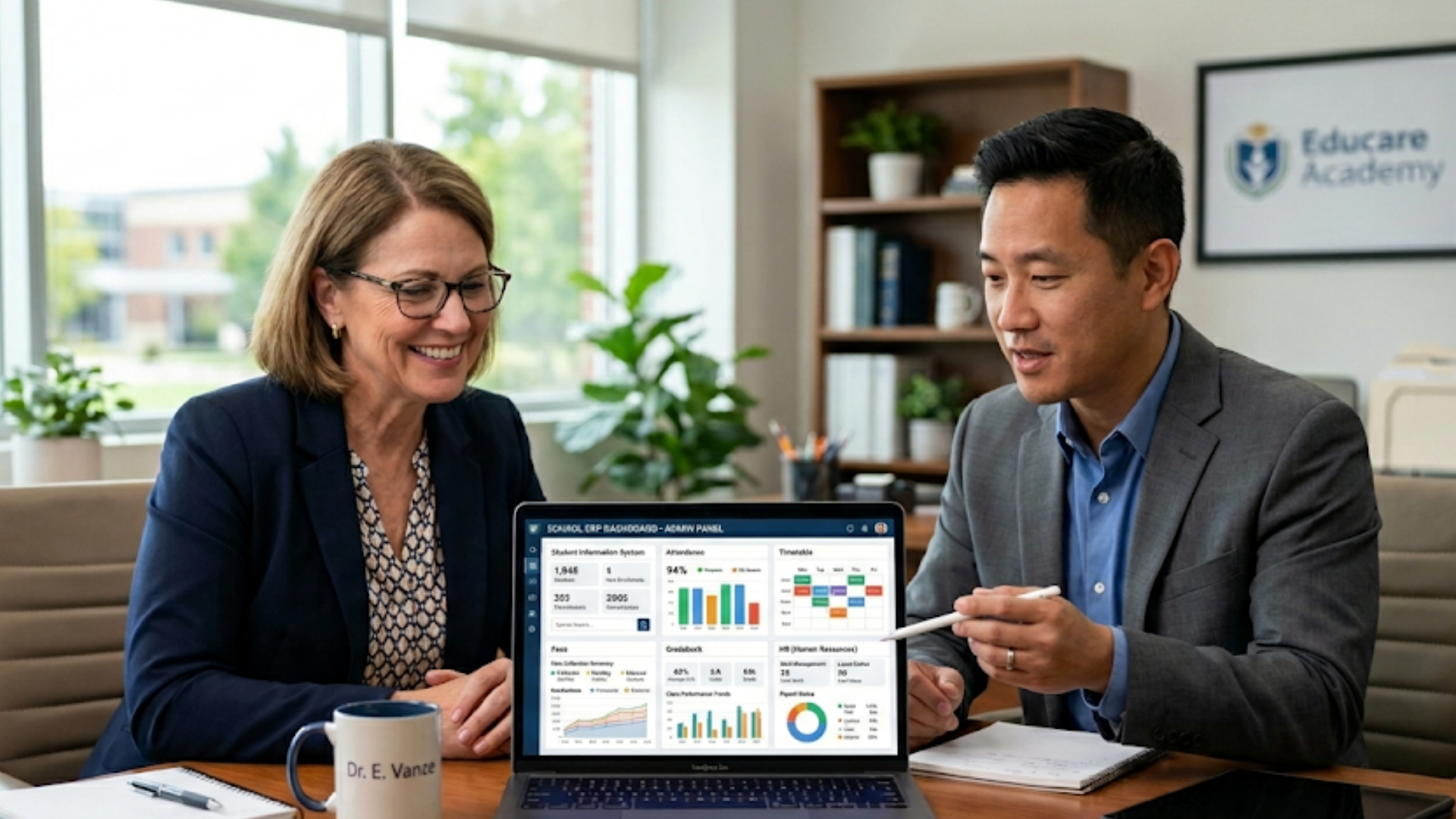
Start here. These modules form the basic school ERP modules list that most K-12 institutions will need.
- Student Information System (SIS)
Central student profiles with demographic details, health records, parent contacts, and enrollment history. Look for bulk import from CSV and unique IDs per student.
- Attendance Management
Daily class and period-wise attendance. Support for QR code, biometric integration, and manual teacher entry. Real-time parent notifications by SMS and email are essential.
- Academic & Curriculum Management
Subject mapping, syllabus planning, lesson planner, and class progression. For boards like CBSE and ICSE, ensure customizable templates that match your assessment style.
- Assessment and Gradebook
Flexible grading scales, custom report cards, exam scheduling, and analysis tools to track learning gaps. Exportable reports for parent meetings are a plus.
- Timetable Builder
Auto-scheduling with teacher constraints, room allocation, and clash detection. A simple drag and drop interface saves time during changes.
- Fee and Finance Management
- Human Resources and Payroll
Staff profiles, leave management, salary calculation, statutory deductions, and payslip generation. Role based access control links HR to administration.
Parent and Student Engagement Features
Engagement matters. Parents expect visibility. Students expect quick access to resources. If your ERP doesn’t support these interactions, adoption will suffer.
- Parent Portal and Mobile App
Real-time access to attendance, homework, exam results, and fee status. Push notifications for announcements and alerts keep parents informed without phone calls.
- Student Portal and App
Homework submissions, study materials, grades, and timetable. A smooth mobile experience drives daily use by students.
- Two-way Communication
In-app messaging, bulk SMS, automated notices, and teacher-parent chat. Look for message templates and delivery tracking.
Operations and Logistics Modules
These modules reduce manual work and steady school operations.
- Transport Management
Bus routes, student allocation, live tracking, and driver profiles. Real-time tracking with geofencing helps with safety and parent confidence.
- Inventory and Asset Management
Track textbooks, lab equipment, and general assets. Issue and return workflows prevent losses and simplify audits.
- Library Management
Cataloging, borrowing, overdue alerts, and barcode scanning. Integration with student IDs makes borrowing simple.
Reporting and Analytics
Reports turn data into action. Without them, you’re looking at numbers without insight.
- Standard Reports
Enrollment trends, attendance summaries, fee collection, and staff performance. These should be ready to run.
- Custom Reports and Dashboards
Ability to create and save custom reports. Visual dashboards for heads of departments and the principal help surface issues early.
- Assessment Analytics
Item analysis, cohort comparisons, and learning gap identification. Useful for targeted interventions and teacher feedback.
Security, Compliance, and Data Privacy
Schools handle sensitive information. Protect it.
- Role Based Access Control
Granular permissions for staff, admin, and external auditors. Least privilege principals should be standard.
- Data Encryption and Backups
Encryption at rest and in transit. Automated backups and a clear retention policy are must haves.
- Regulatory Compliance
Compliance with local data protection laws and education board requirements. If you have students under specific jurisdictions, confirm compliance with that law.
- Audit Logs
Track who changed what and when. Useful during parent disputes and internal reviews.
Integration and Extensibility
The school tech stack rarely lives in one app. Expect integrations.
- Payment Gateways
Support for major gateways and reconciliation reports. UPI and local payment methods matter in many regions.
- Single Sign On and LDAP
Reduces password fatigue for staff. SSO options help IT teams maintain control.
- APIs and Data Export
Open APIs for custom integrations, plus standard CSV and Excel exports. You’ll want the freedom to pull data for BI tools.
Usability and Adoption
Even the best school management software features fail if teachers can’t use them. I’ve noticed that intuitive design and training matter more than extra bells and whistles.
- Clean User Interface
Simple menus, clear labels, and a consistent layout. A mobile first approach helps since teachers often use smartphones.
- Onboarding and Training
Vendor provided training sessions, user guides, and short how-to videos. Ask for teacher specific onboarding, not just an admin walkthrough.
- Role Specific Dashboards
Custom views for principals, coordinators, teachers, and parents. Each user should see the most relevant info first.
- Offline Modes
Offline functionality for areas with poor connectivity. Sync when the network is available.
Deployment Options and Performance
Cloud-based school ERP solutions offer easy access and lower IT overhead. On-premise may suit very large or offline-first institutions. Either way, evaluate performance and SLAs.
- Cloud vs On-Premise
Cloud-based school ERP reduces server maintenance and offers faster updates. On-premise gives you more control but requires in-house IT.
- Scalability
Can the system handle peak loads like fee day or results day? Ask for performance reports.
- Service Level Agreement
Clear uptime guarantees, support response times, and escalation matrix. Poor SLAs cause frustration during critical periods.
Support, Maintenance, and Vendor Reliability
Product features matter, but ongoing support makes or breaks long term success.
- Local Support and Response Time
Local or regional support teams understand your context and working hours. Confirm response commitments for critical issues.
- Version Updates and Roadmap
Find out how often the vendor updates the product and whether they consult customers on the roadmap.
- Reference Schools and Case Studies
Ask for references similar to your school size and board. Real examples show practical use and adoption hurdles.
Financial and Contract Considerations
ERP implementation involves more than license cost. Factor training, migration, integrations, and recurring charges.
- Transparent Pricing
Look for clear pricing per student or per user and what is included. Hidden fees for modules or reports are a common complaint.
- Implementation Services
Data migration, configuration, and training should be budgeted. A quoted price should include a defined scope for these services.
- Contract Terms
Check notice periods, data ownership, and exit clauses. Make sure you can export your data if you change providers.
Common Implementation Pitfalls to Avoid
ERP deployments can stall. I’ve seen projects trip over predictable issues. Watch for these mistakes.
- Skipping Teacher Involvement
Don’t choose a system without teacher input. They use the gradebook and attendance daily. If they dislike it, adoption falls apart.
- Poor Data Cleanup Before Migration
Old spreadsheets usually mean messy data. Clean and standardize records before import to avoid garbage in, garbage out.
- Underestimating Change Management
Expect resistance. Plan training, pilot groups, and clear communication about benefits and timelines.
- Over-customization
Too many custom changes increase cost and complexity. Start with standard workflows and customize only where essential.
Simple Checklist for Vendor Demos
When vendors demo, use this short checklist. It helps you see beyond slides and marketing speak.
- Show me live student profile creation and bulk import from a CSV file.
- Demonstrate daily attendance for a class and the parent notification flow.
- Build a timetable with teacher constraints and show conflict resolution.
- Create an exam, grade entries, and generate a report card.
- Run a fee collection scenario with instalments and online payment reconciliation.
- Show a parent and student mobile app experience.
- Export a custom report and display dashboard creation.
- Show user permission settings and an audit log entry.
- Explain integration options and show API documentation or integration logs.
- Describe support response times and show a real customer case study.
How to Score and Compare Vendors
Build a scoring matrix from your school's priorities. Weight items that matter most, like fee management or exam analytics. Give each vendor a score during demo and ask for a trial period.
In my experience, pilots with a single grade or department reveal usability issues early. A two month pilot is usually enough to decide.
Quick Examples: What Good Looks Like
Here are two short, practical examples you can present to vendors during a demo.
- Fee Reminder Automation
Example: On day one of every month, parents with overdue fees get an SMS and email. The system posts a reminder in the parent app and generates a fee defaulter report. This saves the office team hours every week.
- Assessment Analytics
Example: After a term exam, the head of department runs an item analysis and finds two questions most students missed. The ERP highlights weak concepts and helps create a targeted remedial plan. Simple, but powerful.
Return on Investment and Cost Justification
Principals often ask whether the ERP pays for itself. Quantify the time saved and error reduction to build the case.
Estimate time saved per week by automating attendance, fee processing, and report cards. Multiply by staff costs. Add savings from fewer late payments and quicker reconciliations. Compare that against license, implementation, and training costs.
Don’t forget intangible benefits. Better parent communication and faster decision making improve reputation and retention. Those matter when you present the ROI to your school board.
Migration and Data Strategy
Data migration is one of the trickiest parts. Plan it carefully.
- Audit existing data
Identify duplicate records, incomplete fields, and inconsistent formats. Clean data first.
- Map fields
Make a clear mapping from your old system to the new ERP. Confirm how custom fields will be handled.
- Run a test import
Start with a small batch and validate results. Fix issues and re-run until clean.
- Plan cutover
Choose a low-activity period for final migration. Communicate the cutover schedule to staff and parents.
Training and Change Management Tips
Training decides whether the ERP is actually used. Invest time here.
- Run role specific workshops. Teachers need hands on practice with attendance and gradebook.
- Use short, focused videos for common tasks. People prefer quick refreshers over long manuals.
- Create a pilot group of enthusiastic users. They become internal champions).
- Keep feedback loops open. Collect issues weekly and work with the vendor to fix them fast.
Final Practical Checklist (Printable)
Below is a condensed version you can print and use during evaluation.
- Student Information System with bulk import
- Attendance: period wise, QR/biometric support, parent alerts
- Timetable builder with auto scheduling
- Assessment module with custom gradebooks and report card templates
- Parent and student mobile apps
- Fee management with online payments and reconciliation
- Transport tracking and route management
- Library and inventory management
- HR and payroll module
- Standard and custom reports with dashboards
- Role based permissions and audit logs
- APIs, integrations, and payment gateway support
- Cloud deployment, backups, and clear SLAs
- Onboarding, training, and local support
- Transparent pricing and contract terms with data export
Selecting the Best School ERP System
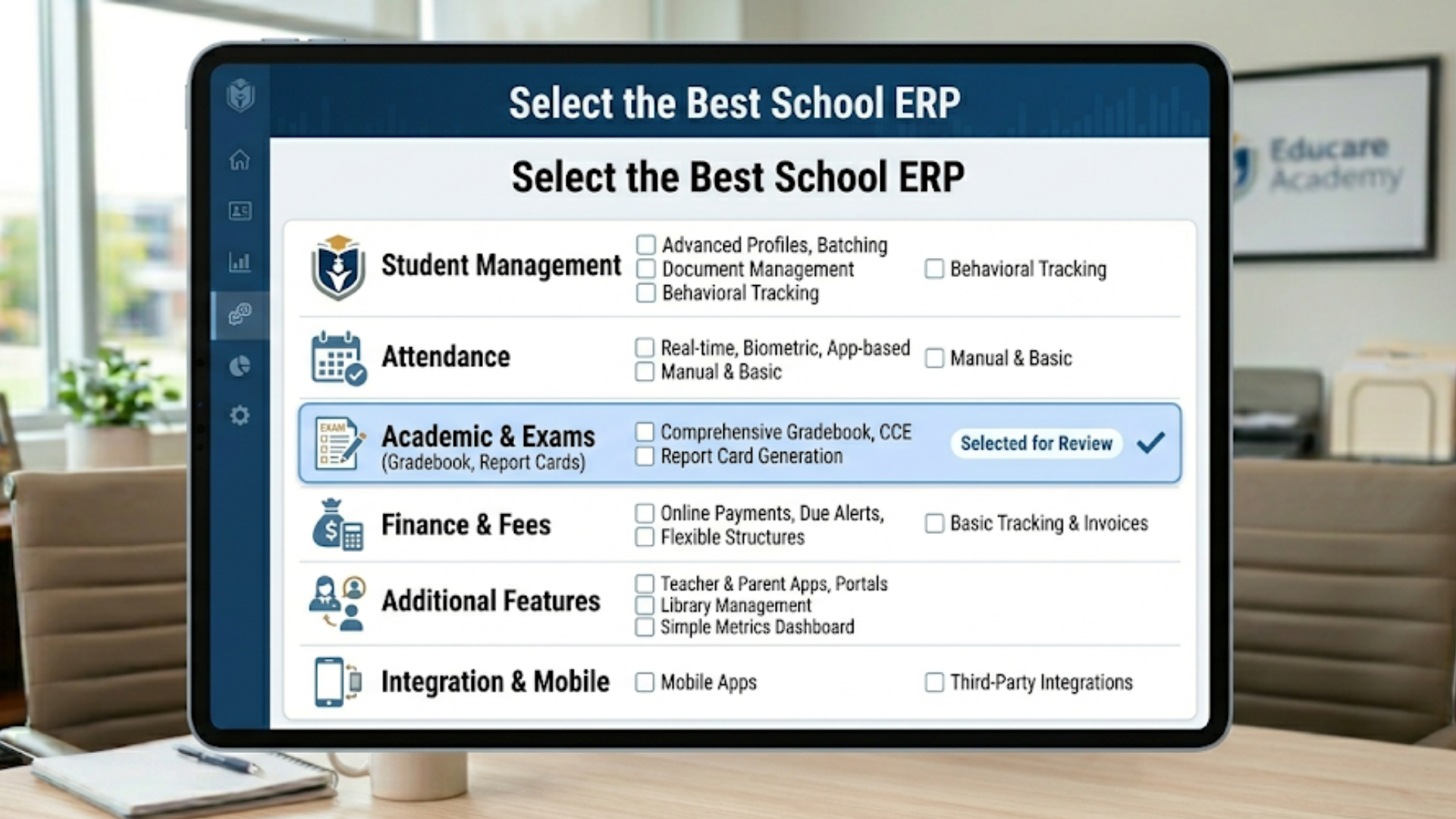
There is no perfect system. The ERP that is most appropriate to your workflows, has good support, and is embraced by staff and parents is the best school ERP. In case you also place more emphasis on real time parent communication, emphasize the mobile app experience. When the correct accounting is paramount, you should pay attention to the finance module.
Ask vendors for a list of similar schools they work with. Seeing how the system is used in a school like yours is a quick way to judge fit. Also ask for a timeline for implementation. A realistic plan beats an optimistic promise any day.
FAQs
1. What are the most important school ERP features to look for?
The most important school ERP features include a student information system (SIS), attendance tracking, fee management, timetable scheduling, assessment and gradebook, parent communication tools, and reporting dashboards. These core modules ensure smooth daily operations and better decision-making for school administrators.
2. How do I choose the best school ERP system for my institution?
Start by identifying your school’s key needs, such as fee management or academic tracking. Use a checklist to evaluate vendors, request live demos, involve teachers and IT staff, and score each system based on usability, features, and support. Running a pilot program can also help you make a confident decision.
3. What are the benefits of using a cloud-based school ERP?
A cloud-based school ERP offers easy access from anywhere, reduced IT infrastructure costs, automatic updates, and better data security. It also ensures scalability and simplifies maintenance compared to on-premise systems.
4. How long does it take to implement a school ERP system?
Implementation timelines typically range from a few weeks to a few months, depending on the size of the school, data migration complexity, and customization needs. A phased rollout with proper training and support ensures smoother adoption.
Why Vidyanova
At Vidyanova, we build cloud-based school ERP that focuses on usability and practical features principals and administrators care about. We work with K-12 schools across CBSE, ICSE, IB, and state boards. Our emphasis is simple workflows, secure data handling, and hands-on onboarding so teachers adopt quickly.
If you want a partner who can walk you through the ERP implementation for schools and customize only what truly matters, we can help. We’ve supported schools with data migration, teacher training, and integrating payment gateways commonly used in India and other regions.
Next Steps and How to Proceed
Here’s a simple plan to move forward.
- Prioritize your top 8 features from the final checklist.
- Invite 3 vendors for demo using the short demo checklist above.
- Run a two month pilot with one grade or department.
- Measure adoption, support quality, and time saved after the pilot.
- Decide, negotiate transparent terms, and plan a staged rollout.
Quick tip: Don’t buy everything at once. Start with core modules and add extras after you gain traction. It lowers risk and keeps teachers from feeling overwhelmed.
Helpful Links & Next Steps
- Vidyanova
- Vidyanova Blog
- Book your free demo today
- Contact Us
- support@vidyanova.com
If you want, I can convert this checklist into a printable PDF or a short evaluation spreadsheet you can use during vendor demos. Book your free demo today and we’ll walk you through a tailored checklist for your school.