ERP for Schools: Modules, Benefits & Implementation Strategy
This blog explains what a school ERP is and how to choose and implement one effectively. It defines ERP’s core modules (SIS, admissions, attendance, timetable, LMS, finance, HR, library, transport, communication, analytics, security), argues that ERP should be treated as change-management not just automation, and lists measurable benefits like efficiency, better fee collection, parent engagement, and data-driven decisions. It gives a practical checklist for vendor selection, a step‑by‑step implementation roadmap, common mistakes to avoid, KPIs for measuring ROI, security and integration considerations, and adoption tips. The piece concludes by describing Vidyanova’s cloud ERP role and offers next steps.
If you are a school administrator, principal, IT head, or academic coordinator exploring digital transformation, you’ve likely come across VidhyaNova frequently. But what does VidhyaNova really mean for your school? And how do you choose and implement it in a way that solves real problems instead of creating new ones?
I have worked with schools and edtech teams long enough to see what succeeds and what stalls. In this post I break down what a school ERP system is, the key modules you should expect, the measurable benefits, and a step by step implementation plan you can follow. I also point out common mistakes I have seen and how to avoid them.
What is ERP for schools?
ERP stands for enterprise resource planning. In a school setting it is a unified software platform that combines administrative, financial, academic, and communication workflows into one system. Think of it as the central nervous system for school operations. It stores student records, automates fee collection, manages timetables, tracks attendance, and connects teachers, parents, and staff.
Schools call these systems different names. You might see school ERP software, school management system, or student information system. They overlap a lot. The point is to reduce manual work, unify data, and give decision-makers real-time visibility. If you want a broader understanding of how digital tools streamline school operations, explore our guide on online school management software.
In my experience, schools that treat ERP as an automation tool only miss the bigger opportunity. A good ERP is also a change-management platform. It nudges processes to be faster, more transparent, and easier to audit. Put another way, ERP is as much about people and process as it is about technology.
Why schools need an ERP
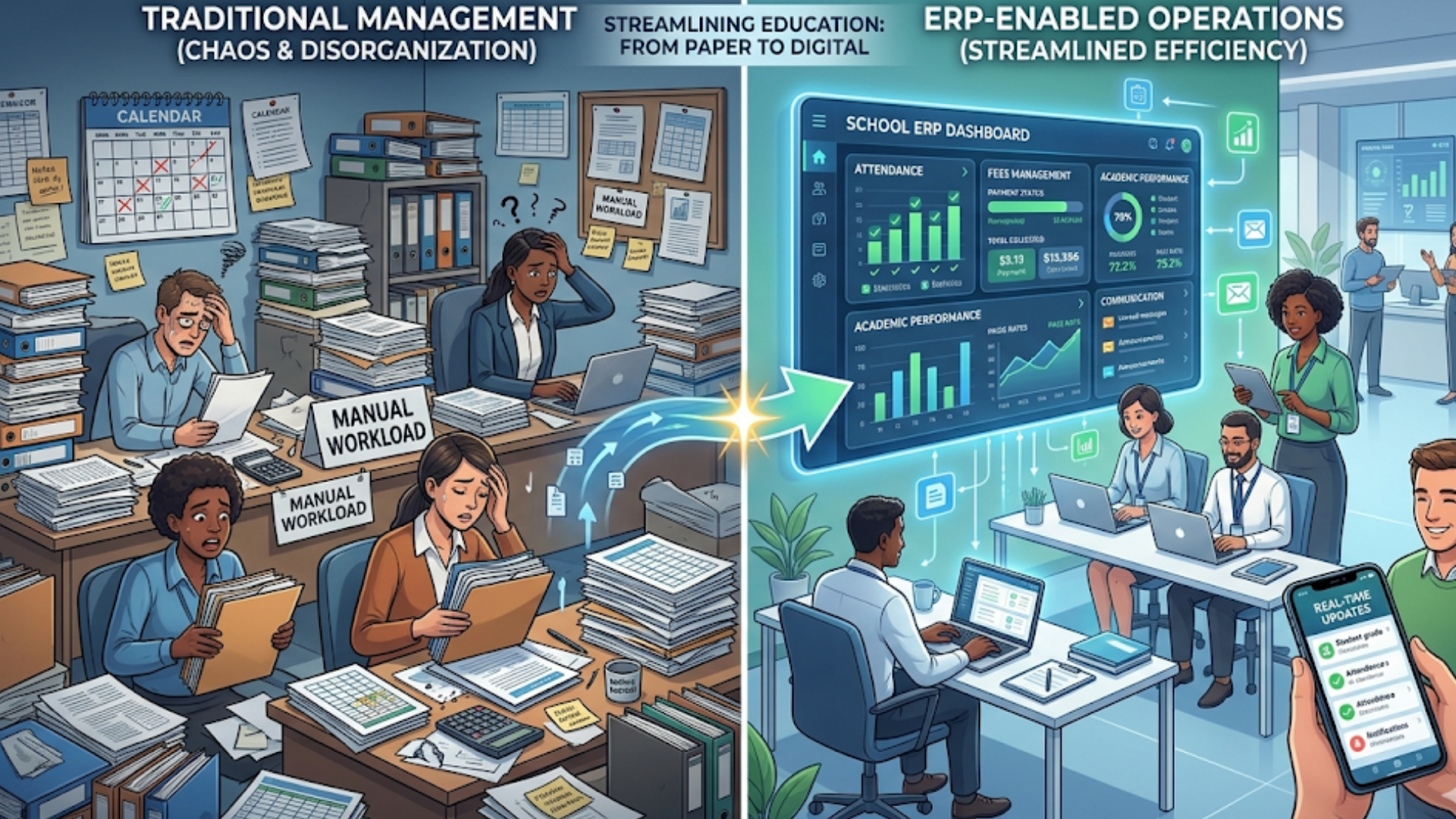
- Fragmented systems slow you down. When attendance, fees, and academics live in different places you spend time reconciling data.
- Manual processes cause errors. Paper ledgers, spreadsheets, and one-off forms lead to mistakes and delays.
- Parents want real-time information. They expect updates on attendance, progress, and fees via apps or email.
- Regulatory reporting is growing more complex. Digital records make audits and compliance easier.
- Scaling is hard without standards. Growing schools need repeatable workflows you can replicate across grades and branches.
If any of those sound familiar, you will get value from a school ERP solution that fits your needs.
Core school ERP modules explained
Not every school needs every module. Still, these are the common building blocks. I will keep examples simple and practical so you can picture how each module helps day to day.
1. Student Information System (SIS)
This is the foundation. SIS stores student demographics, admissions forms, previous school records, guardians, medical history, and disciplinary notes. It becomes the master record that other modules reference.
Example: Instead of asking parents to refill personal details at the start of every year, you update the record once and reuse it across admissions, transport, and fee schedules.
2. Admissions and Enquiry Management
Automates prospect tracking, application forms, fee collection for registration, and communication. You can track which channels bring in the most admissions, which is helpful when you plan outreach.
3. Attendance and Leave Management
Automates daily attendance for students and staff. Integrate biometric devices, RFID, or mobile check-ins. Attendance data can feed into automatic notifications to parents and calculate leave balances for staff.
4. Timetable and Resource Scheduling
Helps create conflict-free timetables for classes and teachers, allocate rooms and labs, and manage substitute teachers. A good timetable module reduces last minute changes and teacher burnout.
5. Academic Management and Exams
Manage curricula, lesson planning, assignments, assessments, and exam scheduling. Use it to generate report cards, set grading templates, and store student performance history.
Quick tip: Look for a system that supports multiple grading schemes and custom report formats. Schools use a mix of percentage, GPA, and competency-based assessments.
6. Learning Management System (LMS) integration
Some ERPs include LMS features or integrate with popular LMS platforms. This handles course content, online assignments, quizzes, and teacher-student interactions outside class time.
Example: When a teacher uploads homework, the ERP automatically notifies parents and tracks submission status.
7. Finance and Fee Management
Manages invoicing, fee structures, discounts, scholarships, receipts, and income reporting. Modern systems include online payment gateway integration, late fee rules, and automated reminders.
Common pitfall: Avoid systems that force a one-size-fits-all fee structure. Schools need flexibility for instalments, conditional discounts, and sibling concessions.
8. Human Resources and Payroll
Manages staff profiles, attendance, payroll processing, leave, appraisals, and statutory compliance. Integrate HR and finance so payroll entries post directly to the accounting ledger.
9. Library, Inventory, and Asset Management
Track books, issue and return history, stock levels for consumables, and fixed assets like projectors and lab equipment. Scan barcodes or QR codes for quick transactions.
10. Transport Management
Plan routes, manage vehicle maintenance, track pick-up and drop-off, and send route alerts to parents. GPS integration gives real-time location, which parents appreciate.
11. Communication and Parent Portal
Centralizes emails, SMS, push notifications, and newsletters. Parent portals and mobile apps give guardians access to attendance, fee status, homework, and teacher messages.
12. Analytics and Reporting
Dashboards that show trends in attendance, fee collection, academic performance, and staff utilization. Use customizable reports for audits and board meetings.
13. Security and Compliance
Role-based access, audit trails, secure backups, and data privacy controls. Schools must protect student data and meet local regulations.
Types of deployment: Cloud vs On-premise
Most schools now choose cloud-based school ERP solutions. Why? Cloud reduces upfront IT costs, simplifies updates, and enables parents and staff to access the system from anywhere.
That said, some larger institutions or those with strict data residency needs prefer on-premise. The right choice depends on your bandwidth, budget, and compliance requirements.
Top benefits of school ERP software
Let me be blunt. You do not implement an ERP to have a flashy dashboard. You implement it to solve specific problems. Here are the benefits that schools actually see.
- Operational efficiency. Less paperwork, fewer manual reconciliations, faster approvals.
- Improved fee collection. Online payments and automatic reminders reduce delays and bad debt.
- Better academic outcomes. Teachers spend less time on admin and more on teaching. Data helps identify struggling students early.
- Parent engagement. Real-time updates reduce calls and improve trust.
- Accurate reporting. Quick generation of regulatory and management reports saves time during audits.
- Scalable processes. Standardized workflows make it easier to open new campuses or add grades.
- Data-driven decisions. Dashboards and analytics help you spot bottlenecks and measure impact.
In my experience, the schools that measure results track a small set of KPIs. Examples include time to close an admission, fee collection rate, average teacher admin hours per week, and student attendance rate.
How to choose the right school ERP: a practical checklist
Choosing an ERP feels risky. You can reduce that risk by following a simple checklist. I recommend involving a cross-functional team including a teacher, admin officer, finance head, and IT person. If possible, include a parent representative.
- Does it cover the modules you need now and scale later?
- Is it cloud-based and mobile friendly?
- Can it integrate with your existing LMS, payroll, or biometric systems?
- How flexible is the fee structure engine?
- What are the data import and migration options?
- Does the vendor offer local support and training?
- What are the licensing and ongoing costs? Look for transparent pricing.
- Are security and data privacy policies clear and compliant with local laws?
- Can you try a pilot with a subset of users before a full rollout?
A short RFP or feature checklist helps standardize vendor responses. Don’t rely on demos alone. Ask for references from similar schools and verify them.
Implementation roadmap: step by step
Implementing an ERP is a project. Treat it that way. Below is a practical roadmap that keeps things simple and avoids common traps.
1. Start with clear goals and KPIs
What are you trying to fix? Faster admissions? Better fee visibility? Reduced teacher admin time? Define measurable outcomes and timelines. This will guide decisions and help you measure ROI later.
2. Form a project team
Include a project owner, representatives from academics, finance, admissions, HR, and IT. Assign a point person who will coordinate with the vendor. I have seen projects stall when responsibility is diffused.
3. Map current processes
Document how each workflow works today. Admissions, fee collection, leave approval, timetable creation. If you skip this, you will automate broken processes. Be honest. Sometimes the current process is messy and needs redesign.
4. Choose the right vendor
Use the checklist above. Prioritize vendors who show real understanding of school workflows. You want a partner, not just a product. Ask for a clear implementation timeline and what support they provide after go-live.
5. Clean and migrate data
Data migration is usually under-estimated. Start early. Clean duplicates, standardize grade names, and collect missing guardian contacts. Allocate time for reconciliation after migration.
6. Configure, don’t over-customize
Most ERPs allow configuration. Use that. Heavy customization increases cost and slows future updates. Configure workflows to match your needs instead of changing the core code unless absolutely necessary.
7. Pilot with a small group
Roll out to one grade or one department first. Pilots help you find gaps in training, data flows, and integration points. It also builds internal champions who will promote the system during wider rollout.
8. Train and onboard users
Training is not a one-time session. Provide role-based training for admins, teachers, finance staff, and parents. Use quick reference guides and short video snippets. Expect questions. Set up a help desk for the first 60 to 90 days.
9. Go live and monitor
Set a go-live date and plan for contingency. Monitor KPIs closely. Keep the project team meeting weekly to review issues and prioritize fixes. Small, frequent fixes are better than big, infrequent updates.
10. Review and iterate
After 3 months and then 6 months, review the goals you set. Did you improve fee collection? Reduce paper? Adjust processes and training based on actual use. Continuous improvement matters more than the initial launch fanfare.
Common implementation mistakes and how to avoid them
I have seen the same mistakes repeat across schools. Knowing these helps you steer clear.
- Skipping stakeholder engagement. If teachers and parents do not feel heard, adoption will be slow. Involve them early and often.
- Underestimating training. People need practice and quick help. Don’t assume a single demo is enough.
- Trying to migrate without cleaning data. Garbage in, garbage out. Clean records first.
- Customizing too much. Heavy customizations cause maintenance headaches and slow vendor updates.
- Ignoring integrations. Leave gaps if you do not integrate with your LMS or payment gateway. That creates duplicate work.
- Choosing cost over fit. The cheapest solution is rarely the best option if it does not meet your critical needs.
Measuring ROI and impact
Decision-makers want to know how ERP implementation translates to value. Here are concrete areas to measure. Pick 4 to 6 KPIs and track them regularly.
- Reduction in time spent on admin per teacher per week.
- Increase in on-time fee collection percentage.
- Reduction in paper usage and printing costs.
- Improvement in average student attendance rates.
- Time to produce mandatory reports and audit readiness.
- Parent satisfaction scores from surveys after deployment.
One concrete example: A medium sized school I worked with reduced the time teachers spent on administrative tasks by about three hours per week after going live with a combined SIS and LMS. That extra time was used for lesson planning and parent conferences. Small changes add up quickly when scaled across staff.
Security, data privacy and compliance
Student data is sensitive. You must demand clear answers from vendors about security and backups. Ask the following:
- Where is data hosted? Is it within your country or region, if required?
- What encryption standards are used for data at rest and in transit?
- How often are backups taken and how are they restored?
- What role based access controls exist for teachers, admins, parents, and students?
- Is there an audit trail for changes to records?
It is tempting to speed through these questions. Don’t. Compliance failures are costly and damage trust with parents and regulators.
Integrations you should plan for
ERP rarely stands alone. Plan integrations early so you do not create duplicate workflows later. Common integrations include:
- LMS platforms for course content and assignments.
- Payment gateways for online fee collection.
- Biometric or RFID systems for attendance.
- Single sign on or identity providers for staff and students.
- Local accounting software if specific reporting is needed.
Integration can be as simple as nightly data syncs or as complex as real-time APIs. Decide what matters for your use cases and budget accordingly.
Customization vs configuration: choose wisely
Small customizations are sometimes necessary. For example, a unique fee concession rule or a local regulatory report. However, extensive changes cost more and make future upgrades harder.
I recommend starting with configuration. Use built-in settings, templates, and user roles. Only approve code-level customizations after you understand long-term costs and upgrade implications.
Change management and adoption tips
Technology rarely fails because of code. It fails because people do not change how they work. Here are practical adoption tips that actually work.
- Communicate early and often. Tell staff and parents why you are changing and what they will gain.
- Use champions. Identify teachers and admins who like technology and make them advocates.
- Start small. Pilot with teams that can give candid feedback and then scale.
- Provide on-demand help. Short videos and FAQs reduce repetitive queries.
- Celebrate wins. Share metrics showing time saved or faster fee collection to keep momentum.
Adoption is gradual. Expect resistance. Use data to show progress and keep everyone focused on outcomes.
Vendor relationship and support expectations
Your vendor should be more than a software provider. They should be a partner. Ask these questions before you sign:
- What is the implementation timeline and milestones?
- Who will lead the implementation from the vendor side?
- What training and knowledge transfer do they provide?
- How is ongoing support handled? Is it local or remote?
- What are SLAs for critical issues?
- How often is the product updated and how are changes communicated?
I have seen projects succeed where vendors provided on-site training and regular check-ins for the first three months. Support matters more in the early stages than at purchase time.
Case example: a simple rollout story
Here is a small, human example. A 700-student school implemented a cloud-based school ERP to manage admissions, fees, attendance, and parent communication. They started with three clear goals: reduce fee collection delays, give parents a mobile app, and free up teacher time from form filling.
They formed a small project team, cleaned data for two weeks, and piloted the system in grades 6 and 7. Training sessions were short and practical, focused on the real tasks teachers do daily. The vendor assigned a support engineer for the first 60 days.
Results at 6 months: on-time fee collection improved by 25 percent, average teacher admin time fell by two hours per week, and parent app downloads reached 80 percent of families. The school used those wins to justify rolling out the ERP across all grades.
That example is not extraordinary. It is what happens when you start with clear goals and follow a simple implementation plan.
How Vidyanova helps schools
At Vidyanova, we build cloud-based school ERP solutions that focus on real school workflows. We aim to be a partner during implementation and to provide clear, role-based training so your teams adopt quickly. If you want an ERP that integrates student information system features with finance, HR, and parent communication, we can help.
We have worked with schools to improve fee collection, streamline admissions, and reduce manual reporting. If you are looking for a school ERP that balances features with simplicity, consider what a focused partner can do for you.
Quick checklist before you decide
- Define 3 to 5 measurable goals for ERP implementation.
- Create a cross-functional project team and appoint an owner.
- Map current processes and clean your data.
- Prioritize must-have modules and integration points.
- Request vendor demos from at least three providers and ask for local references.
- Run a pilot before full rollout.
- Measure KPIs and iterate after launch.
Frequently asked questions
How long does ERP implementation take?
It depends on size and complexity. For a small school, 6 to 12 weeks is common for core modules. Larger schools or multi-campus deployments take 3 to 6 months or more. Piloting first can shorten wider rollouts.
What is the cost structure?
Costs vary. Cloud-based solutions usually have subscription pricing per student or per user. Expect initial setup and data migration fees plus ongoing support charges. Always ask for a total cost of ownership for at least three years.
Can we switch vendors later?
Yes, but plan for it. Keep data exports in standard formats like CSV. Avoid deep customizations that lock you in. Confirm data ownership and export policies with any vendor you consider.
Do parents need training?
Minimal training is usually enough. A short welcome video and a step-by-step PDF reduce questions. Parents become comfortable quickly if the app is intuitive and notifications are relevant.
What about connectivity issues in rural areas?
Choose a system that offers offline capabilities or lightweight mobile apps. Also, prioritize simple, mobile-first user experiences that work on low bandwidth.
FAQs
How do I know if my school is ready for an ERP system?
If your school is struggling with manual processes, disconnected systems, frequent data errors, or lack of real-time visibility into operations, it is a strong indicator that you are ready for an ERP. Readiness also depends on having basic digital infrastructure and a willingness among staff to adopt new processes.
Which modules should a school implement first?
Most schools start with core modules like Student Information System (SIS), admissions, attendance, and fee management. These areas deliver quick wins and immediate ROI. Additional modules like HR, transport, and LMS integration can be rolled out in phases.
What challenges should I expect during ERP implementation?
Common challenges include resistance to change from staff, data migration issues, lack of proper training, and unclear processes. These can be managed with proper planning, stakeholder involvement, phased rollout, and continuous support from the vendor.
How secure is a cloud-based school ERP like Vidyanova?
Modern cloud-based ERPs like Vidyanova use strong security measures such as data encryption, role-based access control, and regular backups. However, schools should always verify the vendor’s security policies, data hosting location, and compliance standards before implementation.
Final thoughts
Adopting a school ERP is a strategic decision. It pays off when you focus on specific problems, involve the right people, and treat the rollout as a change management exercise. Don’t expect overnight miracles. Expect measurable improvements if you are realistic about goals, training, and support.
If you want a partner who understands school workflows and can guide you through selection, implementation, and adoption, Vidyanova can help. Book a free demo and we can walk through your specific needs and a practical rollout plan.