School ERP Pricing in India: Cost Breakdown & ROI Analysis
This blog explains how school ERP pricing (using Vidya Nova as an example) can hide extra costs and why decision-makers must assess total cost of ownership. It outlines common pricing models (per-student, flat, SaaS, hybrid, enterprise), itemizes implementation, migration, customization, SMS, gateway, hardware, training, support and exit costs, and gives a five-year TCO example. It presents simple ROI levers, vendor evaluation criteria, negotiation tactics, and pricing traps to avoid. The post emphasizes phased implementation and change management, offers school-size guidance and case studies, and provides a practical checklist to choose a transparent, cost-effective ERP.
When it comes to selecting a school management system such as VidyaNova, it can seem all so simple at first glance. The cost mentioned on the website may seem straightforward, but then come the hidden costs. The onboarding fee, SMS fee, and even customization fees. Suddenly, the cost of VidyaNova is not what you initially thought.
I've worked with school leaders and IT heads who came to me surprised at how the numbers stacked up. In this article I want to break down school ERP pricing in India in a way that actually helps decision-makers. We will look at pricing models, all the real cost components you'll encounter, a practical total cost of ownership approach, and how to judge ROI. I’ll also share common traps and negotiation tips I’ve picked up over the years.
If you’re a school owner, principal, administrator, education trust manager, or IT head, read on. I’ve written this to be practical and to help you avoid costly mistakes.
How School ERP Pricing Works - The Main Models
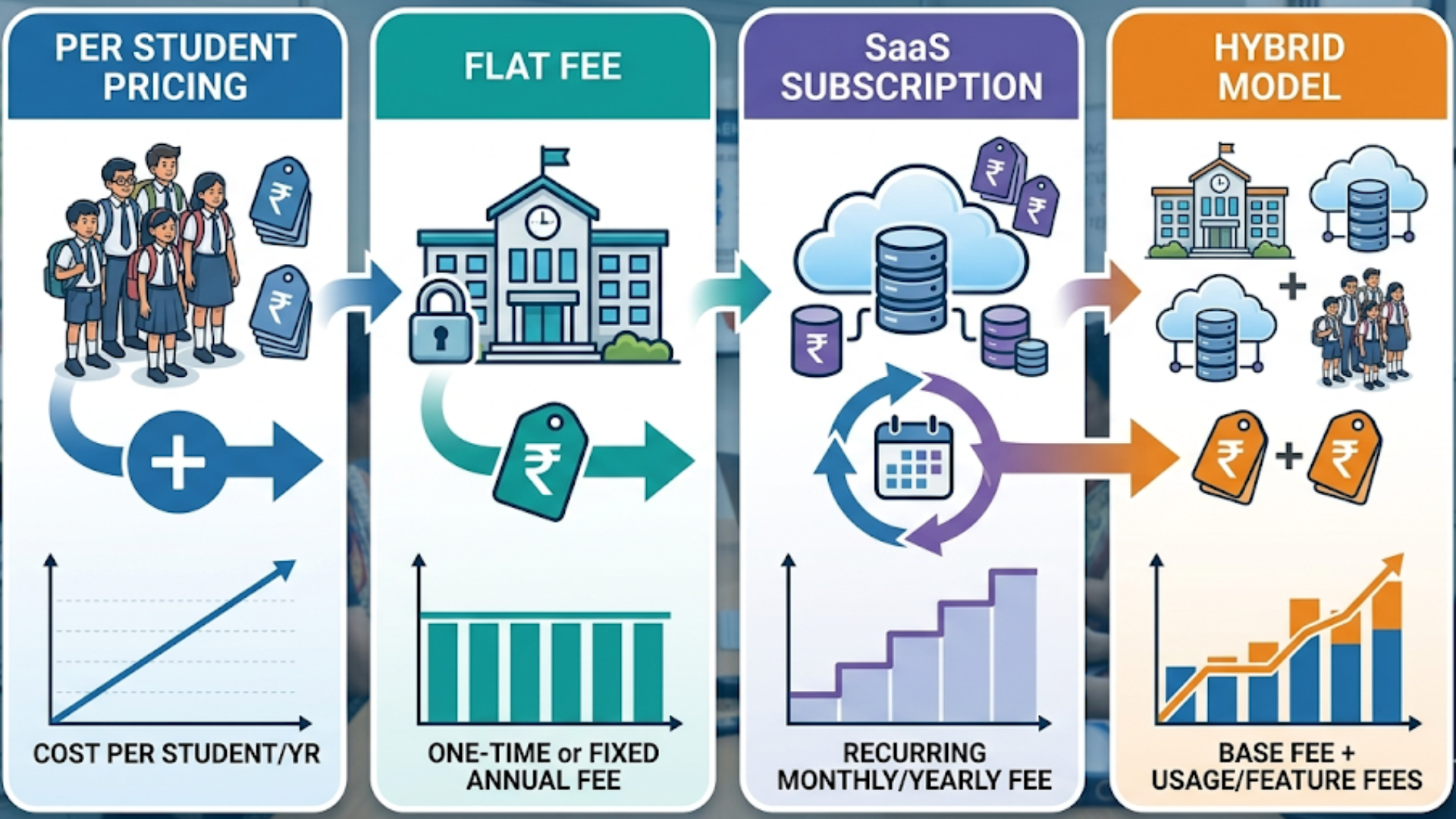
Vendors generally price school ERP solutions in one of a few ways. Each model has tradeoffs. Which one makes sense depends on your school size, budget predictability, and how many modules you intend to use.
- Per student pricing - You pay a fee for each active student, usually monthly or yearly. This is common and scales with enrollment. It feels fair, but it can surprise you if your enrollment grows or if different modules carry per-student charges.
- Flat fee per school - A single license fee for the entire school. This is simpler to budget for and often works well for medium to large schools with stable needs.
- SaaS subscription - Hosted in the cloud, billed monthly or yearly. SaaS pricing can be per user, per student, or flat. Expect regular updates included. This is the most common model in India today.
- Hybrid models - A mix of the above. For example, a base flat fee plus per-student add-ons for specific modules.
- Enterprise licenses - For large school groups or trusts. Pricing is negotiated and may include on-premise options, custom SLAs, and dedicated support teams.
Which model is best? Ask yourself three questions. How predictable is your enrollment? Do you want the vendor to host and maintain everything? Do you expect heavy customization? Your answers will point you to the right model.
Breakdown of All Cost Components
Advertised prices usually cover core software. But a full implementation has many parts. Below I list the typical cost components I see in India, with short notes on what to watch for.
- Implementation and setup - The cost to configure the system, map your processes, and set user roles. This often includes initial data import. Some vendors include this in the subscription. Many do not.
- Data migration - Moving student records, attendance, fee histories, and exam results from legacy systems or spreadsheets. Complex migrations cost more, especially if data is messy.
- Customization - Changes to match your workflows or regulatory needs. Small tweaks may be cheap. Deep customizations add up fast. Ask for itemized estimates.
- Hosting and infrastructure - For SaaS products this is typically included in the subscription. For on-premise deployments you need servers, backups, and network upgrades.
- SMS and communication charges - Many vendors charge per SMS or offer SMS bundles. These costs are often ignored during evaluation and become recurring surprises.
- Payment gateway and transaction fees - If you collect fees online, gateway charges apply. Also check for vendor markups. Some ERPs let you integrate your gateway.
- Hardware and peripherals - Biometric devices, scanners, tablets, printers. If you want smart attendance or cashless kiosks, budget for hardware.
- Training and change management - Training for administrators, teachers, and office staff. Good vendors include training days. Some charge per session.
- Support and maintenance - Annual support fees, priority support, and SLAs. Free support may be limited or slow.
- Upgrades and new features - SaaS vendors usually push updates. On-premise solutions may charge to deploy upgrades.
- Third-party integrations - Integrations with LMS, library systems, or ERP modules can involve integration charges or middleware costs.
- Compliance and security - Audits, certifications, and security hardening. These are often necessary for larger schools and groups.
- Exit and data export costs - What happens if you leave? Exporting data or migrating out can cost money. Always ask for an exit plan.
One quick rule I use: add at least 20 to 30 percent to the quoted license fee to estimate real first-year costs. For smaller schools with simpler needs the percentage may be lower. For big custom jobs, it can be much higher.
Hidden Costs You Must Watch Out For
Let me be blunt. The cheapest headline price is rarely the cheapest option in practice. Here are common hidden costs that catch schools off guard.
- SMS billed separately and charged per message
- Essential modules sold as add-ons - transport, hostel, or timetabling
- Additional charges for parent mobile app or multi-language support
- Extra fees for API access or third-party integrations
- Costly custom reports or compliance reports
- Support tiers that charge for faster response or priority fixes
- Renewal price hikes after the first year, often linked to student growth
I've seen schools choose a low-cost vendor only to pay more later for supposedly "optional" modules. My tip is simple: ask for a full quote for what you will actually use, not for a minimal package.
Calculating Total Cost of Ownership - Practical Example
TCO makes budgeting realistic. I prefer a five year view. Three years is okay, but some costs like hardware depreciation and major upgrades show up between year three and five.
Below is a simplified example to show how costs add up. Numbers are illustrative and use Indian rupees. Adjust for your school's specifics.
Assumptions for the examples
- Small school: 300 students
- Medium school: 1,200 students
- Large school: 3,000 students
- Base SaaS subscription per student: INR 300 per year
- Implementation & customization: one-time INR 75,000 for small, INR 2,00,000 for medium, INR 6,00,000 for large
- SMS and communication: INR 25 per student per year average
- Payment gateway charges: 1.5% of online collections
- Training and support: INR 30,000 per year for small, INR 1,00,000 per year for medium, INR 2,50,000 per year for large
- Hardware and devices: INR 50,000 one-time for small, INR 2,00,000 for medium, INR 6,00,000 for large
Yearly subscription cost (SaaS) = students x INR 300
- Small: 300 x 300 = INR 90,000 per year
- Medium: 1,200 x 300 = INR 3,60,000 per year
- Large: 3,000 x 300 = INR 9,00,000 per year
Five year TCO rough calculation
- Small school
- Subscription (5 years): 90,000 x 5 = INR 4,50,000
- Implementation: 75,000
- Hardware: 50,000
- Support & training (5 years): 30,000 x 5 = 1,50,000
- SMS (5 years): 25 x 300 x 5 = 37,500
- Estimated total TCO: INR 7,62,500
- Medium school
- Subscription (5 years): 3,60,000 x 5 = INR 18,00,000
- Implementation: 2,00,000
- Hardware: 2,00,000
- Support & training (5 years): 1,00,000 x 5 = 5,00,000
- SMS (5 years): 25 x 1,200 x 5 = 1,50,000
- Estimated total TCO: INR 28,50,000
- Large school
- Subscription (5 years): 9,00,000 x 5 = INR 45,00,000
- Implementation: 6,00,000
- Hardware: 6,00,000
- Support & training (5 years): 2,50,000 x 5 = 12,50,000
- SMS (5 years): 25 x 3,000 x 5 = 3,75,000
- Estimated total TCO: INR 67,25,000
Numbers will change with your choices. If you add bus tracking, library integration, or a custom mobile app, add those costs. But this gives you a clearer picture than a single-year license fee.
Simple ROI Calculations You Can Use
Decision-makers need to justify ERP spending. ROI is usually not just about money. It is also about time, transparency, and parent experience. Still, money matters. Here are a few basic ROI levers and a simple example.
Common ROI levers
- Reduced administrative hours - example, automating fee reminders
- Lower paper and stationery costs
- Faster fee collection and lower outstanding fees
- Improved staff productivity - less time on repetitive tasks
- Better teacher time allocation due to integrated attendance and timetables
- Reduced errors and compliance penalties
Simple ROI example - automated fee reminders
Assume your office team spends 120 hours per month chasing overdue fees, at an average cost of INR 200 per hour (salary + overhead). This is per month and per annum, respectively. If an ERP reduces that by 70 per cent, savings per annum are INR 2,01,600. Over five years that is INR 10,08,000 saved. Compare this to the five year TCO from earlier. The ERP could pay for itself mostly from improved fee collection and time savings alone.
Another quick example - reducing fee leakage
If your school has INR 50 lakh in annual fee billing and 5 percent is outstanding due to poor follow-up, that means INR 2.5 lakh tied up. If ERP processes lower outstanding to 2 percent, you free up INR 1.5 lakh per year. Small improvements add up.
When you combine multiple savings - reduced admin hours, fewer errors, and better online payments - the ROI becomes clearer. I always tell administrators to make a conservative estimate. Use numbers you can defend in a meeting.
How to Evaluate ERP Vendors Effectively
Evaluating vendors is more than comparing price lists. Here is a practical checklist I use with school leadership teams.
- Ask for a TCO quote, not just a license price - Include implementation, migration, SMS, training, hardware, and support costs.
- Request customer references - Talk to similar-sized schools and ask about hidden fees and support responsiveness.
- Check SLAs - Response times, uptime guarantees, and penalty clauses for missed SLAs.
- Data ownership and portability - Who owns student data? What’s the export format and cost?
- Security and compliance - Data encryption, backups, and certifications if you need them.
- Roadmap and upgrades - How often does the vendor update the product? Are upgrades charged?
- Integration capabilities - Open APIs, pre-built connectors, or costly custom integrations?
- Trial and pilot options - Ask for a pilot with a sandbox and real data workload to test performance.
- Support model - On-call, dedicated account manager, and local support availability during exam seasons.
- Pricing transparency - Get an itemized quote and written terms on future price increases.
Also ask straightforward questions about their churn rate and references for schools that migrated away. If a vendor hesitates to share these, that is a red flag.
Common Pricing Traps and How to Avoid Them
I have a small list of traps I warn every school about. Avoid these and you’ll save money and headaches.
- Low headline price with many add-ons - If the base price excludes essential modules, the final cost becomes much higher.
- Per student hikes after year one - Cap increases in the contract, or negotiate fixed pricing for at least two to three years.
- Pay-per-feature - Some vendors charge for reports, SMS, and extra dashboards. Insist on a clear list of included features.
- Unclear exit costs - Make sure data export is part of the agreement or define a reasonable export fee upfront.
- Hidden transaction charges - Watch for payment gateway markups or transaction fees hidden in monthly bills.
- Customization that locks you in - Extensive vendor-specific customizations can make switching expensive later. Prefer configurable options that don’t require custom code.
- Poor mobile experience - Parents judge systems by mobile apps. If the app is basic, adoption will be poor and your ROI drops.
One pitfall I see often is choosing a vendor because they offer many bells and whistles for the same price as a simpler, better-supported product. Fancy features are useless if nobody uses them because the vendor did not train staff well.
Negotiation Tips - Get More Value Without Overspending
Negotiation is part art and part preparation. Schools have leverage, especially when you ask the right questions. Here are practical tips.
- Ask for a pilot - A short paid pilot for key modules reveals whether the product fits your workflow.
- Bundle services - Combine SMS and training into the annual fee for a discount.
- Cap price increases - Negotiate a maximum percentage increase on renewals for at least two years.
- Ask for volume discounts - If you run multiple schools or expect growth, lock in a per-student cap.
- Include a free training clause - Negotiate two or three free training sessions during the first year.
- Get clear SLAs - If uptime or support matters, make penalties part of the contract.
- Free migration clause - Ask for one-time free migration or a capped migration fee on exit.
- Negotiate SMS rates - Vendors often have corporate SMS rates. Ask them to pass savings to you.
If you are part of a trust or group, negotiate as a group. Vendors like predictable revenue and you’ll get better terms.
Choosing the Most Cost-Effective ERP for Your School Size
There is no one-size-fits-all. That said, here are quick heuristics that I use to guide schools.
- Small schools (below 500) – SaaS preferred on a per-student basis with low setup fees. Put very little effort on customization. Choose a package that is parent app and SMS bundles.
- Medium schools (500 to 2,000 students) – A flat fee or hybrid model works better. It is sensible to select a pricing structure which can guarantee predictable costs and allow the addition of modules as the school expands. Negotiate the support SLAs, and the training days.
- Large schools and trusts (2,000+ students) — Enterprise agreements with fixed costs, dedicated support, and local presence. Have high SLAs in place.
When in doubt, run a simple TCO and ROI for the next five years. Use conservative estimates for benefits to avoid overpromising to stakeholders.
Implementation and Change Management - Why It Matters
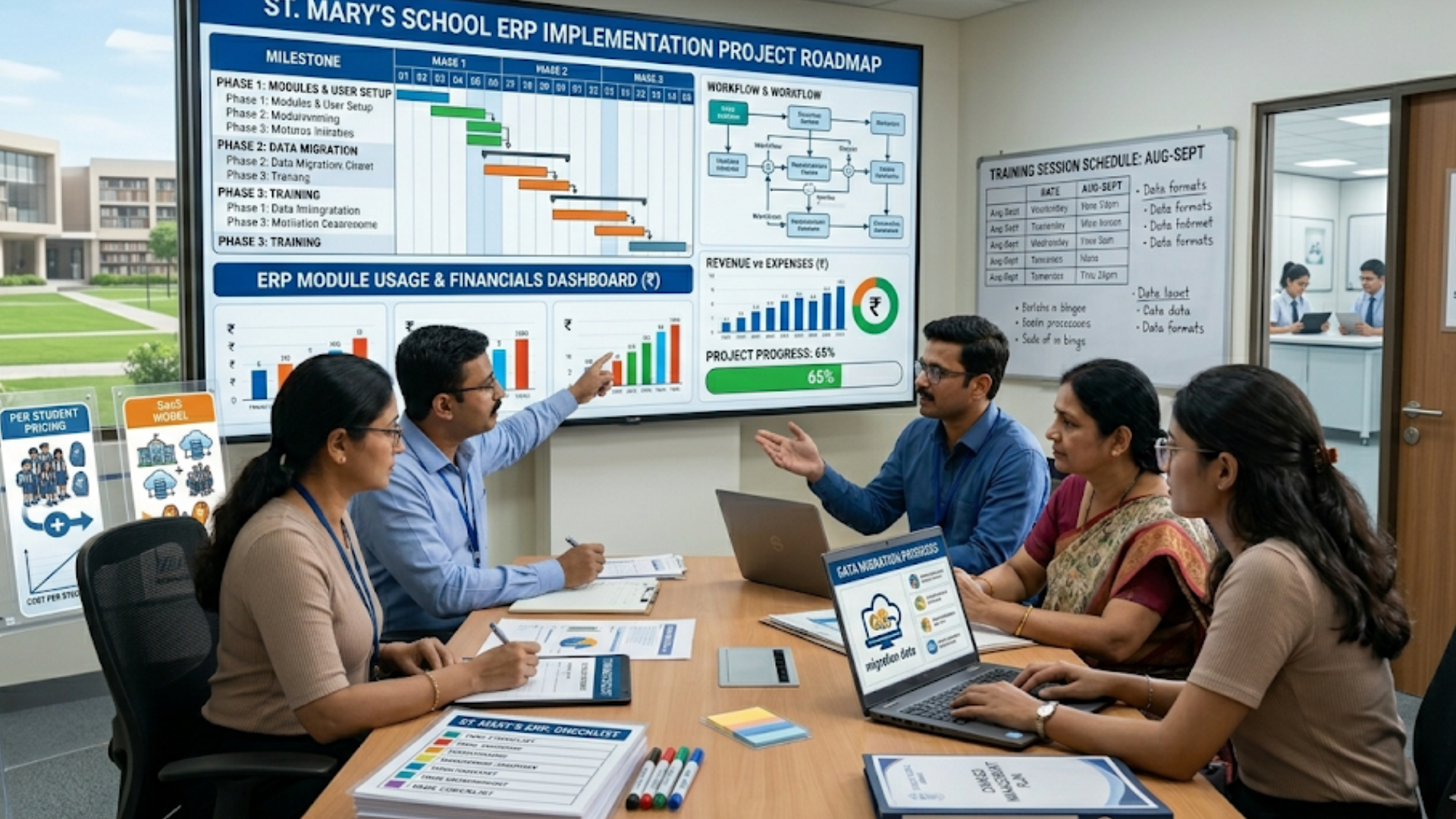
ERP implementations fail for the same reason classroom projects fail - poor change management. Technology alone does not improve processes. People do. For a deeper look at execution, check out this school ERP implementation guide. Here is a short implementation checklist I use with schools.
- Define a project owner and steering committee from teachers, admin, and IT
- Map current processes and identify quick wins
- Decide on modules to go live in phase 1 and those to defer
- Plan data migration and run a small test migration
- Train the trainers and run pilot classes for three to four weeks
- Collect feedback and iterate before full roll-out
- Monitor usage and track KPIs like fee collection time, attendance digitalization rate, and parent adoption
A common mistake is to try to flip everything on at once. That overloads staff and leads to poor adoption. Phased rollouts work much better.
Case Studies and Real Examples
Numbers tell you the what. Stories tell you the how. Here are a couple of short, anonymized examples I’ve seen in the field.
Example 1 - A medium CBSE school in Pune
This school had about 1,100 students. Their biggest pain was fee collection and manual attendance. They picked a SaaS ERP with per-student pricing. Implementation took six weeks. In the first year they cut fee follow-up time by 60 percent. Outstanding fees dropped from 4.5 percent to 1.2 percent. When we ran the numbers, time savings plus improved collections paid for the ERP in just over two years.
Example 2 - A small private school in Odisha
About 350 students. They chose a low-cost vendor with a very cheap headline price. After year one they paid for several add-ons - transport, parent app, and SMS - and the total ended up higher than a competitor who had included these in the first place. Lesson learned - compare the complete package that matches your needs rather than the smallest price.
Example 3 - A trust with five schools
The trust needed centralized reporting and multi-school fee management. They negotiated an enterprise deal with fixed costs per institute and a capped per-student increase. They also included a clause for free migration if they expanded the group. This gave them cost predictability and centralized control.
FAQs
1. What is the average cost of a school ERP system in India?
The cost of a school ERP system in India typically ranges from ₹10 to ₹60 per student per month, depending on features, modules, and vendor. Some providers like VidyaNova may also offer annual pricing or customized plans based on school size, making it important to evaluate the full cost rather than just the base price.
2. What are the hidden costs in school ERP pricing?
Common hidden costs include onboarding fees, SMS and communication charges, payment gateway fees, customization costs, and add-ons for modules like transport or hostel management. Many schools underestimate these, which is why calculating total cost of ownership (TCO) is critical before choosing a solution like VidyaNova.
3. How can schools calculate ROI from a school ERP system?
Schools can calculate ROI by measuring time saved on administrative tasks, reduction in manual errors, improved fee collection efficiency, and lower operational costs. For example, automating fee reminders and attendance tracking with systems like VidyaNova can significantly reduce staff workload and improve cash flow over time.
4. Which pricing model is best for schools: per student or flat fee?
It depends on your school size and growth plans. Per-student pricing works well for smaller or growing schools, while flat-fee or hybrid models are often more cost-effective for medium to large institutions. Platforms like VidyaNova may offer flexible pricing options, so it’s best to compare models based on long-term cost predictability and scalability.
Final Checklist Before You Sign
Here is a short checklist you can print and take to vendor meetings.
- Get a five year TCO showing all costs
- Ask for an itemized quote with included features
- Negotiate SMS and payment gateway terms
- Confirm data ownership and export format
- Agree on SLAs and penalties
- Get training days and pilot terms in writing
- Cap annual price increases for at least two years
- Clarify support hours and escalation matrix
- Ask for references from similar schools
Quick Tips I Always Share
- Start with the problems, not the product. Choose modules only for real pain points.
- Insist on a pilot with real data and users.
- Don’t let a low headline price blind you to long-term costs.
- Plan for mobile-first parent adoption. If parents don’t use it, communications fail.
- Keep customization minimal. Prefer configuration over custom code.
I’ve noticed that schools that plan their change management and measure adoption tend to get much better ROI than those who simply buy software and hope for the best.
Helpful Links and Next Steps
- Vidyanova - School ERP
- Vidyanova Blog
- Contact Us
- support@vidyanova.com
If you want a guided walkthrough of how pricing and ROI would look for your school, Book your free demo today. A short demo helps you get a realistic quote and a pilot plan tailored to your needs.