
School Automation Software: Complete Digital Transformation Blueprint
This guide argues schools should adopt unified school management systems to replace paper and scattered apps. It explains benefits — time savings, improved accuracy, better communication, faster decisions and scalability and lists essential modules like student information, attendance, fees, academics, communication, HR, analytics, mobile apps, integrations, and security. It offers a step-by-step blueprint: define goals, form a cross-functional team, map processes, prioritize features, set tech/budget constraints, shortlist vendors, pilot, migrate data, train users, roll out in phases, and measure KPIs. The blog also covers vendor selection criteria, timelines, costs, change management, security, common pitfalls, case examples, and a checklist before signing.
If you manage a school, you have likely considered going digital more than once. Maybe you began with online fee payments or introduced an attendance app. While those are valuable first steps, true digital transformation in education goes beyond disconnected tools. With VidhyaNova, it’s about reimagining your core processes so your school operates more efficiently, communicates seamlessly, and reduces time spent on repetitive administrative tasks.
In my experience, the right school automation software pulls everything into one place. You stop chasing spreadsheets. Teachers stop handwriting reports and double entering marks. Parents get timely updates. And administrators get real data to make decisions. Sounds good, right? This guide gives a practical blueprint for moving from paper, email, and scattered apps to a unified school management system that actually works.
Why school automation matters now
Schools are under pressure to do more with less. Enrollment trends change, parents expect faster answers, and compliance requirements keep growing. That makes school administration software not a luxury, but a must-have.
- Save time. Routine tasks like attendance, report cards, and fee collection become automated.
- Improve accuracy. A student information system reduces human errors in records, exams, and billing.
- Better communication. A single platform connects teachers, parents, students, and administrators.
- Faster decisions. Real time dashboards help leaders spot trends and act quickly.
- Scale easily. School ERP software supports multiple branches, campuses, and thousands of students.
I've noticed schools that adopt a full education ERP solution get calmer during peak times like admissions and report card season. That peace of mind matters more than people expect.
Core features every school automation platform should include
Not every school needs every feature on day one, but a modern system should offer the following modules. These are the building blocks of online school management.
- Student information system. This stores student profiles, enrollment history, medical details, guardians, and documents. Clean data here saves hours later.
- Attendance management software. Mobile check in, biometric sync, and automated absence alerts to parents. Look for real time snapshots.
- Fee management system. Invoicing, concessions, instalment plans, online payments, and automated reminders. Also support for accounting exports. If you want a deeper understanding, explore our guide on school fee management software: simplify collections, improve transparency & automate payments, which explains how digital fee systems streamline operations and improve financial tracking.Academic management. Timetable builder, subject allocation, marks entry, gradebook, exam schedules, and report generation.
- Communication hub. SMS, email, in-app messages, and noticeboards. Two way communication is essential.
- Learning management system integration. Either built in or via integration with your LMS for assignments, resources, and grades.
- HR and payroll. Staff records, attendance, leave, payroll calculations, and compliance reports.
- Analytics and reporting. Predefined and custom reports, dashboards for enrollment, revenue, attendance trends, and academic performance.
- Mobile apps. Parent and teacher apps for quick access to attendance, homework, fees, and messages.
- APIs and integrations. Connect with accounting, identity providers, payment gateways, or your LMS.
- Security and access controls. Role based permissions, encryption, and audit logs to protect sensitive student and staff data.
When evaluating vendors, ask how these modules work together. A system that syncs data automatically beats several best-of-breed tools that never talk to each other.
Digital transformation blueprint: step-by-step
Here is a field tested path to move from paper and patchwork apps to a full school ERP software rollout. Each phase includes practical tips and common pitfalls.
1. Start with a clear problem list and goals
Ask simple questions. What takes the most time today? Where do errors happen? Which processes frustrate parents and staff? Set measurable goals like reducing fee processing time by 50 percent or improving attendance accuracy to 99 percent.
In my experience, projects that skip clear goals stall the quickest. Goals keep conversations focused when vendors show shiny demos.
2. Form a cross functional team
Make sure your team has a principal or owner sponsor, the head of admin, an IT representative, a senior teacher, and one parent or guardian advocate. This avoids later surprises and keeps different perspectives in the room.
3. Map current processes
Document workflows rather than systems. How does admission work from enquiry to enrolment? How is an absent student tracked and communicated? These maps reveal manual handoffs that automation can eliminate.
A quick tip. Use simple sticky notes or a shared whiteboard to map steps. You do not need fancy diagrams for this to be useful.
4. Define must haves and nice-to-haves
Prioritize features into three buckets: essential for day one, important within six months, and future nice-to-haves. Most schools try to do too much in the first phase. Keep the pilot simple.
5. Set your technology and budget constraints
Decide early whether you prefer cloud hosting or local servers, what browser and device support you need, and a rough budget. Also pick your service model: subscription per student, per-user licensing, or a flat fee.
Keep in mind most education ERP solutions are cloud based these days. Cloud hosting simplifies maintenance and lets you scale faster, but check data residency if you have local regulations.
6. Evaluate vendors and shortlist
Run a shortlist of 3 to 5 vendors. Ask for tailored demos focusing on your must-have workflows. Have your team score each demo using the criteria we cover below. Ask for references from similar sized schools or regions.
7. Run a pilot
Pick one grade or a single branch to pilot the system. Limit scope to core processes like attendance, fee management, and parent communication. A pilot should run long enough to test a complete admission or term process cycle.
Expect problems and treat the pilot as learning. The goal is to find gaps, not to prove perfection.
8. Plan data migration
Clean your spreadsheets before migration. Standardize student IDs, fix date formats, and remove duplicates. Create a mapping document that shows how each field in your old system maps to the new one.
Test migration on a subset and validate thoroughly. I cannot stress this enough. Most projects stall because of messy data, not defective software.
9. Train and communicate
Train staff in roles, not features. Teachers need to know how to take attendance, enter marks, and communicate with parents. Admin staff need to run fee cycles and produce reports. Parents need quick guides or short videos explaining the app basics.
A training calendar, short job aids, and a buddy system go a long way. Appoint a small team of champions who can handle day one questions in each department.
10. Go live in phases
Roll out modules step by step. Start with attendance and fee management, then add academic modules and HR. Phased rollouts reduce risk and let you stabilize each module.
11. Measure and iterate
Track the KPIs you set at the beginning. Collect feedback, fix workflows, and plan minor releases. Technology is not set and forget. The best schools continue refining the system each term.
How to evaluate and choose the right school management system
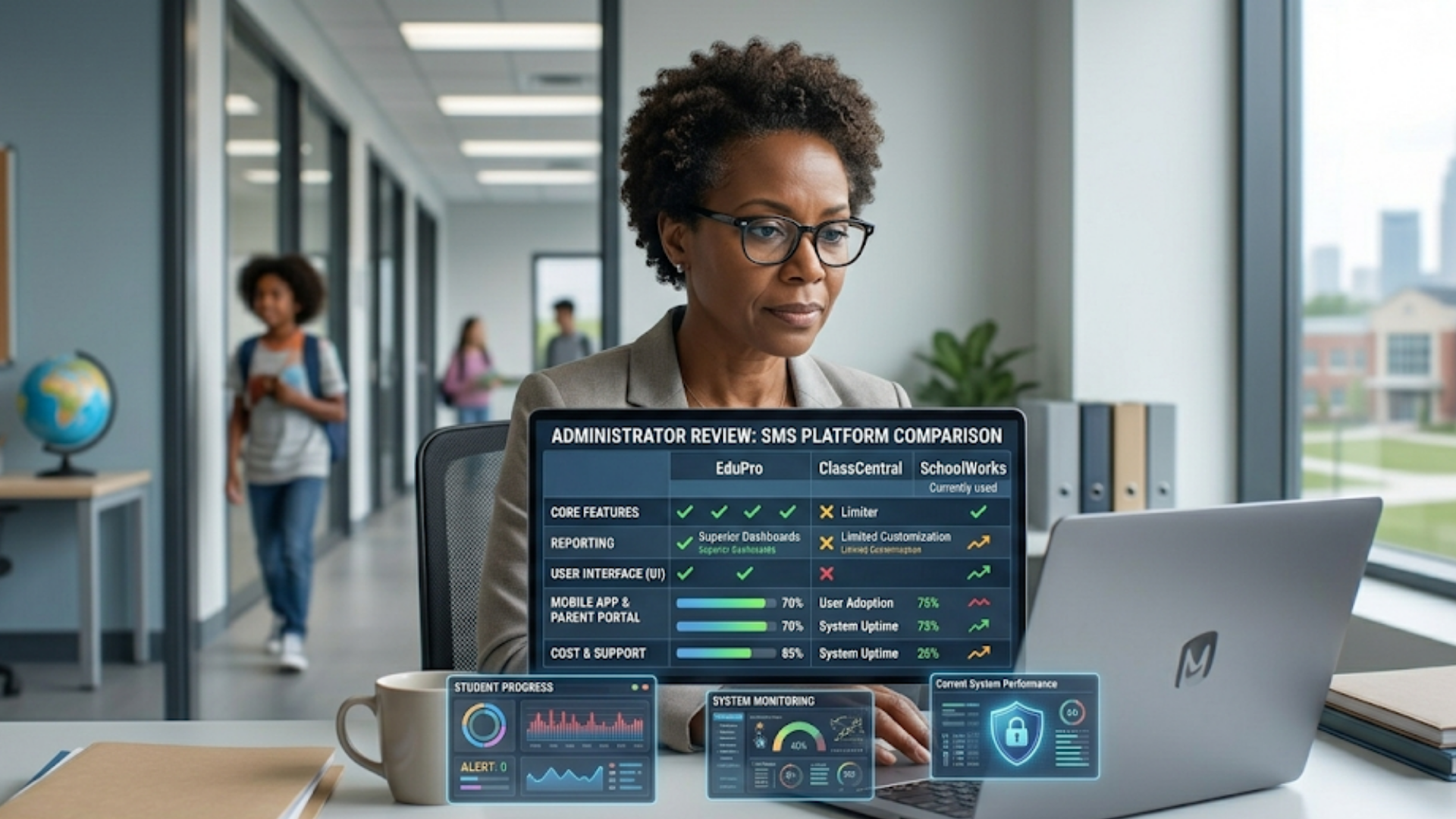
Picking software can feel like drinking from a firehose. Here are criteria I use when advising schools on vendor selection. Score each vendor out of five on these items to make comparisons easier.
- Function fit: Does the platform support your must-haves like fee management system, attendance, and student information system?
- User experience: Is the interface clean for teachers and parents? Can non tech staff use it without constant support?
- Integration capability: Does it have APIs, or ready connectors for payment gateways, accounting software, and your LMS?
- Data security and compliance: Encryption, backups, role based access, and compliance with local regulations.
- Vendor reputation and support: Local references, SLA for uptime, and response times for issues.
- Scalability: Can it handle growth from a few hundred to several thousand students, or multiple branches?
- Customization vs configuration: Can you configure workflows without expensive custom development?
- Total cost of ownership: Consider license fees, onboarding, training, integrations, and future upgrades.
- Product roadmap: Is the vendor investing in features you will need in the next three years?
Make sure to see the system on devices your staff actually use, not just a polished demo on a fast laptop. Ask for a sandbox trial and test real tasks like creating a new student, recording an absence, or generating a fee invoice.
Typical timeline and cost expectations
Timelines vary by school size and complexity. Here are rough ranges to set expectations.
- Small school, 200 to 500 students: 2 to 4 months from evaluation to live, with a pilot lasting 4 to 6 weeks.
- Medium school, 500 to 2,000 students: 4 to 8 months, with phased rollouts and integrations.
- Large schools, multi-branch or 2,000+ students: 6 to 12 months, often with bespoke integrations and more governance.
Costs depend on pricing models. Common approaches are per-student monthly subscriptions, per-user fees, or an enterprise license plus setup. Budget for these items beyond base licensing.
- Onboarding and configuration fees.
- Data migration and integration costs.
- Training and documentation creation.
- Ongoing support and possible custom development.
As a practical example, a small school might pay a modest subscription plus a one-time onboarding fee. A larger institution with multiple branches could see higher initial costs for integrations and custom reporting. The key is to view this as an investment that reduces manual staff hours and improves cash flow and compliance.
Data migration and integration: practical tips
Data is messy. Expect it. Planning for it reduces stress and finger pointing.
Start by auditing your current data sources. List all spreadsheets, local databases, and legacy systems that hold student or financial information. Then clean the data. Standardize fields for names, dates, and student IDs. Remove duplicates and correct obvious errors.
Next, create a data mapping document. For each field in your current system, specify where it will go in the new system. Run a test migration with 50 to 100 records and validate results with staff who know the data best.
Integration is the bridge to other systems. If you use an external LMS, library system, or accounting package, check whether the vendor offers prebuilt connectors. If not, ask about APIs and middleware options.
One common pitfall is assuming integrations are free and instant. They often require configuration, testing, and sometimes custom scripts. Factor that into your timeline and budget.
Change management and training
Technology projects succeed or fail based on people, not software. Change management deserves early attention.
Create a communication plan that explains what is changing, why it matters, and how it benefits each group. For teachers, emphasize reduced paperwork and faster parent communication. For admins, highlight accurate billing and faster reports. For parents, show how they will get instant updates and easier fee payments.
Training should be role based. Host small hands on sessions, record short screen capture videos, and create quick reference checklists. Set up a helpdesk channel for the first three months after go live. People forget details, and having a fast response reduces frustration.
A mistake I see often is overloading users with too much at once. Deliver bite sized training and schedule follow up sessions. Also, don't assume everyone uses the same device or has the same internet speed. Test in real conditions.
Security and privacy: what to check
Protecting student and staff data matters legally and morally. Ask your vendor these questions before you sign.
- Do you encrypt data at rest and in transit?
- Where is data hosted, and does that meet local data residency rules?
- Are backups automated and tested?
- Do you provide role based access controls and audit logs?
- How do you handle security incidents and notifications?
Also, ensure the vendor supports secure integrations. Poorly secured APIs are often the weakest link. If you handle payments, confirm the payment gateways are PCI compliant.
Measuring success and calculating ROI
You will want to show that the project was worth it. Pick a few measurable KPIs to track.
- Time saved on administrative tasks, measured by staff hours per week.
- Fee collection rate and reduction in late payments.
- Accuracy of attendance data and reduced manual corrections.
- Parent satisfaction measured via quick surveys after launch.
- Number of days to generate report cards or transcripts.
To estimate ROI, convert time saved into staff hourly costs and compare against subscription and onboarding fees. Also include indirect benefits like improved parent retention and faster admissions processing. Often the soft benefits push the project into a positive return in the first 12 to 24 months.
Common pitfalls and how to avoid them
Here are mistakes I have seen repeatedly and the simple ways to avoid them.
- Choosing features over fit. Vendors that look great on features may not match your workflows. Pilot real tasks before committing.
- Underestimating data cleanup. Clean data first. Budget time for it.
- Skipping parent and teacher training. A powerful system is useless if people do not use it. Train early and often.
- Not planning for integrations. Integrations take time. Test them thoroughly.
- Over customizing the platform. Heavy customization increases cost and makes upgrades painful. Prefer configuration where possible.
- Ignoring governance. Define roles and approval workflows up front to avoid chaos later.
Simple case examples
Here are three brief, human examples to show what real results look like.
- Small neighborhood school. The principal wanted fewer paper slips and faster fee collections. With an online school management system, parents paid fees online and received receipts automatically. Fee reconciliation went from three days to a few hours each month.
- Medium city school. Attendance management software and parent apps reduced unexplained absences by 40 percent in one term. Teachers used mobile markbooks and saved two hours every week.
- Multi branch group. A group with five campuses centralized student records into a single student information system. Enrollment reporting became instant and finance teams reconciled accounts across branches in one consistent format.
Tips from the field
Here are a few practical tips I give most clients.
- Start with a champions group. Two or three enthusiastic staff can lead adoption and reduce resistance.
- Record short videos for common tasks. People will watch a two minute clip more often than they will read a 20 page manual.
- Keep parents in the loop with simple one page guides and a short FAQ. Parents appreciate clear step by step instructions.
- Use analytics for coaching. Attendance and academic dashboards help you pinpoint classes needing support, not to punish teachers.
- Negotiate a flexible onboarding plan. You know your calendar. Ask the vendor to align major changes with term breaks when possible.
Checklist before you sign
Use this quick checklist before finalizing any contract.
- Have you run a live demo using your actual workflows?
- Does the vendor provide references from similar schools?
- Is the total cost of ownership clear and documented?
- Are support SLAs and response times in the contract?
- Do you have a clear data migration plan and timeline?
- Does the vendor support the integrations you need?
- Is training included and scheduled?
- Are security and compliance details explicitly documented?
- Is a sandbox or trial available for staff to test?
Why consider Vidyanova
If you are exploring school ERP software options, Vidyanova is one of the providers that focuses on simplifying school administration. They offer a unified school management system that covers student information, attendance management software, fee management, communication, and analytics. If you want to see a practical demo of how a school automation platform ties these pieces together, Vidyanova has resources and demos that walk through these workflows in real school scenarios.
FAQs
1. What is school automation software and how does it work?
School automation software is a digital platform that streamlines and manages daily school operations such as attendance, fee collection, student records, communication, and academic processes. It works by centralizing all data and workflows into one system, allowing administrators, teachers, students, and parents to access and update information in real time.
2. How does school automation software benefit teachers and administrators?
It reduces manual workload by automating repetitive tasks like attendance tracking, report generation, and fee management. Teachers can focus more on teaching, while administrators gain access to real-time data, improving decision-making and operational efficiency.
3. Is school automation software suitable for small schools?
Yes, modern school automation solutions are scalable and can be tailored for schools of all sizes. Small schools can start with essential modules like attendance and fee management, then expand as their needs grow.
4. How long does it take to implement a school management system?
Implementation time varies depending on the size of the school and complexity of requirements. Typically, it can take anywhere from 2 to 6 months, including setup, data migration, training, and pilot testing.
Digital transformation in education is not an overnight switch. It is a series of smart choices over time. Start with the biggest pain points, keep the pilot small, and iterate. With the right plan and the right school automation software, you will remove repetitive busywork, improve accuracy, and free your team to focus on students.
If you are ready to explore options or see how a school management system could work for your institution, start with a clear problem list and a small pilot. Ask potential vendors to show those exact workflows in a live demo. It makes all the difference.
Helpful Links & Next Steps
- Vidyanova – School Automation Software
- Vidyanova Blog – Resources on digital transformation in education
- Book your free demo today
- Contact US
- support@vidyanova.com