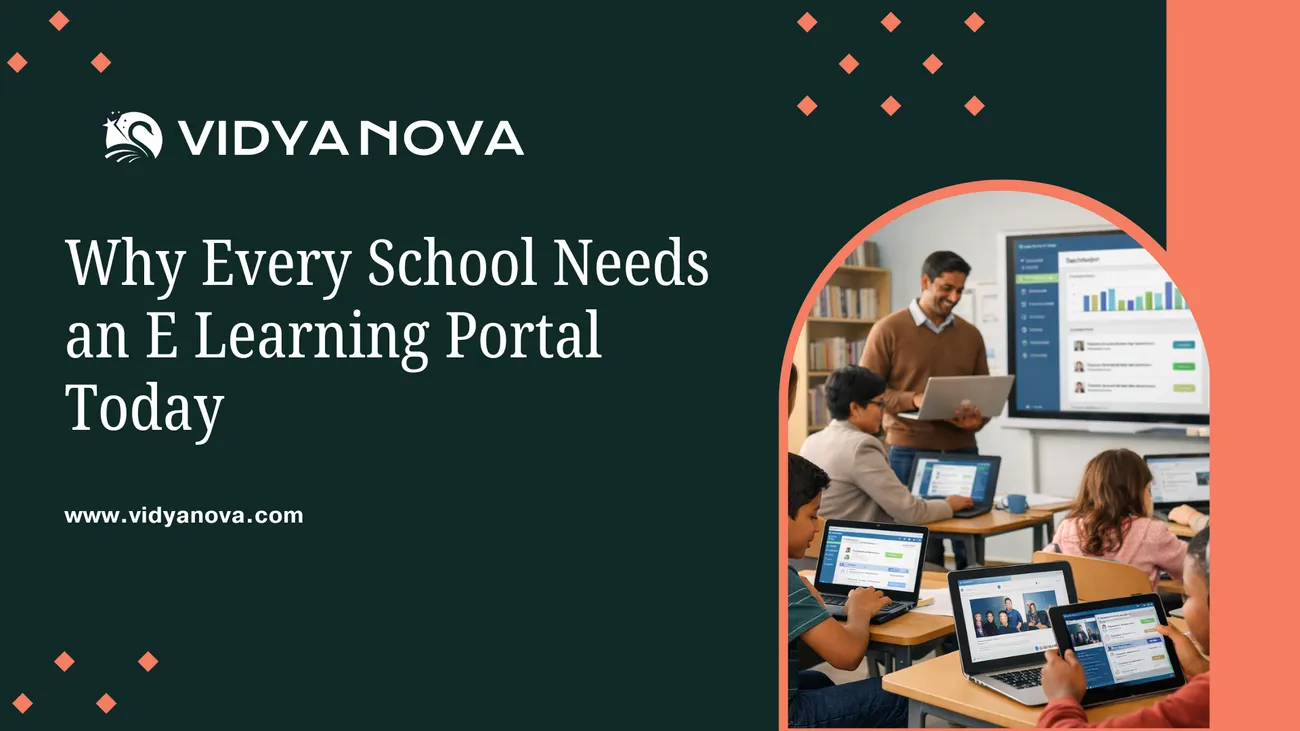
Why Every School Needs an E Learning Portal Today
This blog argues that a school e‑learning portal is the operational backbone for continuity, equity, and efficient teaching, not a mere add‑on. It outlines why schools should act now, the practical features to demand (course delivery, assessments, communication, analytics, mobile access, integrations, security), and everyday benefits like flipped classrooms, personalized learning, and reduced teacher workload. It gives step‑by‑step advice on pilots, key technical and budget decisions, common pitfalls, measurement of success, and scaling with governance. The post closes by explaining vendor questions, future‑proofing principles, and why Vidyanova positions itself as a practical, school‑focused option. Use it to plan a realistic implementation.
Chances are, if you are reading this, you are wondering how to keep your school relevant, resilient, and prepared for the next challenge. I understand. In my experience, decision makers like principals and trustees face pressure from every direction. Parents want consistency. Teachers want simple tools that actually save time. IT needs something secure and manageable. And students just want learning that works on their phones.
An e learning portal for schools is the solution that ties all those needs together. It is not a fancy add on. It is the backbone of modern academic delivery. A decent school e learning portal continues classes, tracks progress, and saves teachers' time. Besides, it assists administrators in making more informed and less instinctive decisions.
In this post, I will explore the challenges a virtual learning portal faces, the qualities you should demand from it, the most common mistakes that happen to people, and how to go through with it without irritating everyone around you. I will also explain why a practical education technology platform like Vidyanova can make the whole process less painful. If you want the quick takeaway, book a meeting today, and we can map this to your school. Otherwise, read on for the full playbook.
Why now? The urgency behind adopting an online learning portal for education
We all learned the hard way that when classrooms close, learning can still happen. But only if you have a system that teachers know how to use and that students can access easily. That was the wake up call for a lot of schools. Now the conversation is less about emergency remote teaching and more about building a long term digital learning strategy.
Here are a few concrete reasons to act now.
- Continuity of learning. Unexpected closures due to weather, health events, or infrastructure problems are not rare. Schools with a digital learning platform for schools don't skip teaching days. They switch modes.
- Equity and access. A school e learning portal lets you give the same resources to every student. You can push closed captions, translated materials, and low bandwith versions. That levels the playing field.
- Teacher workload. Teachers spend too much time on routine admin. A good LMS for schools automates grading, attendance, and reporting so teachers can focus on instruction.
- Data driven decisions. When assessments and engagement live in one place, leaders can spot gaps early. You can identify students who need help and target interventions.
- Parent engagement. Schools can also strengthen engagement beyond the portal by sharing classroom highlights and event updates on social media. An Instagram reel maker makes it easy to create short, showcasing student projects, helping schools connect with families and the wider community.
- Future ready. Education changes fast. If you want to adopt blended learning models, flipped classrooms, or competency based approaches, a virtual learning portal is the foundation.
These reasons are practical. They are not trends or buzzwords. If your school is still debating whether to invest in a digital learning platform, remember this: doing nothing is a decision too. It costs time, morale, and often money in the long run.

What a solid e learning portal for schools should actually do
Too many vendors talk about features as if they are magic. In my experience, the best systems are simple in what they deliver but powerful in how they do it. Here are the capabilities every school should expect from a school e learning portal.
- Course and content delivery. Teachers need to create, organize, and share lessons. The portal should let them reuse content, link to external resources, and embed videos and documents without fuss.
- Assessment and grading. Built-in quizzes, rubrics, and grading workflows reduce manual tasks. You should be able to export grades to your student information system easily.
- Communication tools. Messaging, announcements, and calendar integration keep everyone on the same page. Teachers should be able to message a class or send a private note home to a student.
- Analytics and reporting. Dashboards that show engagement, completion rates, and assessment trends make it easy to spot issues early.
- Mobile first experience. Many students use phones more than laptops. The portal should work smoothly on small screens and use minimal data.
- Integration with existing systems. Your online learning portal for education should connect with your SIS, single sign on, and other tools so staff do not have to re enter data constantly.
- Content library and sharing. Teachers should be able to discover and reuse lessons from colleagues and trusted publishers.
- Security and privacy. Student data must be protected. Look for role based access, encryption, and compliance with local regulations.
- Customization and scalability. Every school is different. Your portal should let you reflect your academic structure and scale as you grow.
Think of the portal as the school’s digital library, admin desk, and classroom rolled into one. When these pieces work together, you reduce friction and free up time for teaching.
How a school's learning portal changes day to day teaching
I often hear teachers say technology takes time away from students. That’s true if the tools are clumsy. But a thoughtful education technology platform can have the opposite effect.
Here are a few ways a virtual learning portal improves classroom practice.
- Flipped classroom made easy. Teachers can record short lessons and ask students to watch before class. Classroom time then becomes discussion and problem solving instead of a lecture.
- Personalized learning paths. Portals let teachers set different assignments based on performance. Students move at different paces without chaos.
- Formative assessment with instant feedback. Quick quizzes and automatic feedback help students correct mistakes right away. That beats waiting a week for a paper quiz to be returned.
- Collaborative projects. Group work is easier when students can share documents, comment, and submit drafts in one place.
- Teacher collaboration and resource sharing. Teachers can copy lesson plans, tweak them, and share what works. That accelerates curriculum improvement school wide.
These shifts are practical. They are the ones that make teachers’ lives easier and improve student outcomes. I’ve seen a small department implement a portal and, within a term, cut administrative time in half while increasing student engagement. It’s not magic. It’s a good design and support.
Key technical and operational decisions to make
Choosing an online learning portal for education is not just about picking the flashiest demo. You need to think about infrastructure, support, and long term costs. Here are the critical decisions you will face.
- Cloud or on premise. Cloud solutions reduce the burden on local IT and scale better. On-premises gives you tighter control. Most schools find the cloud easier to manage, especially if you have limited IT staff.
- Authentication and single sign on. Teachers and students should be able to log in once and access everything. That reduces password problems and IT overhead.
- Device strategy. Decide whether you will support BYOD, provide devices, or use a hybrid model. Your portal should work with whichever approach you choose.
- Bandwidth and offline access. Not every student has a reliable internet connection. Look for offline capabilities or low data modes so learning can continue at home.
- Data privacy and compliance. Check local laws and procurement requirements. Make sure the vendor has clear policies and transparent data handling.
- Integration points. Your portal should talk to your student information system, library databases, and any assessment or library services you use.
Ask these questions early. In my experience, skipping integration planning is a common mistake. Schools end up with duplicated data and frustrated staff. That kills adoption.
Common pitfalls and how to avoid them
Rolling out an LMS for schools is not rocket science, but it is not plug and play either. You will run into predictable problems unless you plan for them. Below are the mistakes I see most often and how to avoid them.
- Poor stakeholder engagement. Implementations fail when teachers, parents, and IT feel left out. Invite a representative group into the selection and pilot. Their buy in matters.
- Under training. Give teachers time and practical training on the tasks they will do first. One long training session does not stick. Short, follow up sessions and on demand help work better.
- Trying to do everything at once. Start small. Pick a grade or department for a pilot. Learn and refine before scaling.
- Ignoring content cleanup. Old files and inconsistent naming create chaos. Clean up key resources before migration and set simple rules for organizing content.
- No measurement plan. Without clear success metrics, projects drift. Define what adoption looks like and how you will measure learning impact.
- Overcustomization. Wanting the portal to mirror every small process can make upgrades painful. Keep customizations minimal and focus on configuration rather than heavy development.
These mistakes are avoidable. The antidote is realistic planning, clear ownership, and regular checkpoints. In most schools, a small central team plus teacher leaders is enough to stay on track.
How to run a pilot that actually tells you something
A pilot should answer two questions. Will people use the portal? And will it improve learning or efficiency? Design the pilot to give clear answers.
Here is a simple pilot plan I recommend.
- Define scope. Pick a cohort of teachers and students, ideally one subject or grade. Keep it manageable so you can control variables.
- Set success metrics. Choose 3 to 5 indicators. Examples include the percentage of assignments submitted on time, teacher time spent on grading, or student engagement in discussions.
- Train and support. Run short workshops for teachers, and provide a help channel. Offer templates for lessons and assessments to reduce setup time.
- Monitor and iterate. Collect feedback weekly. Fix issues fast. Use the portal’s analytics to measure the chosen metrics.
- Evaluate. At the end of the pilot, compare results against baseline data. Decide whether to scale, refine, or change course.
Keep the pilot short. A term is usually enough to see meaningful trends. If your pilot drags on, momentum drops, and people revert to old habits.
Measuring success: what matters and how to track it
School leaders want meaningful data, not dashboards full of vanity metrics. Here are practical indicators you should track once a portal is in place.
- Adoption rates. Track the percentage of teachers actively using the portal and how many students log in weekly.
- Assignment completion. Look at on time submission rates and identify patterns by class or demographic group.
- Assessment performance. Measure changes in formative and summative assessment scores and compare cohorts.
- Teacher time saved. Survey teachers about the time spent on admin tasks before and after.
- Parent engagement. Track logins and messages from parents, and correlate those with attendance or performance shifts.
- Support tickets. Watch the volume of IT tickets related to the portal. A well implemented portal should reduce overall help requests, not increase them.
Numbers are powerful when paired with stories. Combine quantitative measures with teacher and student testimonials. Both matter when you report to boards or funders.
Costs, ROI, and the budget conversation
Money questions come up early. Schools need to know what they are buying and whether it will pay off. I advise separating direct costs from indirect costs and benefits.
- Direct costs. Licensing fees, initial setup, integrations, and training.
- Indirect costs. Staff time for migration, possible device purchases, and minor network upgrades.
- Benefits to quantify. Reduced paper and printing costs, saved teacher hours, improved retention, and faster reporting for parents and boards.
A modest investment in a quality online learning portal for education often pays back quickly. For example, if teachers save a few hours per week on grading and admin, that time can be redirected to planning better lessons or supporting students. Over a year, that adds up.
When you present a budget to trustees, include both savings and educational impact. Trustees respond well to concrete examples, like fewer days lost to closure or measurable improvement in assignment completion. Anecdotes help too. I always include one teacher quote about how the system changed their workflow.
Scaling and governance: keeping things running smoothly
Once the pilot succeeds, scaling is the next challenge. Don’t assume success means you can flip a switch. Growth needs governance.
- Define roles and ownership. Who manages accounts, permissions, and content standards? Clear responsibilities keep the system clean.
- Create content standards. Simple naming conventions and folder structures prevent chaos later.
- Support model. Combine central IT support with teacher leaders who act as first responders. Peer support is powerful.
- Ongoing training. Offer refresher sessions, onboarding for new staff, and a library of short how to guides.
- Review cadence. Quarterly reviews help you track usage trends, address issues, and plan new features.
Governance is not a one time task. Treat it as an ongoing process and keep a small team accountable for the portal’s health.
Future proofing: building a portal that lasts
Technology evolves. If you plan well, your portal will adapt with minimum disruption. Here are principles to keep in mind.
- Open standards and interoperability. Systems that support common standards are easier to integrate and replace if you need to.
- API access. A portal with APIs lets your IT team connect other systems and automate workflows.
- Modular design. Choose a platform that lets you add features as needs change rather than rewriting everything.
- Vendor transparency. Pick partners that share their roadmap and support migration if your needs change.
- AI readiness. While you do not need AI today, choose a system that can integrate future capabilities like automated feedback or smart recommendations without heavy rework.
These choices protect your investment. They also make upgrading and expanding less risky and less expensive.

Why Vidyanova? Practical reasons to consider our portal
Let me be clear. No single platform is perfect for every school. But Vidyanova was built with the practical realities of schools in mind. We focus on simplicity, integration, and measurable outcomes.
Here is how Vidyanova makes implementation easier:
- Teacher friendly design. Our interface is straightforward, so teachers spend less time learning the tool and more time teaching.
- Seamless integrations. Vidyanova connects with common student information systems and authentication providers to reduce duplication of work.
- Mobile centered. We optimize for low bandwidth and small screens because that is how many students access content.
- Analytics you can act on. Dashboards provide clear signals so leaders can intervene early when students fall behind.
- Support and training. We run practical, role based training and provide on demand resources tailored to teachers and admin staff.
If you want a platform that will actually be used, look for one that balances functionality with ease of use. Vidyanova focuses on both. You can learn more on our site.
Case scenarios: how schools typically use an online education portal
Examples are useful because they answer the question: What will this look like in my school? Here are three short scenarios based on common implementations.
- Small rural school. This school had intermittent internet at home. They used the portal for lesson plans and downloadable low bandwidth packets. Teachers recorded short audio summaries, and students submitted assignments when they could. The result was fewer missed assessments and more consistent parent communication.
- Large urban district. The district used the portal for blended learning. Some schools started with middle school math. Within a year, they expanded to language arts because teachers found the assessment tools saved time and data showed improvement in formative assessment scores.
- Higher education college. The college used the portal to support hybrid seminars. Professors posted readings and ran online forums. Attendance and engagement analytics helped advisors spot students needing support early.
These are simple examples, but the patterns repeat. The portal becomes the place where learning lives, and the rest of the school ecosystem connects to it.
Questions to ask vendors before you buy
Not all demos tell the full story. When evaluating a vendor, ask these practical questions.
- Can we run a short pilot with our teachers and students?
- How does the platform integrate with our SIS and single sign on?
- What support do you provide during the first term and after?
- How do you handle data privacy and compliance with local regulations?
- Can we export our data if we decide to switch platforms later?
- What are the typical hidden costs for integrations or customizations?
- Do you offer offline or low data mode for students with limited internet?
The answers to these questions tell you more than a glossy feature list. They reveal how the vendor will actually work with your team.
How to get started in the first 90 days
If you are ready to move forward, here is a straightforward 90 day plan that keeps things practical.
- Month 1: plan and prepare. Form a steering team. Choose a pilot cohort. Agree on objectives and metrics. Clean up the core content you will migrate.
- Month 2: pilot and train. Launch the pilot with basic training. Monitor usage and collect feedback weekly. Provide support and fix early issues fast.
- Month 3: evaluate and plan scale. Review metrics and teacher feedback. Decide on full rollout, additional training, and policy updates. Create a longer term governance plan.
Keep expectations realistic. The goal in the first 90 days is adoption and learning, not perfection. You want people to feel comfortable using the portal and to see small wins that build momentum.
Read more;
Closing thoughts: this is an operational decision, not a tech project
Deciding to adopt a virtual learning portal is about how your school operates. Technology is an enabler. People are the core. Get teachers, parents, and students on board early. Provide practical training. Start small, measure impact, and scale with governance.
In my experience, schools that treat the portal as part of their academic strategy rather than an IT project get better outcomes. They build systems that survive staff turnover, curriculum changes, and the inevitable surprises life throws at schools.
If you want a partner who understands the daily realities of classroom life and the technical needs of modern schools, Vidyanova can help. We focus on making an LMS for schools that actually gets used and delivers results. If you want to talk specifics for your school, Book a Meeting Today, and we will walk through options based on your current systems and goals.
FAQ
1: What is an e learning portal for schools?
An e learning portal for schools is a centralized digital platform where teachers deliver lessons, assign work, assess students, and communicate with parents and learners. It brings classes, content, assessments, analytics, and communication into one system instead of scattered tools. The goal is continuity, efficiency, and better learning outcomes, not just putting PDFs online.
2: How is an e learning portal different from basic online teaching tools?
Basic tools handle one task, like video classes or file sharing. A full school e learning portal combines content delivery, assessments, progress tracking, communication, and reporting in a single system. This reduces manual work, avoids data duplication, and gives school leaders a clear view of student performance and engagement across subjects and grades.
3: How long does it take to implement an online learning portal in a school?
A well planned implementation usually takes 4 to 8 weeks for a pilot and one academic term for full rollout. Schools that start small, train teachers properly, and integrate existing systems see faster adoption. Platforms designed for schools, like Vidyanova, reduce setup time by offering ready integrations, mobile-first access, and role-based training.