School ERP System: How It Transforms School Administration
This blog argues that replacing spreadsheets and paper with a cloud-based school ERP centralizes operations, reduces manual work, and improves accuracy, transparency, communication, compliance, and scalability. It describes core modules: admissions, student records, attendance, fees, timetables, exams, communications, library, HR, and analytics gives simple before/after examples and lists common rollout pitfalls (lack of buy in, poor data migration, inadequate training). It offers a selection checklist, change management tips, ROI measures, integration guidance, and onboarding approaches (quick start, phased, full). The purpose is to guide school leaders through choosing, piloting, and adopting an ERP, illustrated by a small-school case and Vidyanova.
Running a school today feels different from how it did even five years ago. There are more stakeholders, more data, and more expectations. In my experience, most schools are still juggling spreadsheets, paper forms, and a dozen point solutions. That gets messy fast. A decent school ERP system like Vidyanova brings all that together. It stops the daily firefights and puts information where people actually need it.
If you are a principal, school administrator, IT coordinator, or owner of an education institute looking to digitize operations, this article is for you. I want to walk through practical ways a school management software can simplify tasks, improve transparency, and free time for what matters most: teaching and learning. I will also point out common mistakes I see during ERP rollouts so you can avoid them.
What is a School ERP and Why It Matters
At its core, a school ERP is a centralized system that manages administrative and academic tasks. Call it school ERP software or school administration software, it does the same thing. It replaces scattered tools with a single student management system that handles admissions, attendance, fees, timetables, exams, communications, and more.
Why is that transformation important? When information lives in one place, people do less duplicate work. Decisions get made faster. Parents and teachers get accurate updates. As someone who has helped several schools pick systems, I can tell you the biggest wins are time saved and fewer mistakes.
Key Modules You Will Use Every Day
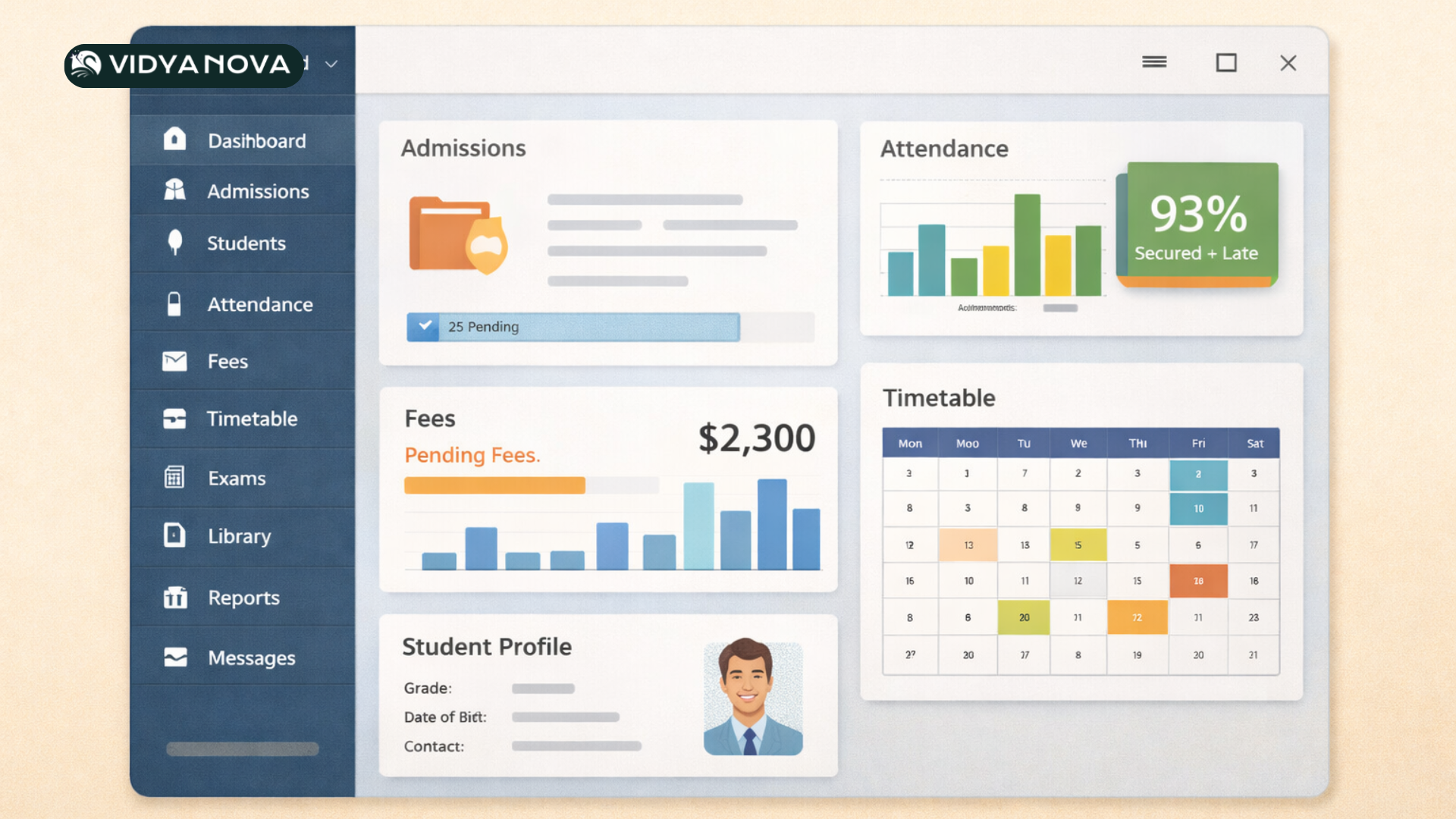
Not every school needs every feature, but these modules are the backbone of most successful systems. I list them in the order in which most administrators end up relying on them.
- Admissions and Enrolment Manager leads applicants' documents and seat allocation. You get a clear pipeline instead of folders on a principal's desk.
- Student Information System: A single profile for each student that stores demographics, contact information, medical notes, and reports. This is the heart of your student management system.
- Attendance Take and track daily attendance with reports for teachers and alerts for parents. Digital registers save time and reduce disputes.
- Fees and Finance Automate invoices, payments, reminders, and financial reports. Integration with online payment gateways makes collection simpler.
- Timetable and Scheduling: Build timetables, assign rooms, and manage substitutions. No more handwriting class schedules on notice boards.
- Exams and Assessments: Create exam schedules, grade books, and generate report cards. You can also track learning progress across terms.
- Communication: Send bulk messages, emails, or push notifications to parents, staff, and students from one console. Keep a history of all communications.
- Library and Inventory Track book loans, lab equipment, and school assets. It keeps losses down and audits fast.
- HR and Payroll manage staff records, leaves, and salaries. This reduces payroll errors and speeds up month end.
- Analytics and Reports Built in dashboards and custom reports help leaders spot trends and make evidence based decisions.
Most cloud based school ERP platforms let you turn modules on or off. That matters. Start with essentials, then add more as your staff gets comfortable.
Top Benefits Schools See Quickly
I’ve watched small schools and large groups adopt ERP for schools, and the benefits are always similar. The pace and scale differ, but the result is the same: fewer manual tasks and better visibility. Schools that want to understand how digital tools improve administration can also explore more insights on the Vidyanova Blog where we regularly share guides on school automation, ERP implementation, and education technology trends.
- Efficiency Administrative tasks that used to take hours happen in minutes. Batch fees processing, bulk messaging, and automated report generation save staff time every week.
- Transparency Parents can see fees, attendance, and grades online. School leaders can audit data and identify issues early.
- Accuracy: A single source of truth reduces data entry errors. When student records sync across modules, mistakes drop.
- Communication: Timely notifications and centralized messaging reduce phone tag and surprise visits to the office.
- Compliance Easy access to records helps with regulatory reporting and audits. You keep necessary documents organized and retrievable.
- Scalability Cloud based school ERP scales as you add more students or campuses. No forklift upgrades and fewer IT headaches.
- Data Driven Decisions Dashboards and reports reveal trends like chronic absenteeism or fee defaulters, so you can act quickly.
How School ERP Improves Everyday Tasks
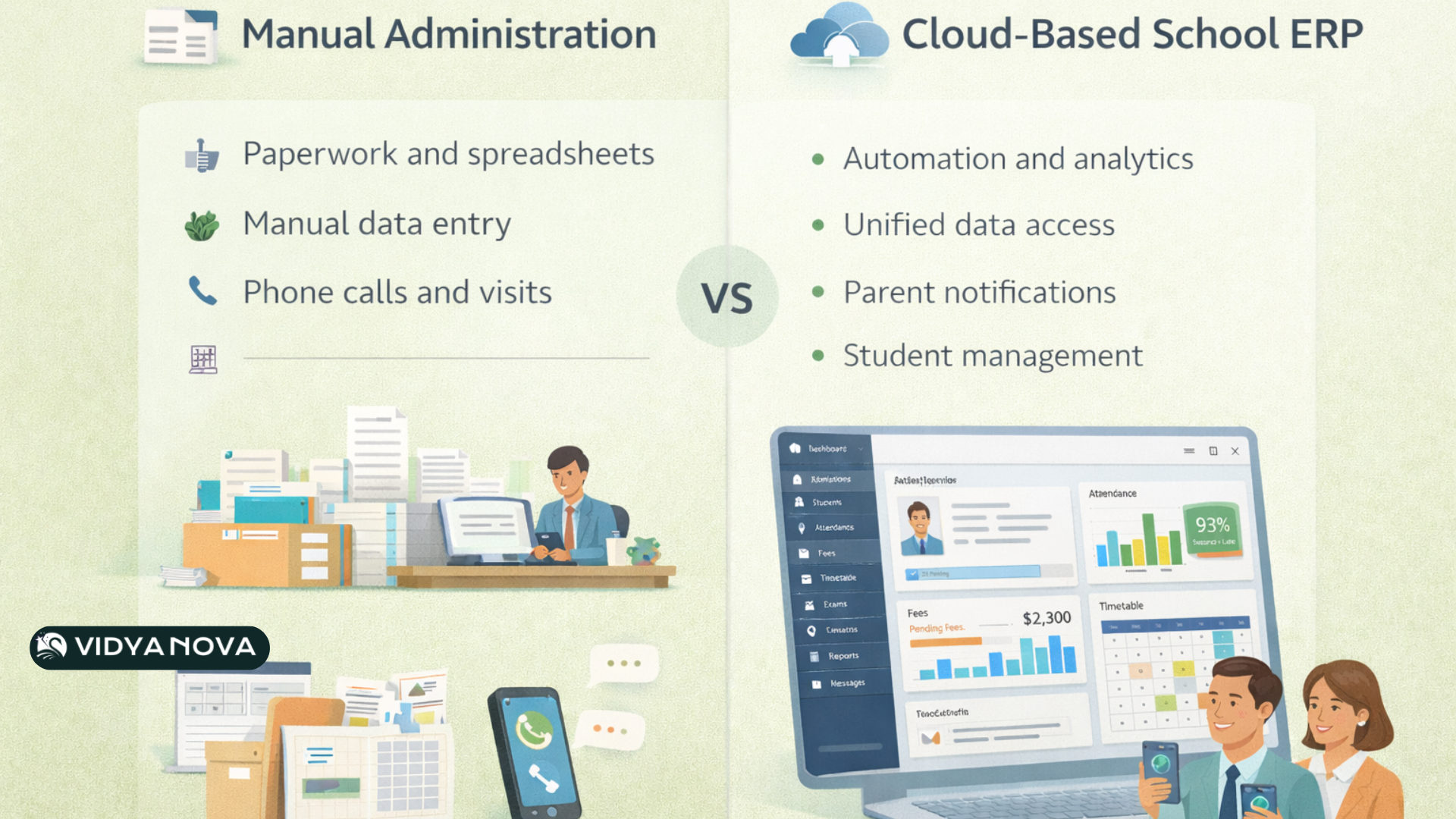
Here are a few simple examples to show the difference between manual workflows and an integrated platform. They are intentionally simple because small wins add up fast.
Example 1 Admissions
Before
- Paper forms stored in boxes
- Admissions officer manually follows up by phone
- No consolidated view of open seats or waitlist
After
- Prospect data captured online and stored centrally
- Automatic reminders sent to parents about missing documents
- Visibility of available seats across sections
Example 2 Fee Collection
Before
- Cash or cheque payments logged by hand
- Receipts printed and filed
- Lack of reminders leads to late payments
After
- Invoices generated automatically and emailed
- Online payments reconcile with your accounts
- Automated reminders reduce outstanding fees
These are small changes, but they free up office staff to handle exceptions and support families who need help. In my experience, those human interactions matter far more than routine admin.
Common Implementation Pitfalls and How to Avoid Them
Rolling out ERP for schools is not magic. It works best when you plan and involve people. I have seen schools stall because they treated implementation like a one person job. Here are the traps to watch for and some practical fixes.
- Skipping stakeholder buy in Teachers and parents will use the system only if they see value. Hold demo sessions and collect feedback early.
- Trying to do too much at once. Go module by module. Start with student data, attendance, and fees, then add on. Quick wins build momentum.
- Poor data migration. Cleaning up old data takes time. Schedule it and define who owns each data set. Small data fixes early prevent bigger headaches later.
- Underestimating training needs. Training should be practical, not theoretical. Use role based sessions and short how to guides that teachers can refer to later.
- Ignoring mobile access Many parents and teachers prefer phone access. Pick a system with a responsive web portal or apps.
- No feedback loop. Create a simple channel for issues and suggestions. Fix the most common pain points first and celebrate progress.
Those fixes sound obvious, but they get missed in the rush to go live. Take the time to plan, and you will save time later.
Choosing the Right School Management Software
There are a lot of products out there. The right choice depends on school size, budget, IT capacity, and long term goals. If you want a deeper breakdown of features and vendor comparisons, you can also explore our detailed guide on Best School Management Software: Features & Comparison Guide.
- Cloud-based or on site Cloud based school ERP reduces local IT burden and offers faster updates. If you want low maintenance, pick cloud hosting.
- Modular design: Make sure you can adopt features gradually. A flexible system grows with you.
- Ease of use: Choose software that staff can learn quickly. Complexity slows adoption.
- Integration options: Check if it integrates with your payment gateway, LMS, or accounting software.
- Security and compliance: Student data is sensitive. Look for role based access and encryption practices.
- Support and training. Good vendors provide upfront training and ongoing support. Ask for a rollout plan.
- Reporting capabilities: Ensure the system has both standard reports and the ability to build custom reports.
- Cost structure: Understand licensing fees, implementation costs, and any per student or per module charges.
One quick tip I give schools is this. Ask for a short pilot with real users. Seeing staff use the system in day to day work reveals issues that demos don't show.
Measuring ROI and Impact
How do you know the system pays for itself? Measure both hard numbers and softer benefits. Schools often focus only on financial ROI, but time saved and better parent satisfaction count too.
Hard metrics
- Reduction in time spent on fee processing or report generation
- Decrease in outstanding fee days
- Lower paper costs and storage expenses
Soft metrics
- Improved parent satisfaction scores
- Faster response times for student or parent queries
- Fewer data entry errors
It helps to set baseline numbers before you go live. Track those same metrics at three months and six months. You will see improvements and be able to show value to your board.
Security and Data Privacy Considerations
When you move to a cloud based school ERP, you are trusting a vendor with sensitive information. That is normal, but it requires attention. Ask these questions before you sign up.
- Where are the servers located, and what certifications does the vendor hold
- Does the platform support role based access and audit logs
- How is data backed up, and how quickly can it be restored
- What is the vendor's incident response plan
- Is data encrypted both at rest and in transit
Insist on clear answers. A secure system protects students, parents, and staff and reduces legal risk for your institution.
Change Management Tips That Actually Work
People change slowly. Technology changes faster. The trick is to bridge that gap. Here are some pragmatic tips I have used in schools.
- Identify champions. Pick a few enthusiastic teachers and admin staff to lead. They help others see the benefit.
- Use short training sessions Thirty minute practical sessions once a week beat a single full day workshop.
- Create quick reference guides. Keep them short, one page cheat sheets for common tasks like taking attendance or issuing invoices.
- Schedule follow ups After go live schedule regular check ins to solve problems and gather feedback.
- Celebrate wins. Share quick stats like time saved or faster payments in staff meetings. It builds buy in.
A simple habit I recommend is a weekly feedback hour where staff can drop in with questions. It keeps frustration low and momentum high.
Integrations and Extending the Platform
School management systems are rarely islands. You might already use an LMS, a finance package, or a learning app. Look for systems that play well with others.
Common integrations schools ask for
- Payment gateway integration for online fee collection
- LMS or e learning platform integration for grades and assignments
- Accounting software for reconciliation and audit ready ledgers
- Single sign on to simplify teacher and student logins
When integrations work well, they reduce duplicate entry and make teachers' lives easier. When they are poorly planned, they create more work. Test integrations during a pilot phase and validate data flow end to end.
Real Life Example: A Small School That Scaled
I worked with a school of 450 students that used spreadsheets for everything. Admissions were manual, attendance was paper based, and fee collection meant long queues. The principal wanted a simple system that would reduce daily chaos.
We introduced a cloud based school ERP, starting with admissions and attendance. Within two months, teachers used mobile registers, and parents started receiving attendance alerts. Next, we moved fees online and automated receipts. The office stopped spending afternoons reconciling payments. In six months, the school reduced administrative hours by the equivalent of one full time staff member and improved parent satisfaction during the next parent survey.
The lesson here is to start small, choose quick wins, and build trust. The technical part was straightforward. The real work was helping people adopt new habits.
How Vidyanova Can Help
Vidyanova builds school management software designed for schools that want simple, reliable tools without heavy IT overhead. The platform covers admissions, attendance, fees, timetables, exams, HR, and analytics.
If you want to understand the available plans and what each package includes, you can review the Vidyanova pricing page to see how the platform scales for different school sizes.
What I like about Vidyanova is the focus on real school workflows. For example, fee modules support multiple plans, concessions, and online payment reconciliation. The student management system stores every important record in one place, so teachers and admin staff are not hunting for files.
If you are exploring ERP for schools, Vidyanova provides demos and pilots tailored to your needs. A short pilot with a few classes shows whether the system fits your daily operations. You do not have to commit to the entire school up front.
Picking the Right Onboarding Plan
Different schools need different onboarding. Here are three common approaches I have seen work well.
- Quick start: Best for smaller schools. Focus on admissions, attendance, and fees. Minimal customization and fast rollout.
- Phased rollout. Good for medium sized schools. Start with admin modules, then add HR library and assessments in waves.
- Full deployment for larger campuses or groups. Plan a structured migration with data cleaning, multiple training cohorts, and a dedicated project manager.
Ask your vendor for a clear plan that defines timelines, responsibilities, and expected outcomes. That clarity reduces surprises.
Common Questions Leaders Ask
Here are short answers to questions I hear often.
- Will this replace my accounting software? Some schools keep their accounting software and integrate it. Others use the ERP finance module. Choose what fits your audit needs.
- How long does implementation take? For small schools, expect a few weeks. For larger schools, plan several months, including training and data migration.
- What about internet outages? Cloud systems need the internet. Look for offline features like local attendance capture or a fallback plan for short outages.
- How secure is student data? Confirm encryption role based access and backup policies. Ask the vendor for security documentation.
Final Thoughts
Switching to ERP for schools is less about technology and more about making school life simpler. When you get administrative overhead under control, teachers and leaders can focus on teaching, learning, and strategy. That is the real win.
If you are thinking about school automation software, start small, focus on quick wins, and involve your staff from day one. Clean data and practical training will carry you through the toughest part of adoption. In my experience, a thoughtful rollout makes the difference between a tool that lives on a shelf and one that changes how your school operates.
Helpful Links & Next Steps
Want to see the platform in action? Book a demo and run a short pilot with real users. It will quickly reveal whether the system fits your school's needs.