Remote Teaching Strategies That Work in Real Classrooms
These practical, experience-based strategies show how structure consistent routines, a simple lesson template, and a small set of tools improve remote and hybrid teaching more than chasing new apps. The blog outlines core principles (chunk lessons, prioritize interaction, frequent formative checks, design for access, use data), classroom techniques (predictable entry routines, micro-tasks, smart sync/asynchronous blends, breakout roles), hybrid models and scheduling advice, and virtual classroom management (clear norms, signals, backchannels, private interventions). It recommends simple digital practices, thoughtful use of AI as a helper, micro PD, and stepwise schoolwide rollout to scale consistent, measurable gains.
Remote teaching shouldn't be a shot in the dark. If you happen to be a principal, instructional designer, academic coordinator, or teacher, most likely, you crave strategies that go beyond theory, can be easily repeated, and help in raising students' engagement and learning outcomes. I have witnessed schools experimenting with a plethora of things, from trendy apps to long synchronous sessions, yet only those that stick to a couple of dependable practices and utilize the right tools succeed.
In this post, I share straightforward remote and hybrid teaching strategies you can use tomorrow. These are grounded in classroom experience, not theory. I will also show how structured digital tools and AI, like those built by vidyanova, can help you scale these practices without creating more work for teachers. . Along the way, I call out common mistakes I see and give short examples you can copy in minutes.
Why is structure more important than shiny tools?
Fresh digital applications are always inviting. They appeal with engagement, gamification, or instant insight. However, if there is no clear structure, even the best tools won't be used effectively. In my experience, teachers are the winners if they combine a simple lesson template with predictable routines and a small set of digital tools used consistently across classes.
If you think about it, structure is like a frame. It lets students understand what will happen, thus lessening their mental effort, and it also helps make the data significant. When your habits are apparent, children are more willing to take part, and teachers don't have to spend so much time dealing with tech issues.
Common mistake. Schools adopt too many platforms. That creates multiple logins, inconsistent experiences, and data silos. Pick fewer tools, train well, and align them to common routines.
Core principles for effective online teaching methods
- Chunk lessons. Break content into short segments of 10 to 15 minutes with an active task after each chunk.
- Prioritize interaction. Students need to talk, write, or make something often. Passive lectures rarely work online long term.
- Make the assessment formative. Use low stakes checks that inform instruction daily rather than waiting for big tests.
Design for access. Provide materials in a variety of formats and do not assume that all students have high bandwidth or up, to, date devices.
Use data for decision, making. Monitor student engagement and mastery in order to offer timely help before the gaps widen.
These are quite straightforward principles, but implementing them consistently is quite challenging. A tool like Vidyanova is a good example of how technology can support teachers in this task. The platform comes with a lesson builder and easy, to, understand analytics, so teachers can focus on instruction rather than gathering data.
Remote classroom engagement techniques that work
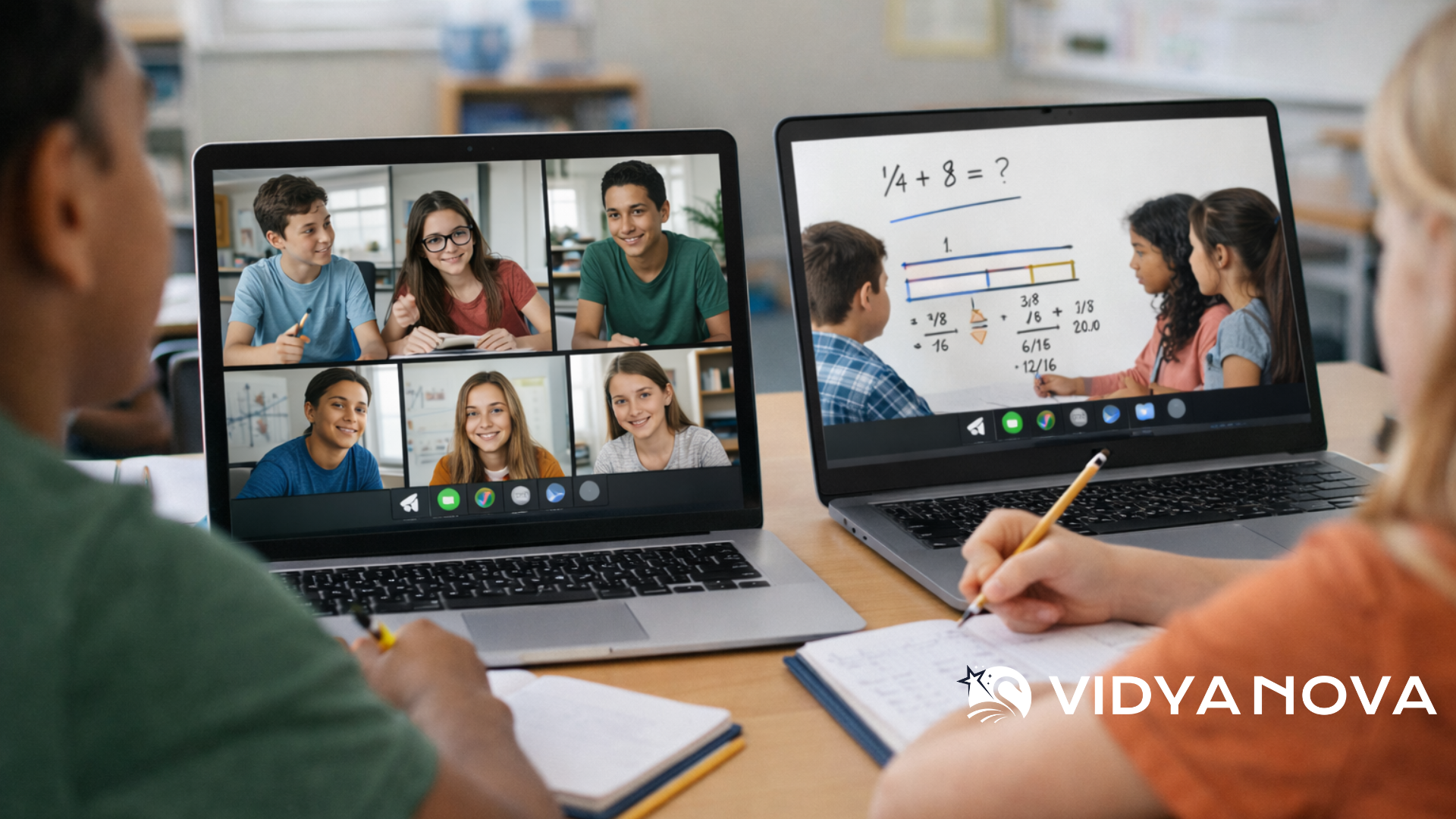
Engagement online is different than in person. You do not have proximity or the same social cues. But some techniques replicate those dynamics and keep students showing up and doing the work.
1. Start with a predictable entry routine
Start each class session by doing a simple act that lets everyone know the class has begun. It might be a two, minute warm, up, a one, sentence prompt, or a quick poll. I usually recommend that teachers use one of these questions:
1. What did you learn yesterday?
2. What is one thing you want to learn today?
3. What is one question you have?
Example: Conduct a 90 second "Do Now" in chat where students can write one sentence answer. A couple of minutes is all it takes; you set up the lesson, and get instant formative feedback.
2. Use micro tasks
Short and highly targeted tasks serve to maintain the focus of attention. For instance, after a 10 minute mini, lesson, request students to carry out a 1 minute poll, a 3 minute writing, or a quick peer check. Then quickly reveal the results.
Example: after a math strategy explanation, offer students to solve a single problem and either upload the photo or just type the steps. Evaluate the responses in no time and classify them as correct, partly correct, or needs help.
3. Combine synchronous and asynchronous wisely
Time available for a real time session is limited. Reserve it for interaction, giving feedback, discussion, and small group coaching. Put content delivery and practice activities into separate asynchronous modules that students can move through at their own speed.
Tip: Make 5 to 8 minutes short tutorial videos and accompany them with a two, question quiz. This ensures that the lesson is not too long, and at the same time, you save class time for more profound work.
4. Run low stakes checks often
Doing quick, frequent checks will have more impact than performing a few high stakes tests. After short quizzes, exit tickets, or polls, you will be able to pinpoint students' confusion early.
Example: A two question exit ticket can be used at the end of the lesson: One question is aimed at checking understanding, while the other asks the student to give a three, point scale confidence rating. That way, you can follow up with those students who need it.
5. Use small groups for differentiated instruction
Breakout rooms are helpful when assignments and roles are properly explained. You can assign different roles, such as reporter, timekeeper, and checker, and provide each group with a product that they need to submit within 10 to 15 minutes.
Example: When reading, you can give Group A vocabulary questions, Group B inferential questions, and Group C higher order analysis questions. You can rotate the groups so that after several weeks, each student has had the opportunity to practice every skill.
Hybrid learning strategies that scale
Hybrid classrooms are those where in, person and remote students are blended either simultaneously or by alternating groups across days. Intentionally planning is key to making both models work.
Rotation model with stations
Rotate students through teacher-led small groups, independent digital stations, and collaboration stations. This keeps the teacher focused on targeted instruction while students practice on their own or with peers.
Example: In a 50 minute class, spend 20 minutes in a teacher group, 15 minutes at a digital practice station, and 15 minutes on collaborative tasks. For remote kids, mirror these stations with synchronous mini-sessions and asynchronous tasks.
Simultaneous hybrid teaching
Teaching in-person and remote learners at once is hard, but doable with clear roles and tech support. Use a co-teacher or student assistant to monitor chat and breakout rooms while the lead teacher focuses on instruction.
Tip: Use one camera that captures the whiteboard and a second device as a document camera. That helps remote students see both the teacher and the work.
Scheduling and routines
Be intentional about which activities must be synchronous and which can be asynchronous. Put collaboration and feedback in synchronous slots. Reserve asynchronous time for reading, practice, and reflection.
Common mistake. Trying to run full scaled in-person lessons on screens. Instead, adapt activities so remote students can contribute without being secondary participants.
Virtual classroom management that keeps learning moving
Good classroom management online is predictable and visible. You will see fewer disruptions and more learning if students know what to do and how they will be assessed.
Establish clear norms
Develop norms for chat, video, muting, and participation. Post them where students can easily see them. Practice them for the first two weeks like you would in person.
Use signals to manage attention.
Visual signals reduce talk-over and confusion. Ask students to use reaction emojis to indicate questions, to signal a finished task, or to request help. Teach them what each signal means.
Have a backchannel for support.
Keep an open channel where students can request help without interrupting the lesson. Assign a student helper or a co-teacher to monitor that channel and escalate when needed.
Behavior interventions that work
When you need to address off task behavior, start with private messages and small conferences. Redirect with curiosity. Ask the student what they are working on and what they need. Public corrections rarely work online.
Tip: Use quick restorative moves. For example, ask the student to rejoin and share one step they will take to get back on task.
Digital learning best practices
Tools are most effective when they support pedagogy instead of replacing it. These best practices ensure your digital choices improve learning.
Keep content simple and navigable.
Organize resources by lesson and date so students do not waste time searching. Use clear labels like Week 3, Day 4, or Unit 2 lesson 5. Predictable folders save cognitive energy.
Provide scaffolding and templates.
Students work better when you give structure. Use sentence stems, graphic organizers, checklists, and worked examples. In my experience, this is the fastest path to independence.
Accessibility matters
Include captions on videos, provide text versions of content, and design for mobile access. Some students have only a phone available, so avoid heavy files and long downloads.
Use analytics to guide instruction.
Data becomes useful when it is timely and actionable. Look at who is engaging, who is submitting work on time, and which standards show low mastery. That lets you plan small group interventions rather than guessing.
Example: If 60 percent of the class misses a specific standard on a quick quiz, pull a small group and reteach that standard. Do not wait for the next unit test.

Online student engagement tools and AI in remote education
Many online student engagement tools help manage interactions and collect learning evidence. Use them for specific purposes rather than adopting new tools for every need.
Tools to consider
- Short formative quiz tools for instant checks
- Collaborative whiteboards for group problem solving
- Video tools for short explainers and student responses
- Classroom management platforms that track submissions, time on task, and mastery
AI in remote education can make work lighter and more targeted if used thoughtfully. If you want a deeper breakdown of practical classroom use cases, explore our guide on AI in Education: Practical Tools Teachers Can Use Now.
Be careful. AI is a helper, not a replacement. Always review AI suggestions and be mindful of bias or inaccuracies. When it is paired with a clear instructional routine, AI saves time and improves coverage.
How Vidyanova helps
Vidyanova builds AI powered supports that align with these practices through its structured lesson builder and real-time analytics tools. It helps teachers build structured lessons fast, run routine formative checks, and see which students are falling behind. That kind of automation reduces teacher workload and increases responsiveness.
Example: Use an AI generated formative quiz as a quick check, then pull a targeted group. The platform can highlight patterns so you focus on the right instructional move.
Assessment and feedback strategies that actually move learning
Assessment should inform teaching more than judge it. That means using assessments to shape next steps every day.
Low stakes, high frequency
Short checks reduce anxiety and give you steady information. Think five question quizzes, exit tickets, or a one minute oral summary. Use quick rubrics so grading stays fast.
Timely feedback
Feedback is most effective when it is immediate and specific. Tell the student one thing they did well and one small step to improve. Avoid long paragraphs that students do not read.
Peer and self assessment
When students assess each other, they practice the language of success. Train them on a rubric, model the behavior, and keep the tasks short.
Use performance tasks
Projects and presentations still matter online. Keep them scaffolded and chunked so students receive feedback at every step. For example, require a proposal, a draft, a peer review, and a final product.
Professional development for remote teaching
Teachers need support to sustain good remote practice. Small, job embedded PD beats one off workshops.
Micro PD
Short, focused sessions on a single strategy, like breakout room routines, formative checks, or video feedback, are more useful than long trainings. Offer model lessons, then watch a teacher try the strategy and give feedback.
Peer coaching
Encourage peer observations and shared lesson planning. When teachers plan together, they align expectations and reduce prep time. I have seen teams cut prep by half and double the impact when they collaborate.
Use data to guide PD.
Let student engagement and assessment data show where teachers need support. Focus PD on practical, repeatable steps that move those metrics.
Common mistakes and how to avoid them
- Too many platforms. Limit your toolset and standardize on a lesson template.
- Lengthy synchronous lectures. Chunk and intersperse with active tasks.
- No plan for asynchronous students. Mirror in-person activities with alternative tasks and clear deadlines.
- Ineffective breakout rooms. Give roles and a clear deliverable for each group.
- Ignoring low engagement signals. Use quick checks and act on the data the same day.
These errors are easy to fix once you have a routine. Start small, iterate fast, and share what works across teams.
Quick classroom-ready strategies you can use tomorrow
Here are ten practical moves I recommend to leaders who want fast wins. Pick two to implement this week and measure the results.
- Establish a 90 second entry routine. Use the same prompt each class for a week.
- Record short 5 to 8 minute mini-lessons. Pair each with a two question check.
- Run three micro assessments per week with instant feedback.
- Use consistent labels and folders in your LMS so students always know where to go.
- Budget synchronous time for interaction, not content delivery.
- Assign roles in breakout rooms and post a one page deliverable template.
- Offer optional office hours twice a week for targeted help.
- Design a short weekly formative quiz that maps to the standards you care about most.
- Use a co-teacher or student helper to monitor chat during lessons.
- Provide quick, actionable feedback two times a week for each student.
Try one of these and observe. You will notice students respond to consistency and clarity more than novelty.
Simple lesson template for remote and hybrid lessons
Below is a short template teachers can use to plan lessons quickly. Keep it on one page so it is easy to follow during class.
Lesson Title
Objective: One clear learning goal

Warm up (2 minutes): Quick question or poll
Mini lesson (8 minutes): Short demonstration or video
Active practice (10 minutes): Individual or small group task
Check for understanding (3 minutes): Two question quiz or exit ticket
Differentiation (5 minutes): Short extension or remediation
Closure (2 minutes): One sentence reflection or summary
Homework (if any): Clear and short
Assessment: How you will evidence learning this lesson
This template keeps lessons tight. It also makes data easier to collect because the check for understanding is always in the same place.
Measuring success in remote learning
Define a small set of metrics and track them regularly. Some useful measures are:
- On time submission rate
- Participation in synchronous sessions
- Mastery rate on key standards
- Number of students flagged for intervention
- Teacher time spent on lesson prep
Look for trends rather than single data points. If a teacher sees a steady rise in on time submissions and mastery, that likely means their routines are working.
How to start implementing these strategies across your school
Rolling out remote teaching improvements is easier when you build them step by step.
- Choose a small number of priorities. I recommend routines, formative checks, and consistent tools.
- Run a two week pilot with volunteer teachers. Collect feedback and student data.
- Provide micro PD and coaching tied to the pilot results.
- Scale gradually and standardize templates and labels.
- Use a platform that supports workflow and analytics to reduce teacher workload.
Leaders should model patience. Change takes a few cycles. Celebrate early wins and share simple artifacts so other teachers can replicate success.
Final thoughts and practical next steps
Remote and hybrid classrooms work when teachers combine clear routines, short lessons, frequent checks, and thoughtful use of technology. You do not need every tool. You need a few reliable practices supported by a system that reduces busy work and surfaces the students who need help.
I have seen schools transform student engagement in a single semester when they standardized lesson routines and used simple analytics to guide instruction. The change is not glamorous. It is steady, measurable, and scalable.
If you want help putting this into practice, Vidyanova creates AI powered lesson builders and analytics tools designed for schools. It helps teachers build structured lessons, run quick formative checks, and see who needs support in real time. If you are trying to improve remote classroom engagement or scale hybrid learning strategies, the right platform can shorten the path from good intentions to consistent results.
Frequently Asked Questions
1. What are the most effective remote teaching strategies?
The most effective remote teaching strategies include chunking lessons into short segments, using frequent formative assessments, combining synchronous and asynchronous learning, and maintaining consistent classroom routines.
2. How can teachers increase student engagement in online classes?
Teachers can increase engagement by using micro tasks, breakout room discussions with clear roles, interactive polls, and predictable entry routines that encourage participation from the start.
3. How does AI support remote and hybrid teaching?
AI supports remote and hybrid teaching by generating formative quizzes, identifying learning gaps through analytics, suggesting differentiated resources, and reducing teacher workload through automation.
Helpful Links & Next Steps
Ready to try a targeted pilot or get a demo? Book a meeting with Vidyanova, and we can walk through specific workflows for your school or district.