
Pathways in Education: The Role of Technology in Shaping Students
This blog argues that technology improves K–12 education only when integrated into clear "pathways" that combine pedagogy, content, and tools. It outlines the benefits of personalized learning, higher engagement, actionable analytics, and administrative efficiency, and explains how LMS, school ERP, smart classroom tech, and AI fit into a practical strategy. The author gives step‑by‑step guidance: set a measurable goal, choose lightweight tools, pilot with teachers, provide coaching, and iterate using focused analytics. The post highlights common pitfalls (overbuying, poor integration, neglected privacy, and PD), provides a six‑month roadmap, and offers Vidyanova as a partner for implementation.
Schools are changing fast. The classroom environment has undergone a radical change. Devices such as laptops, interactive boards, learning platforms, and data tools are all intertwined and influencing the methods of student learning, as seen in modern digital ecosystems like Vidyanova, teacher instruction, and school administration. In case you are a school principal, academic director, or a school leader who is in charge of a digital learning solution, getting tools that genuinely enhance learning is what you are after, not just tools that look good on paper.
I have worked with schools that rushed into a tech purchase and paid for it with teacher burnout and unused features. I have also seen low cost, well planned changes produce clear lifts in engagement and outcomes. The difference usually comes down to having a clear pathway. In this post, I map those pathways from strategy to classroom. I explain practical steps, common pitfalls, and what to look for when choosing an LMS for schools or a school management system.
We will be discussing blended learning tools, student performance analytics, smart classroom technology, AI in education, and the operational side of school ERP systems. Also, I'll give you some quick point examples that you can use and vendor questions along the way. If you want a partner for this work, Vidyanova helps schools design and run those pathways.
Why technology matters in K–12
First, let us be blunt. Technology alone does not make learning better. But when the right tools support a clear teaching strategy, the gains can be real.
- Personalized learning at scale. Tools let teachers deliver different paths to different learners. Instead of one lesson fits all, software can give extra practice, accelerated tasks, or alternative media based on student needs.
- Better engagement. Interactive lessons, quick feedback, and multimedia keep students focused. I have seen classrooms where a short video and a well designed quiz doubled the pause between distraction and attention.
- More informed instruction. Student performance analytics show which skills are weak across a class, so teachers can reteach the right thing at the right time.
- Operational efficiency. School management systems and ERP tools reduce time on attendance, reporting, and finance. That frees school leaders to focus on learning and strategy.
- Equity and access. When done right, digital learning solutions offer resources to students who otherwise fall behind. It is not automatic, but the potential is there.
Those benefits are why technology in education is not a luxury anymore. But you will only get the benefits if you think of technology as part of a pathway, not an end in itself.
What I mean by pathways
Pathways are the routes students take through a learning experience. They combine pedagogy, content, and technology. A pathway might include classroom teaching, online lessons, adaptive practice, and a final project. It might also include career guidance, work experience, or assessment checkpoints.
Think of a pathway as a map. At each point, you decide: what does the student need, what tool helps, and how will we measure progress? That simple loop keeps a pathway focused and practical.
There are a few common types of pathways you will see in schools.
- Blended learning pathway. Teachers mix face to face lessons with online work. Students complete practice modules at home and apply their learning in class.
- Personalized mastery pathway. Students move at their own pace through units and only move on after they show mastery.
- Project based pathway. Technology supports research, collaboration, and presentation. The teacher coaches while students create.
- Career and college readiness pathway. Tools help students explore careers, take relevant courses, and track credits or certifications.
Each pathway depends on a few core building blocks. Those are what I cover next.
Key technology components and how they fit
You will hear a lot of terms: LMS, school management system, education technology platform, smart classroom technology, student performance analytics, and school ERP system. Here is how each one fits into a practical school strategy.
LMS for schools and online learning platforms
A learning management system organizes courses, content, and assessments. It is the hub that teachers and students use every day. A good LMS should be simple to navigate, integrate with other tools, and allow teachers to track student progress.
In my experience, simpler wins. If an LMS is full of features but hard to use, teachers will find workarounds. That kills consistency. Look for a platform that supports blended learning tools, quizzes, gradebooks, and parent access without adding friction.
Quick example. Use an LMS to host short video lessons, a practice quiz, and a class discussion. Students watch at home, take the quiz, then come to class ready to apply concepts. The teacher spends class time on small group work rather than lecturing.
School management system and ERP
These systems handle registration, attendance, timetables, fees, and reporting. They do the administrative heavy lifting. A reliable school management system reduces paperwork and improves accuracy.
Beware of systems that promise everything but require months of customization. Start with the core processes you want to improve and expand gradually.
Smart classroom technology
Smartboards, classroom audio systems, and interactive displays can make lessons more dynamic. But technology for technology's sake wastes budget. Think about the teacher's experience first. Will a new display make it easier to show student work, share a quiz, or run a digital lesson?
Small practical details matter. Make sure cables are tidy, teacher devices pair easily with displays, and the support desk can respond quickly when tech fails. These are the things that determine whether a smart classroom stays smart or becomes a headache.
Student performance analytics
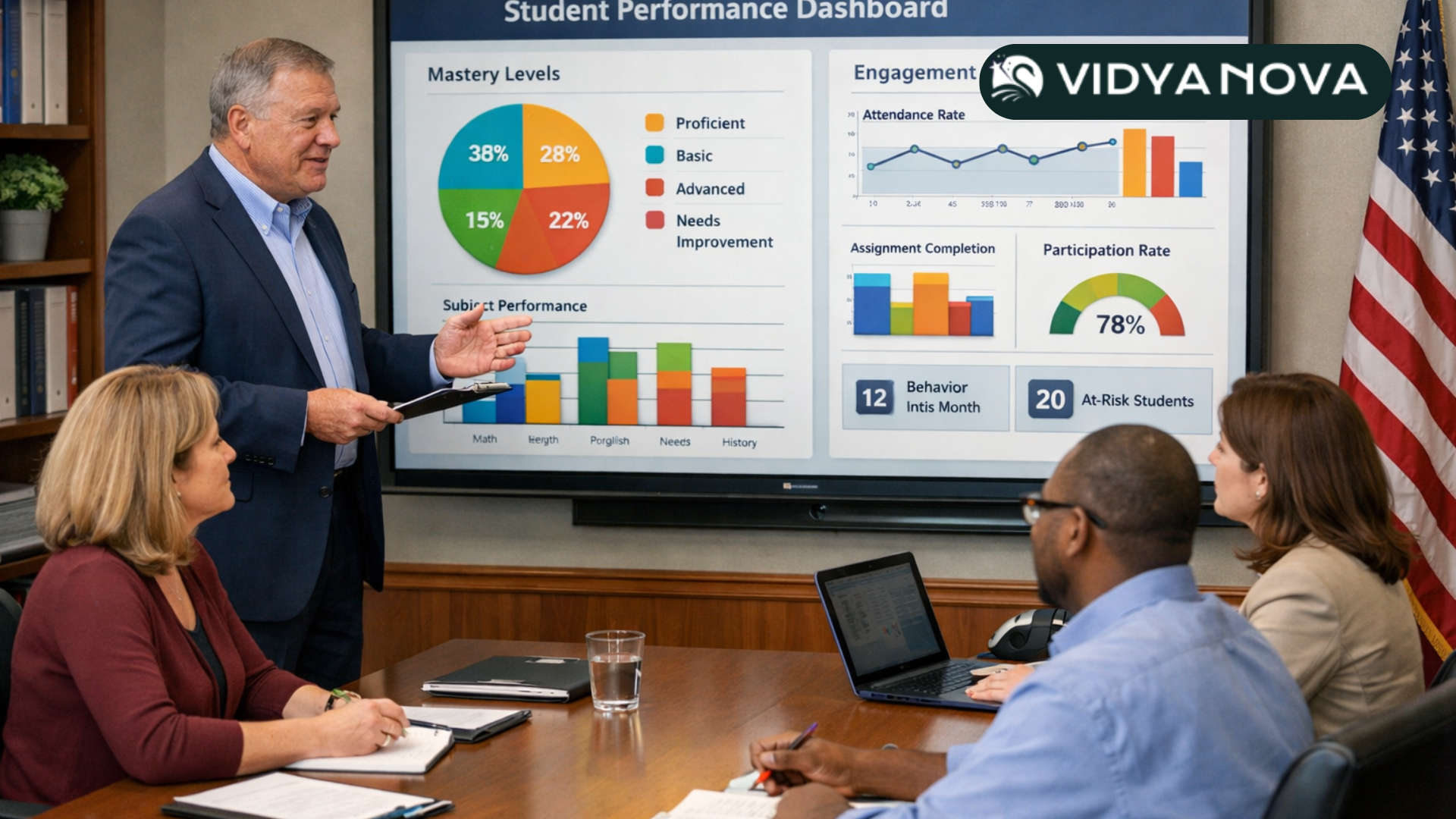
Data is only useful when it leads to action. Student performance analytics should reveal patterns that teachers can act on. Instead of a spreadsheet of scores, you want dashboards that show strands where students struggle, which students need intervention, and which topics need reteaching.
Keep metrics simple at first. Track mastery of key standards, assignment completion, and engagement. Add predictive analytics later once the team understands the basics.
AI in education
AI now powers personalized recommendations, automated grading for certain tasks, and adaptive practice. It can free teachers from repetitive work and help students get immediate feedback.
At the same time, this technology has limits. AI can be biased if the data is flawed. It can make mistakes in grading open ended work. Use AI to assist teachers, not replace them. And always validate its recommendations with real classroom judgment.
Designing a blended learning pathway step by step
Designing a pathway does not have to be complicated. Here is a practical sequence you can use in your school. I have used versions of this plan with several schools, and it scales well.
- Start with a clear goal. Do you want better literacy scores, more student engagement, or reduced teacher marking time? Pick one measurable goal to begin with.
- Map the student journey. Sketch how a typical student moves through a unit. Include classroom moments, online activities, and assessments.
- Select lightweight tools. Choose an LMS and a few apps that integrate easily. Avoid buying everything at once.
- Pilot with one team. Run a short pilot with 2 to 4 teachers. Gather feedback and adjust before scaling.
- Train and coach. Give teachers time with the tools and provide on the job coaching. Seeing the coach model lessons makes adoption faster.
- Measure and iterate. Use student performance analytics and teacher feedback to tweak the pathway. Repeat the cycle every term.
Keep documentation light and practical. Teachers will use short checklists, video tutorials, and a shared planning template more than a long manual.
Practical tips for classroom implementation
Here are some small, actionable decisions that make a big difference.
- Limit online session length. For younger students, keep video lessons to 10 minutes. For older students, 15 to 20 minutes is a good rule of thumb.
- Make tasks purposeful. Every online activity should have a clear classroom follow up. If students do practice online, use class time for application.
- Use quick checks. Short quizzes or exit tickets help teachers decide whether to move on or reteach.
- Design for low bandwidth. Have text or audio alternatives for students with slow internet.
- Engage parents. Show simple ways parents can support learning at home, like reviewing a practice quiz or discussing a short project.
These small steps make blended learning less brittle and more inclusive.
Evaluating LMS and education platforms
Choosing the right platform feels like a high stakes choice. You will live with it for years. Here are questions and a short checklist that have helped other leaders make good decisions. Before finalizing a platform, review transparent pricing models and scalability options to ensure alignment with your school’s growth plans
Must ask questions
- How easy is the user interface for teachers, students, and parents?
- Does it integrate with our existing MIS and assessment systems?
- What data does it collect, and how is student privacy protected?
- How is support handled? Is there live help, training materials, and local onboarding?
- What reporting and analytics are available out of the box?
- Can we pilot a small group before committing to a whole school rollout?
Try to involve teachers in demos and pilots. They will spot workflow issues that leaders miss. Also, run a short pilot longer than you think you need. A few months reveal realistic patterns of use, not just honeymoon adoption.
Measuring impact with student performance analytics
Data can be a false god. Too many numbers overwhelm teachers and distract them from learning. Keep measurement focused and actionable.
Start with three to five indicators you can influence directly. Here are some examples that work well.
- Mastery rate. Percentage of students mastering a standard after instruction.
- Assignment completion. Tracks engagement and identifies students who fall behind early.
- Time on task. Use as a rough guide for engagement, not a strict rule.
- Growth over time. Compare cohort performance term to term to see progress.
Regularly review these measures in short team meetings. Keep the meeting focused on one question. For example, which standard did our class not master, and what will we change next week? That question keeps analytics practical and connects data to instruction.
Operational benefits from integrating a school ERP
Leaders often underestimate how much time administrative tasks consume. A school ERP system can automate fee collection, attendance, reporting, and statutory returns. That reduces errors and allows office staff to serve families better.
When you integrate school management with the LMS, teachers see attendance and grading in one place. That reduces double entry and data errors. One school I worked with cut administrative time by 30 percent after integrating their ERP with an LMS. The staff used the saved time for parent outreach and lesson planning. Small changes like that add up quickly.
Smart classroom technology that actually helps
Not every smart device is worth the budget. Focus on tools that enhance teacher workflow and student collaboration.
For example, classroom audio systems improve the beginning to end instruction in noisy rooms. They help students hear clearly and reduce teacher strain. Interactive displays that allow multiple students to work at once boost collaboration. But avoid complex systems that require special training every week. Teachers will abandon them.
Here is a short checklist before you buy hardware.
- Will teachers use it daily?
- Does it integrate with our LMS or presentation tools?
- Is there reliable local support and a reasonable warranty?
- Is installation quick and minimally disruptive?
AI in education: practical uses and limits
AI has practical classroom uses right now. It can generate differentiated practice, provide instant feedback on objective problems, and summarize student activity. It can also draft assessment feedback that teachers then tailor.
Here are some sensible uses I recommend.
- Use AI to create practice questions and quizzes from a lesson summary.
- Use automated scoring for multiple choice or fill in the blank. Reserve human grading for essays and projects.
- Use recommendation engines to suggest resources for students who need extra support.
At the same time, be cautious. Check AI outputs for accuracy. Monitor for biases in recommendations. Teach students about AI and how to use it responsibly. The technology is a tool. It helps teachers scale their expertise. It does not replace judgment.
Change management and staff training
Any tech rollout is a change project. It needs clear leadership, teacher involvement, and practical coaching. I have seen the best results where leaders set a simple expectation and then supported teachers in small, practical ways.
Here are a few tactics that work.
- Start with early adopters. Identify teachers who are excited about tech and give them time to test ideas.
- Provide on the job coaching. Instead of long day long workshops, have coaches model lessons and co teach with teachers.
- Make time for collaboration. Weekly planning time where teachers look at student data together leads to better implementation.
- Recognize small wins. Share examples of improved student work and reduced admin time.
Most resistance comes from fear of losing time. Address that by showing quick wins and protecting teacher planning time during rollout.

Common pitfalls and how to avoid them
Schools often stumble in similar ways. Here are the common pitfalls and quick fixes.
- Buying too much at once. Fix by starting with a pilot and a clear goal.
- Choosing feature heavy tools that no one uses. Fix by prioritizing usability and teacher input.
- Not integrating systems. Fix by insisting on APIs and data export during procurement.
- Ignoring data privacy. Fix by checking vendor compliance and data ownership policies.
- Forgetting professional development. Fix by budgeting for ongoing coaching, not just a launch day.
- Expecting immediate results. Fix by setting realistic timelines and incremental goals.
Case example: a simple pathway that worked
Let me share a short example. A middle school wanted to improve math mastery for year eight. They had an LMS but used it only for posting files. The leader set a single goal. Improve mastery of five key standards by 15 percent in six months.
They followed a clear pathway.
- Mapped the unit and identified key standards.
- Used the LMS to host short videos and practice quizzes aligned to those standards.
- Piloted the approach with three teachers and coached them twice a week during the first month.
- Used simple dashboards to track mastery after each lesson and planned reteach sessions when less than 70 percent of students showed mastery.
- At the end of the term, they saw an average mastery increase of 18 percent and improved engagement during class.
That result came from a tight goal, simple tech use, and focused teacher support. No expensive hardware. No exhaustive features. Just a pathway with clear checkpoints.
Roadmap for school leaders: a six month plan
If you want a practical starting point, here is a simple roadmap you can run over six months. It assumes you already have basic internet and devices. If you do not, start with connectivity and devices first.
- Month 1. Set goals, form a small steering group, pick a pilot team, and map one pathway.
- Month 2. Choose or configure an LMS, set up simple analytics, and run staff orientation sessions.
- Month 3. Start the pilot with coaching and weekly teacher check ins. Gather initial student feedback.
- Month 4. Review analytics and classroom observations. Adjust the pathway and update resources in the LMS.
- Month 5. Scale to a few more classes. Add simple integrations with the school management system.
- Month 6. Run a formal review on outcomes and teacher experience. Plan next term changes and wider rollout.
Keep the cycle tight and focused. Measure what you can influence and iterate each term.
Why Vidyanova can be your partner on this journey
Choosing a technology partner matters. I want to be practical here. Vidyanova focuses on building education technology platforms that combine LMS features with school management tools and analytics. We design for usability so teachers actually use the tools. We also work with leaders on implementation and change management, not just software delivery.
If you are evaluating partners, look for experience in K12 edtech solutions, an open integration approach, and a clear plan for staff training. Ask for case studies and a pilot option. Vidyanova has worked with schools to set up blended learning tools, implement student performance analytics, and integrate school ERP systems into one workflow. We also provide local support and ongoing coaching because that is what makes projects succeed. Future of Educator Technology & AI Learning Tools
Frequently Asked Questions.
- How does technology in education improve student outcomes?
When aligned with a clear teaching strategy, technology supports personalized learning, real time feedback, and data driven instruction. The impact depends more on implementation than on the tool itself. What should schools look for in an LMS for schools?
Schools should prioritize usability, integration with existing systems, analytics capability, data privacy compliance, and strong onboarding support. Complex features are useless if teachers do not adopt them.How can a school ERP system support academic improvement?
A school ERP reduces administrative workload by automating attendance, fee management, and reporting. When integrated with an LMS, it improves data accuracy and frees time for instructional planning.
Final thoughts and quick checklist
Digital transformation is complex but manageable. Start small. Define a clear goal. Pick tools that teachers will use. Measure what matters and support staff with coaching. Keep students at the center of every decision.
Here is a short checklist to keep on your desk.
- Do we have one measurable goal for this term?
- Have teachers been included in the selection and pilot?
- Is the LMS easy to use for all stakeholders?
- Do we have basic analytics that inform classroom action?
- Is there a clear plan for training and on the job coaching?
- Have we checked data privacy and integration options?
If you can answer yes to most of these, you are on a good path. If not, pick the one or two items to fix first and build from there.
Helpful Links and Next Steps
Ready to talk through a pathway for your school? Book a meeting with us, and we will walk through a practical plan tailored to your context.