
Inside the Rise of Modern Digital Classrooms
This blog explains how K–12 schools can plan, select, and implement modern digital learning platforms and classroom management tools to improve instruction, efficiency, and student outcomes. It outlines drivers for digital adoption (student expectations, teacher workload, data needs, devices, funding), describes key platform components (LMS, synchronous tools, management, assessment, analytics, integrations), and presents blended-learning models, analytics to prioritize, and procurement and rollout checklists. The author emphasizes pilots, targeted professional development, data hygiene, security, and measurable goals, offers quick adoption tactics and a middle-school case study, and suggests evaluating integrated platforms (e.g., Vidyanova) via live demos and phased pilots.
Schools are changing fast. Over the last few years, the old model of rows of desks and a single teacher at the front has given way to digital-first learning environments that combine in-person teaching with online tools. Some of this was forced on us. A lot of it stuck because it actually works. If you are an academic director, school leader, or EdTech decision maker, you already know the stakes. Choosing the right K12 digital learning platform and smart classroom solutions matters. It affects daily teaching, student outcomes, budgets, and long term strategy.
I’ve watched districts move through that awkward transition. At first, there was panic and a scramble for hardware. Then, curriculum teams learned to fold digital tools into real lesson plans. Now leaders are asking smarter questions. What does a modern digital learning environment entail? What is the process of purchasing and implementing classroom management software so that it serves teachers rather than becoming a hindrance? To what extent should analytics be used in the assessment of student performance?
This article unpacks those questions in simple language. I will break down the elements of a contemporary digital classroom, highlight the usual mistakes, and offer a practical guide that can be used to update your school or district. Later, I will also discuss how an up, to, date platform like Vidyanova complements the scenario and why integrated systems lower friction while enhancing learning outcomes.
Why the shift to digital classrooms is real and urgent
Short answer: expectations changed, and so did technology. Students and parents expect flexible learning. Teachers need tools that save time, not add more to their plates. Administrators want measurable results and predictable budgets. The technology has finally caught up to the vision.
Here are the main drivers I see in my work with schools.
- Student expectations and equity. Kids are used to instant access to content and interactive interfaces. They get irritated if school systems operate in a slow or awkward way. However, digital classrooms have the potential to eliminate educational gaps if they are used properly. Previously, you weren't able to give students such targeted practice, remediation, and extension on such a large scale.
- Teacher workload and efficiency. Teachers are stretched to their limits. Automating the completion of routine tasks such as grading formative quizzes or handing out materials results in more time for planning and one, on, one sessions. A good classroom management system should eliminate friction rather than creating more steps.
- Data driven decision making. The higher, ups want to see the facts. The analytics of student performance allow turning attendance and test scores into trends which can be acted upon. This is helpful for deciding on interventions, staffing, and even budgeting.
Provision of devices and connectivity. The majority of schools today have enough devices and bandwidth to comfortably run the latest classroom tools. This opens a possibility of designing learning experiences that are dependent on real, time collaboration rather than simply static PDFs.
- Policy and funding windows. Grants, bond measures, and central funding often come with expectations around digital transformation. Miss the window, and you stall forward momentum.
If you’re weighing an upgrade, this is not a someday problem. It’s now. Simply put, systems that are easy to use and well, integrated will last longer than point solutions. From my own experience, combined platforms tend to result in fewer logins, less duplication of data entry, and fewer tech support requests. This is a great time and budget saver.
 What a modern digital classroom actually looks like
Let’s get practical. Saying the words modern digital classroom is one thing. Building one is different. A complete setup usually includes several connected layers. Think of them as parts that need to talk to each other.
- Learning management system and content distribution. This is where teachers post lessons, assignments, and resources. A K12 digital learning platform should support standards aligned content, easy grading, and clear workflows for both teachers and students.
- Real time collaboration and synchronous tools. Video conferencing, live whiteboards, and shared docs are essential for hybrid or blended lessons. They should work reliably on school networks.
- Classroom management software. Tools that let teachers see student screens, push content to devices, and manage permissions reduce chaos and keep lessons focused.
- Assessment and adaptive learning. Formative assessments, quizzes, and adaptive practice give teachers quick feedback. When the platform surfaces insights, teachers can pivot instruction immediately.
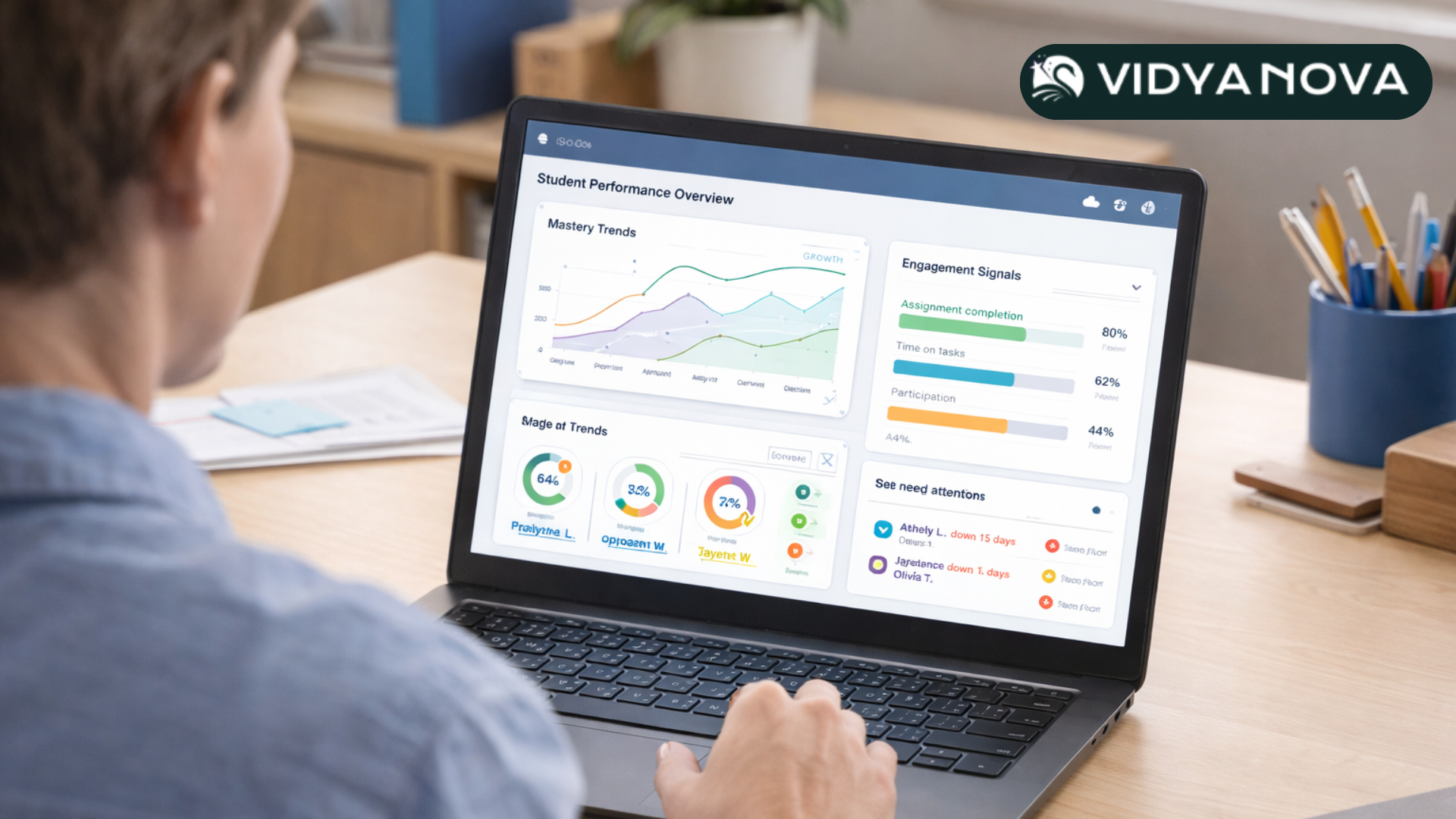
- Student performance analytics. Dashboards that show progress over time, standards mastery, and group patterns help leaders make strategic decisions about curriculum and staffing.
- Integrations and single sign on. The platform has to integrate with your student information system, rostering services, and content tools. Less logging in means more learning time.
- Device and network management. Schools still need basic device management and secure networks. But modern platforms should simplify these tasks rather than complicate them.
Combine these pieces, and you get a classroom experience where teachers focus on instruction while the platform handles distribution, assessment, and data. That’s the promise. Getting there takes planning.
Blended learning models that actually work in schools
Blended learning sounds fancy. In practice, it’s about mixing face to face instruction and digital activities so both kinds of time are stronger. I’ve coached teams through three models that scale well in K12 settings.
- Station rotation. Students rotate through teacher-led stations, independent online work, and small group projects. This is great for differentiation. Teachers can create an online station with adaptive practice that tailors itself to student needs.
- Flipped classroom. Students engage with instruction at home through short videos or interactive modules. Class time becomes workshop time. This model is powerful when paired with formative assessment data, so teachers know who needs help first.
- Flex model. Most instruction happens online, and teachers act as facilitators, pulling students into small group work as needed. This works in upper grades where students can manage time and tasks with less scaffolding.
Simple example. For a middle school ELA class, try this weekly rhythm. Day one, share a short video and a reading with comprehension questions. Day two, run a mini lesson and use classroom management software to push discussion prompts. Day three, have students work on adaptive practice while you pull three small groups. It’s predictable and scalable, and teachers see real progress faster than with ad hoc digital usage.
Student performance analytics that actually help
Data means nothing if it is noisy or sits in a report no one reads. Analytics become useful when they are timely, clear, and tied to decisions.
Here are the analytics I tell school leaders to prioritize.
- Standards mastery over time. Look for growth trends rather than just single test scores. Minor dips can be normal. A downward trend across weeks needs attention.
- Engagement signals. Time on task, assignment completion rates, and participation in discussions help identify students who are present but not learning, or absent but catching up.
- Formative assessment performance. Quick checkpoints after lessons tell you who needs reteaching. Use low stakes quizzes that report instantly to teachers.
- Intervention triggers. Set thresholds that nudge counselors or interventionists. This can be attendance drops, failing two or more core assignments, or declining formative scores.
- Teacher action logs. Track how teachers respond to data. Equity depends on consistent follow up.
One common mistake is overwhelming staff with every metric under the sun. Keep dashboards focused and actionable. In my experience, fewer clear indicators get used more consistently than a sprawling analytics platform that no one has time to learn.
Classroom management software: what to look for
Good classroom management software reduces friction. Bad software creates a new layer of headaches. When evaluating options, ask the following.
- Can teachers see student screens in real time? This speeds spot checks and helps with misbehavior before it escalates.
- Is it easy to push a link, file, or quiz to an entire class? Less clicking saves time.
- Does it integrate with your LMS and rostering? SSO and automatic rosters avoid manual upload headaches.
- Is it lightweight on devices and reliable on your network? If it crashes mid lesson, it won’t be adopted.
- Does it respect privacy and comply with student data laws? That must be non negotiable.
Teachers will adopt the tool that helps them feel in control of their classroom, and that saves minutes every day. A tool that needs a full hour of training and lots of setup usually ends up on the shelf. Keep that in mind when piloting solutions.
Common pitfalls and how to avoid them
Rolling out digital classroom technology is as much about people as it is about software. I’ve seen a few recurring mistakes that slow or stall implementations. Here’s how to steer clear.
- Buying before you define success. Some districts buy tech because it sounds good. Instead, define what success looks like. Is it improved reading scores? Fewer behavior incidents? Better parent engagement? Use that to guide purchases.
- Underestimating professional development. Teachers need ongoing coaching, not a single training day. Micro PD sessions tied to classroom use help translate features into practice.
- Trying to boil the ocean. Don’t replace everything at once. Start with a focused pilot in a grade or subject where quick wins are likely. Use those results to build support.
- Ignoring data hygiene. Bad rostering or inconsistent naming conventions make analytics meaningless. Clean, consistent data is boring but crucial.
- Overlooking change management. Stakeholders need communication, timelines, and realistic expectations. Teachers will resist if the rollout feels chaotic.
A quick aside. If you skip the planning step to save time, you’ll spend that time later fixing avoidable problems. Invest up front, and you’ll thank yourself three months in.
Procurement and vendor selection checklist
Procurement rarely feels fast or fun. Still, you can make choices that reduce future pain. Use this checklist when vetting platforms like classroom management software or a full K12 digital learning platform.
- Define your goals and success metrics before you look at products.
- Ask for a live demo using real school scenarios, not canned slides.
- Check integrations with your SIS and SSO provider.
- Request references from schools similar to yours. Speak to both tech leads and teachers.
- Evaluate usability with a teacher focus group, not just IT staff.
- Review data privacy and security documentation carefully.
- Understand pricing beyond seat licenses. Include support, training, and hosting costs.
- Plan for a phased rollout and pilot with clear success criteria.
One practical tip. During pilots, ask teachers to complete a 10 minute checklist after each lesson for two weeks. The teacher's feedback will highlight pain points that the vendor demo never showed.
Implementation roadmap: from pilot to full scale
Transformations happen in steps. This roadmap follows what I’ve seen work across districts of various sizes.
- Needs analysis. Gather goals from teachers, leaders, and tech staff. Identify one or two quick-win use cases.
- Vendor selection and contracts. Use the checklist above. Negotiate success based milestones in the contract if you can.
- Pilot. Run a 6 to 12 week pilot in a small set of classes. Collect quantitative and qualitative data.
- Professional development and coaching. Provide hands on coaching rather than one off workshops. Peer coaches work well.
- Iterate and adjust. Use pilot data to tweak settings, rostering, and PD plans.
- Scale. Roll out in phases. Communicate timelines and support clearly.
- Sustain. Maintain an ongoing PD schedule and a feedback loop with teachers to catch problems early.
And remember to track the metrics you defined in step one. If you don’t measure impact, it’s hard to argue for continued investment.
Cost and ROI: what leaders should expect
Budget questions are real. You will need to compare subscription costs, training, devices, and support. But look beyond line item costs. Think about time saved, improved outcomes, and reduced duplication of systems.
Simple ROI example. If effective classroom management software reduces teacher time spent on routine tasks by 30 minutes per day, that adds up. Multiply that time by teacher hourly costs, and you can show measurable savings or reallocated time for interventions. Combine that with better student outcomes, and the case becomes clearer.
Small wins build momentum. Early improvements in assessment completion rates or reduced tech support tickets make it easier to get funding for the next phase.
Security, privacy, and compliance
Never treat student data as an optional concern. Security and privacy compliance should be part of vendor vetting from day one.
- Ask for data protection documentation and third party audits.
- Confirm the vendor’s data retention, deletion, and access policies.
- Check whether the platform meets your local K12 data privacy regulations.
- Require clear roles and permissions so only authorized staff can access sensitive data.
One common oversight is not planning for account lifecycle management. When a teacher leaves or a student graduates, accounts need to be cleaned up. Put that into your SSO and rostering plan.
Professional development that actually changes practice
Training that sticks is practical, job embedded, and ongoing. Here’s what has worked in classrooms I’ve supported.
- Micro learning. Short, focused sessions tied to a single feature or classroom routine work better than long seminars.
- Coaching cycles. Pair teachers with instructional coaches for cycles of observation, feedback, and reflection.
- Peer learning. Teachers learn from other teachers. Give them time to share lesson plans and outcomes.
- Just in time support. Quick help guides and a responsive helpdesk keep momentum going after the formal training ends.
Don’t forget to celebrate wins. When a teacher nails blended learning or uses analytics to turn around a student, share that story. It motivates others.
Vendor spotlight: how Vidyanova fits the picture
At this point, you might be wondering how a platform like Vidyanova helps pull all these pieces together. I’ve seen many platforms. The ones that succeed do three things well. They integrate, they simplify, and they support teachers in real tasks. Vidyanova positions itself as a modern digital learning platform for K12 schools that brings those things into a single system.
Here are a few capabilities leaders should consider when evaluating Vidyanova or similar solutions.
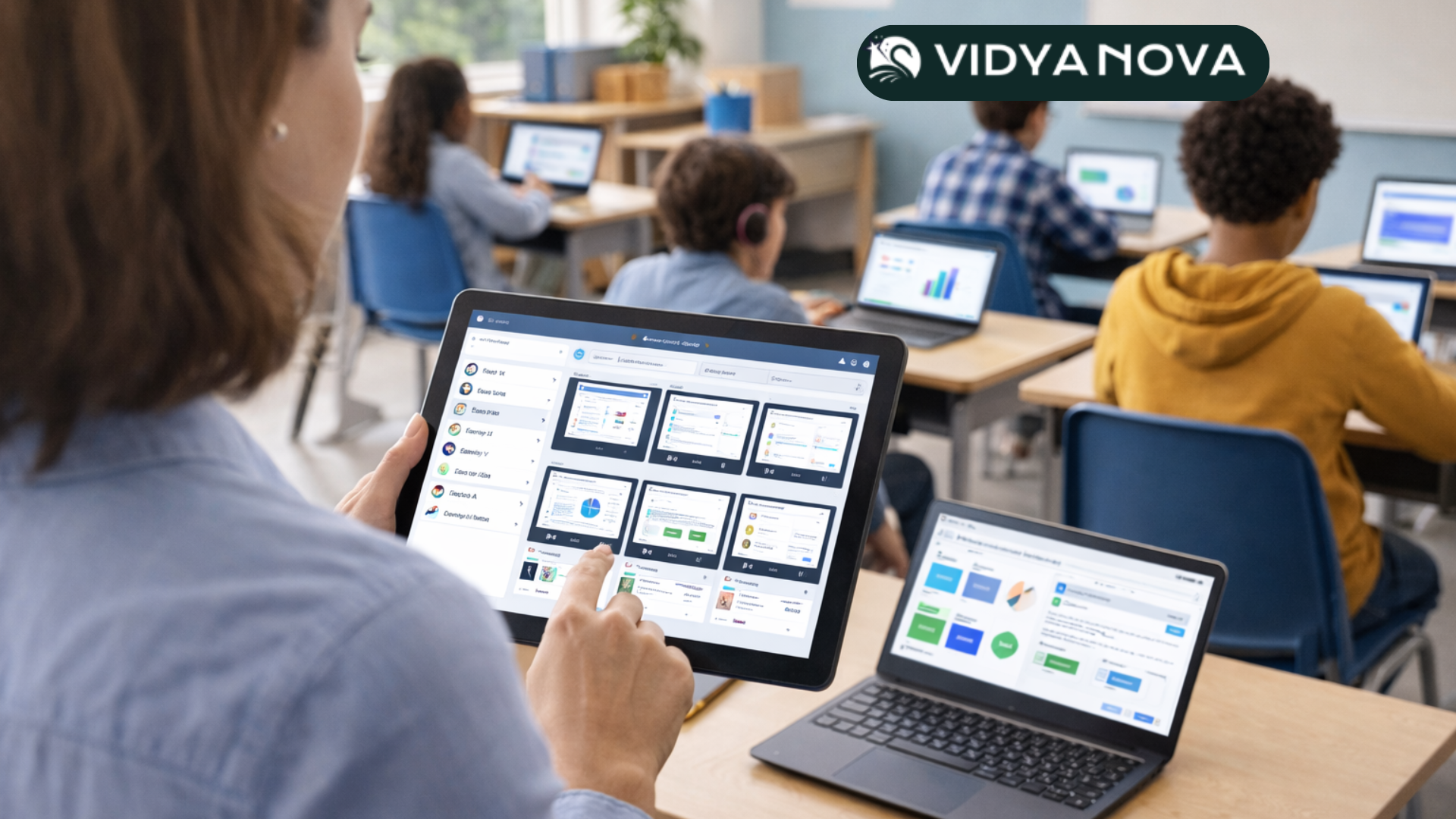
- Integrated classroom management. Real time monitoring, content push, and simple teacher controls reduce classroom chaos and keep lessons moving.
- Learning and assessment tools. Built in formative assessments and adaptive practice give teachers quick feedback without hunting through multiple products.
- Student performance analytics. Dashboards show growth, standards mastery, and intervention triggers so leaders can act quickly.
- Rostering and SSO integration. Seamless rostering reduces manual overhead and keeps data clean.
- Scalable support and training. Ongoing PD and coaching help teachers adopt new routines rather than just features.
I’m careful here because every environment is different. The right platform depends on your goals. But if your priority is to replace brittle point solutions with a single K12 digital learning platform that reduces teacher workload and delivers reliable analytics, a platform like Vidyanova deserves a look. Try to see it in a real classroom during a live demo rather than a canned presentation. That’s where the differences become obvious.
Simple adoption tactics that deliver quick wins
Leaders want quick wins to build support. Try these small, practical tactics.
- Start with one teacher per grade who’s enthusiastic. Let them be the early adopter and coaches.
- Pick one measurable outcome for the pilot, like increasing formative assessment completion by 20 percent.
- Use classroom management tools to save five minutes at the start of class. Those minutes add up.
- Share a short success story each week. Keep it specific and short. Staff read those emails.
- Schedule quick check ins every two weeks to solve problems as they come up.
Those small changes reduce resistance. They also give you real evidence to show trustees and funders.
Measuring success and scaling impact
Once your pilot shows positive results, scale deliberately. Use the same metrics you used in the pilot. Expand grade by grade, not everywhere at once. Continue coaching and maintain your data hygiene practices.
Here are the signals that scaling is going well.
- Teachers report saving time on routine tasks.
- Formative assessment completion and timely grading improve.
- Intervention referrals are more targeted and result in measurable improvement.
- Support tickets per teacher drop as teachers gain confidence.
Don’t be surprised if you need to revisit device or network plans during scaling. What worked for 50 devices might strain a fleet of 5 000 devices. Plan for capacity checks as part of your scaling timeline.
Real school example: a middle school story
I want to share a short, simple example from a middle school I worked with. They had inconsistent use of digital tools, low assignment completion, and frustrated teachers. The district picked a focused goal. Increase assignment completion in grades 6 to 8 by 25 percent over one semester.
They piloted a K12 digital learning platform with classroom management and embedded formative assessments. The pilot lasted eight weeks and included four teachers. Professional development focused on two things only. How to push assignments to students and how to run a short formative check after each lesson.
Results were real. Assignment completion rose by 30 percent in the pilot group. Teachers reported fewer behavioral disruptions because the classroom management features made it easy to keep students on task. The analytics helped the instructional coach identify three students who needed targeted tutoring. Those students showed measurable improvement in the next round of assessments.
That pilot made it easy to get approval for a phased rollout. The district did not try to train every teacher at once. Instead, they built a peer coaching program that expanded gradually.
Final thoughts and next steps
Digital classrooms are not a silver bullet. They are a set of tools that help you focus instructional time where it matters most. Implementation is mostly about people and process. When you plan around clear goals, keep teacher workloads in mind, and choose integrated K12 digital learning platforms that reduce friction, you’ll see measurable improvements.
If you’re an academic director or trustee evaluating upgrades, ask vendors for live demos and pilot data. If you are an EdTech entrepreneur or school leader launching a new school, plan for rostering, SSO, and practical PD from day one. Small, clear wins build momentum. That’s how change becomes sustainable.
Read more:
Frequently Asked Questions
1Q: What is a digital classroom in K12 education?
A: A digital classroom combines in person teaching with online tools like learning platforms, assessments, collaboration software, and analytics to support instruction and decision making.
2Q: How do digital classrooms help teachers?
A: They reduce routine workload through automated grading, content distribution, and classroom management, giving teachers more time for instruction and student support.
3Q: What should schools look for in a K12 digital learning platform?
A: Strong integrations, ease of use for teachers, student performance analytics, classroom management tools, and reliable support for long term adoption.
Helpful Links & Next Steps
- Vidyanova — Modern digital learning platform
- Vidyanova Blog
- Book a Meeting Today
- Online Teaching Job at Home Without Experience
If you want a guided conversation about how this could work in your district, book a Meeting Today. A 30 minute chat can save you months of trial and error.