
Platforms for Online Teaching: The Surprising Options Educators Often Miss
In case you have already taught in a classroom and moved your classes online or are simply considering teaching online from the comfort of your home, you may be quite familiar with the typical solutions: live classes on Zoom, courses on Teachable or Thinkific, and perhaps a Facebook group for community. However, there are a great many platforms and tools that some educators fail to consider and which, to say the least, might suit your teaching style, audience, and income goals better than the “big names.”
I’ve been building and advising online courses for years, and I still discover useful tools that don’t get headlines. In this post I’ll walk you through categories of platforms, highlight surprising options, point out common mistakes, and give a practical checklist to pick the best online teaching platforms for your needs. I’ll also touch on microlearning platforms and emerging AI teaching platforms so you can stay ahead of the curve.
Why platform decision is important (and which part of the story most people are missing)
On deciding the correct platform, the decision transcends features. It is about the compatibility of the platform with your method of teaching, the requirements of your students, and your manner of promoting and expanding your work.
- Most teachers focus on recording tools or live streaming and forget community, assessment, or mobile experience.
- Some concentrate only on price and end up with a clunky experience that hurts completion rates.
- Others pick a platform because it’s what their peers use, without testing whether it fits their content type (short coaching calls vs. a 12-week cohort course).
To me, the top online teaching platforms are those which allow you to teach in the manner you normally work: they facilitate live interaction, manage payments efficiently, provide the possibility for structured learning paths and make it simple for students to return.
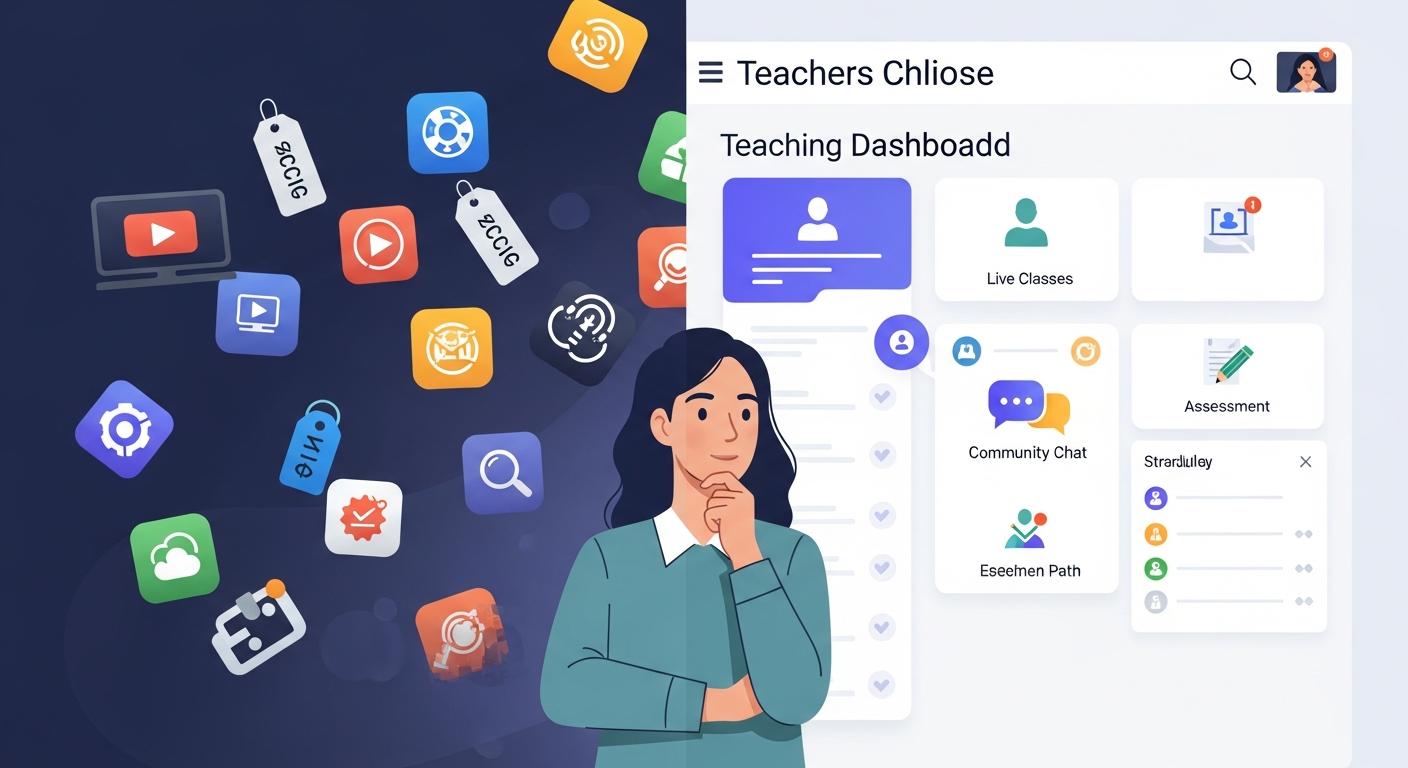
Categories of platforms and what they’re really good for
This is pretty much a quick overview of the landscape. You could consider it as a very short presentation for each category which helps you to find out the right match instantly.
- All, in, one course platforms (Teachable, Podia, Thinkific, Kajabi): Fast installation, integrated checkout, user, friendly course pages. Perfect if you want to create a product quickly and do not require a lot of changes.
- LMS platforms for tutors and institutions (Moodle, Canvas, LearnDash, TalentLMS): Have more control over grading, reporting, and integrations. These are the ones you should choose if you are doing formal training, working in schools, or have a multi, instructor program.
- Marketplaces & discovery platforms (Udemy, Skillshare): Have access to a large number of potential customers, easy to set up, but they take a percentage of the earnings and control how you get discovered.
- Live teaching tools (Zoom, BigBlueButton, Google Meet, Jitsi): Are made for synchronous interaction from which each participant can take part in small group sessions, vote or use a common surface for work. Complete with an LMS or landing page for what is missing.
- Microlearning platforms (EdApp, Axonify, Qstream): They are very brief, mobile, friendly, and motivational learning modules learners can complete at any time. Suitable for corporate upskilling or consumer learning in small pieces.
- Community, first and low, code options (Discord, Slack, Notion, Substack): Are not traditional LMSes but work well for cohort, based learning, discussion groups, and continuous engagement. AI teaching platforms (platforms with AI features): These accomplish automatic quizzes, individual learning routes, and content simplification. Put them where personalization can improve learning outcomes on a large scale.
Most teachers don’t need every feature in every bucket. The trick is combining a couple of tools so they complement each other without creating friction for students.
Surprising options educators often miss
Now for the good stuff, the options people usually overlook. I’m intentionally focusing on practical picks you can test quickly.
1. Notion as a course hub
Notion is not an LMS, but it’s an excellent lightweight course delivery tool. I’ve seen tutors use Notion to create clean course pages, embed videos, host templates, and track student progress with databases. It’s flexible, cheap (or free), and students love the simplicity.
Why it’s surprising: People think Notion is just note-taking. In practice, you can create modular lessons, share iteration-ready templates, and use comments for feedback. Pair Notion with Stripe or Gumroad for payments and you’ve got a lean stack.
2. Discord for cohort-based learning and community
But Discord is not only a tool for gamers. It has channels, voice rooms, bots, and roles, which makes it a perfect live community place. In case your class is based on the help of peers, casual visits, or student, led discussions, then Discord is far better than the majority of LMS forums in terms of engagement.
Tip: Set channels by week or topic, schedule weekly voice Q&As, and pin resources. The learning curve’s small for students under 35, but you may need orientation for older learners.
3. Email + Microlearning drip
You don’t always need a platform. Delivering lessons via email, short, focused, and timed works remarkably well. Microlearning via email reduces friction: learners don’t need to log in and are nudged back in with each message.
I’ve seen coaches turn an email drip into a paid micro-course. Combine it with simple quizzes (Google Forms) and a private group (Slack/Discord) and you’ve got a full experience without the LMS overhead.
4. WhatsApp/Telegram groups as live office hours
Such messaging apps work wonderfully in situations that require instant feedback, giving accountability nudges, and sending reminders. Since these apps are of low, funnel and designed for mobile use only, students' responses become quicker, and the level of interaction significantly increases.
Alert: It is very important to maintain your limits. Specify your working hours so that requests for help via messages do not get extended to a 24/7 support expectation.
5. H5P and interactive content plug-ins
H5P lets you add interactive content like drag-and-drop, interactive videos, and quizzes that can be embedded in many LMS platforms. It’s a small add-on that dramatically increases engagement without heavy development.
6. Microlearning platforms for skill refreshers
In case retention and application are your primary goals, most notably in corporate environments, think of using specialized microlearning platforms such as EdApp or TalentLMS. These platforms accommodate content in short bursts, facilitate spaced repetition, and provide skill retention analytics.
Expert tip: If you are pitching to companies, then go ahead and demonstrate the brief fragment completion reports rather than simply enrollments.
How to choose: a practical checklist
Here’s a checklist I use when advising educators. Run through it, and you’ll avoid the most common selection blunders.
- Define your delivery model: Synchronous (live), asynchronous (self-paced), hybrid, or cohort? Your model narrows platform choices fast.
- Audience tech comfort: Are your learners comfortable installing apps or are they mostly on mobile? Pick a platform that matches their habits.
- Monetization needs: One-off products, subscriptions, or enterprise licensing? Marketplaces help discoverability but limit pricing control.
- Assessment & reporting: Do you need quizzes, certificates, LTI integrations, or SCORM compatibility? Schools and corporates will require these.
- Community & engagement: If cohort experience matters, prioritize platforms with strong community tools or pair your LMS with Discord/Slack.
- Integrations: Payment providers, email platforms, analytics, marketing automations, make sure your stack connects.
- Mobile experience: Test course content on a phone. Many platforms advertise mobile-friendliness but still feel clunky.
- Data ownership & privacy: Know who owns the learner data and if the platform complies with GDPR or relevant regulations.
- Try before you commit: Make a sample lesson and put a few learners through it. Watch where they drop off.
Comparing common stacks (real-world combinations)
Instead of buying a single platform that promises to do everything, many successful educators use small stacks. Here are stacks I’ve seen work well.
Lean Creator Stack (solo tutors and coaches)
- Notion or Gumroad for course delivery and sales
- Stripe for payments
- Zoom for live sessions
- Discord for community
This stack is cheap, flexible, and approachable for creators who want control without complex admin. It’s ideal if you’re testing a course before committing to a full LMS.
Cohort & Program Stack (coaching programs)
- Teachable/Thinkific for structured lessons and drip content
- Zoom + Miro/Google Slides for workshops
- Slack or Discord for cohort engagement
- ConvertKit or Mailchimp for email sequences
It’s a bit pricier, but it gives you better onboarding, student tracking, and a polished experience. Works well for paid cohort-based courses and certification programs.
Enterprise & Institutional Stack (schools, corporate training)
- Moodle or Canvas for full LMS capabilities
- SCORM or xAPI packages for content interoperability
- Corporate SSO, compliance tracking, and robust reporting
Enterprises usually need data and security, so open-source LMSes or enterprise plans make sense. They’re not cheap or simple, but they handle scale and compliance.
Live teaching tools: features that matter (beyond just video)
Live teaching is more than streaming a lecture. If you rely on live sessions, prioritize these features:
- Breakout rooms with easy pre-assignment (helps with group work)
- Persistent whiteboards and shared notes (so sessions aren’t just ephemeral)
- Low-latency chat and emoji reactions (small details that boost engagement)
- Recording and automatic transcription (essential for accessibility and for learners to rewatch)
- Attendance and participation analytics (useful for assessment and selling to organizations)
Big Blue Button is designed specifically for education and includes many of these features out of the box. Zoom is ubiquitous and flexible, but consider pairing it with tools (Miro, Jamboard) for interactive work.

Microlearning: when shorter is actually better
Microlearning is not just “short videos.” It’s about delivering small, actionable learning units that fit into busy schedules. I’ve noticed learners finish more micro-lessons than hour-long lectures, especially on mobile commutes.
Use microlearning platforms when you need:
- Spaced repetition to improve retention
- Mobile-first design for front-line employees or busy adults
- Gamification to nudge completion
- Quick assessments and refreshers
If your course is skill-based and needs frequent refreshers (sales scripts, software updates, compliance), microlearning platforms are worth the investment.
AI teaching platforms: practical uses, not hype
AI in education is tempting as a buzzword. But the real value lies in specific, practical features:
- Auto-generated quizzes and answer explanations for fast assessment creation
- Personalized learning pathways based on performance data
- Transcript summarization and content repurposing (turn a long lecture into micro-lessons)
- Chatbots for basic student queries and pre-course onboarding
I use AI features as time-savers. For instance, an AI summary of a 60-minute session lets me create a 5-minute micro-lesson quickly. But don’t trust AI for grading open-ended, nuanced student work, human feedback still matters most.
Common mistakes and how to avoid them
Here are pitfalls I see again and again, plus concrete fixes.
Mistake: building everything in one go
Fix: Launch a minimum viable version of your course and iterate. Test content, pricing, and the tech stack with a small cohort before scaling.
Mistake: ignoring mobile experience
Fix: Test your lessons, quizzes, and payment flow on a phone. If learners can’t easily access content on mobile, completion will drop.
Mistake: overlooking community
Fix: Add one active channel (Discord/Slack) and schedule weekly live office hours. A little interaction goes a long way for completion and referrals.
Mistake: poor onboarding
Fix: Use a short welcome video, a checklist, and a low-friction first task. The first week decides whether students stick around.
Mistake: choosing tools for features, not outcomes
Fix: Start with learning goals and student experience, then map features to those goals. Don’t buy software because it has a flashy dashboard.
Pricing strategies that actually work
Pricing is both art and data. Here are approaches that are easy to test.
- Free trial or mini-course: A free, two-lesson mini-course can build trust and funnel learners into a paid program.
- Payment tiers: Offer basic self-paced content and a premium tier with coaching calls and community access.
- Subscription for ongoing value: If you publish content monthly, bundling into a subscription keeps income steady.
- Installments for high-ticket offers: Breaking payments into parts reduces friction for bigger programs.
One mistake: pricing too low to compensate for lack of marketing. If you plan to advertise, make sure margins cover ad spend.
Marketing and discoverability tips (without turning into a marketer)
Most educators hate marketing, but a few simple strategies go a long way:
- Publish one long-form blog post every month on a niche topic and optimize for “best online teaching platforms” or “teach online from home.” That builds search traffic over time.
- Repurpose a 20-minute lecture into 5 short clips for social media, short content drives curiosity.
- Collect testimonials early. Real student stories convert better than claims about features.
- Offer a free workshop or webinar to prove value, then pitch your course at the end.
Don't ignore SEO basics. If you want educators searching for “LMS platforms for tutors” to find you, write content that answers their questions clearly and includes case studies and real screenshots.
Metrics that matter
Vanity metrics are tempting, but measure what impacts learning and income.
- Completion rate (not just enrollments)
- Engagement per module (comments, replies, quiz attempts)
- Time-to-first-completion (how quickly learners finish the first lesson)
- Net revenue per learner (after refunds and fees)
- Retention and repeat purchases
Use a few good analytics dashboards or simple spreadsheets. You don’t need a data scientist to know if learners are dropping off on lesson three.
Read More:
The Benefits of AI in Improving Student Engagement and Curiosity
Examples of Course Management Systems Every Educator Should Know
Case examples: quick snapshots
Here are short vignettes from real educators I've worked with or observed.
Case 1: Solo tutor turned scalable creator
Problem: A language tutor taught 1:1 and wanted to scale without a big upfront cost.
Stack used: Notion for course pages, Stripe via Gumroad for payments, Zoom for live conversation labs, Discord for homework feedback.
Outcome: Within 3 months they launched a paid mini-course and added monthly conversation labs. Revenue diversified and 1:1 demand dropped just enough to make time for content creation.
Case 2: Corporate upskilling program
Problem: A mid-size company needed a repeatable onboarding that sales people could complete in 10 minutes a day.
Stack used: Microlearning platform for short modules, in-house LMS for tracking, and manager dashboards for progress.
Outcome: Completion rose 40% compared to previous long-format training, and managers reported better skill recall in follow-ups.
How to start teaching online from home: a simple 8-step plan
Here’s a lean path to go from idea to first paying students.
- Define the outcome: What will learners be able to do after completing your course?
- Pick a small pilot audience: 10–20 people who’ll give honest feedback.
- Choose a delivery format: Self-paced, cohort, live, microlearning, pick one and commit.
- Build a minimum viable course: One module, one assessment, and a recorded intro.
- Test tech stack: Try payments, lesson delivery, and a live session before inviting students.
- Run your pilot: Keep it short (4 weeks max) and collect structured feedback.
- Iterate quickly: Tweak content and the tech stack based on what students say.
- Scale thoughtfully: Add marketing, refine pricing, and automate onboarding.
Don’t skip the pilot. Most costly mistakes come from launching a full program without validating the core idea.
Wrapping up: match tools to teaching, not the other way around
Choosing the best online teaching platforms isn’t only about a feature list. It’s about matching your teaching style, your audience’s habits, and your long-term goals. Sometimes that means an LMS with deep reporting. Sometimes it’s Notion and Discord. And increasingly, AI teaching platforms and microlearning tools let you personalize and scale without overworking yourself.
In my experience, the platforms that sustain a program are the ones that reduce friction, for students and for you. Start small. Test one surprising option (Notion, Discord, or an email drip). See if it improves completion, engagement, or ease of use. Then build from there.
Tip: If you only remember one thing, prioritize the first-week experience. If students feel wins early, they're more likely to finish and to recommend your course.
Helpful Links & Next Steps
- VidyaNova - Learn about a platform built for modern educators
- VidyaNova Blog - More guides on course creation, tools, and growth
Ready to start?
If you’re ready to pick a platform and start reaching learners, consider a platform designed for flexible teaching and community-first experiences. Start teaching online with VidyaNova and get a modern, teacher-friendly suite that supports live classes, course hosting, and community—all without the heavy admin.
Start teaching online with VidyaNova
Got questions about your specific use case? Drop a note on the VidyaNova blog or try out a pilot—testing is the fastest way to learn what works for you.