AI in E-Learning Portals: The Future of Personalized Learning Paths
Personalized learning used to be a luxury. It meant small classrooms, one-on-one tutors, or the rare teacher who could tailor every lesson. Today, AI in e-learning portals is making tailored learning available to millions. If you work on an online learning product or you use one as a student, this shift matters.
I’ve noticed that when platforms get personalization right, learners stay engaged and reach their goals faster. When it’s done poorly, learners feel boxed in or ignored. In this post I’ll break down how AI-driven personalization works, what adaptive learning technology really means, practical pitfalls to avoid, and a simple roadmap for building it into your product.
Why personalization matters in online learning
Not all learners are the same. They come with different backgrounds, skills, motivations, and time constraints. A single linear course can leave many students behind and bore others who could go faster.
Personalized learning with AI helps match content, pace, and assessment to each learner. That matters for two big reasons. First, it improves outcomes. Learners get practice on what they actually need, not what the course designer assumes. Second, it boosts engagement. When people feel the material fits them, they come back.
From a product perspective, personalization also improves retention and lifetime value. I’ve seen platforms increase course completion and subscription renewals simply by recommending the right next lesson at the right time.
What AI brings to e-learning portals
AI is not a magic box. It’s a set of tools that can automate and scale decisions humans used to make manually. In e-learning portals those tools commonly do a few things well:
- Learner profiling. AI creates a dynamic view of a learner’s strengths, weaknesses, preferences, and pace. Think of it as a living resume the system updates as the student interacts with content.
- Content recommendation. Algorithms suggest next lessons, practice items, or resources based on what actually helps learners progress.
- Adaptive assessments. Tests adjust difficulty in real time, so learners are challenged but not overwhelmed.
- Automated feedback. Immediate, targeted feedback on quizzes and assignments helps students iterate faster.
- Learning analytics. Dashboards and alerts show teachers or product teams where learners struggle, so interventions happen earlier.
- Conversational tutors. Chatbots and virtual coaches can answer questions, suggest exercises, and guide learners through sticking points.
These capabilities are what people mean when they talk about adaptive learning technology. They let platforms deliver personalized learning paths at scale.
How adaptive learning technology actually works
I like to think about adaptive learning as three simple layers: data collection, modeling, and action. You need all three to make a system that truly personalizes learning.
First, collect data. That includes quiz answers, time spent on modules, click behavior, forum posts, and even device type. The richer the signals, the better the model can infer what a learner needs.
Second, model the learner. Models estimate what a student knows and what they’re ready to learn next. At the simplest level you can use rules, for example, unlock lesson B after lesson A is completed. At the next level, use statistical or machine learning models that predict mastery. Common approaches include collaborative filtering for recommendations, item response models for question difficulty, and knowledge tracing to track skill mastery over time.
Third, the system takes action. It chooses the next content item, sets the assessment difficulty, or nudges the learner with a reminder. The key is to close the loop: actions generate new data, and the model updates.
To keep things practical, here are quick descriptions of methods I see often:
- Rules-based systems. Simple, transparent rules work early on. They are easy to implement but don't scale to complex personalization.
- Collaborative filtering. Makes recommendations based on similar learners. It’s what streaming services use. Good for suggesting resources but not great for skill mastery unless combined with learning signals.
- Knowledge tracing. Tracks how a learner’s mastery of specific skills changes over time. Bayesian knowledge tracing and newer deep learning versions sit here.
- Item response theory. Models the probability a learner answers a question correctly based on skill and question difficulty. Useful for adaptive assessments.
One final note. LLMs and transformer models are changing how we handle content generation and conversational tutoring. They don’t replace knowledge tracing or item models. Instead, they add new capabilities, like generating hints, drafting questions, or providing more natural explanations.
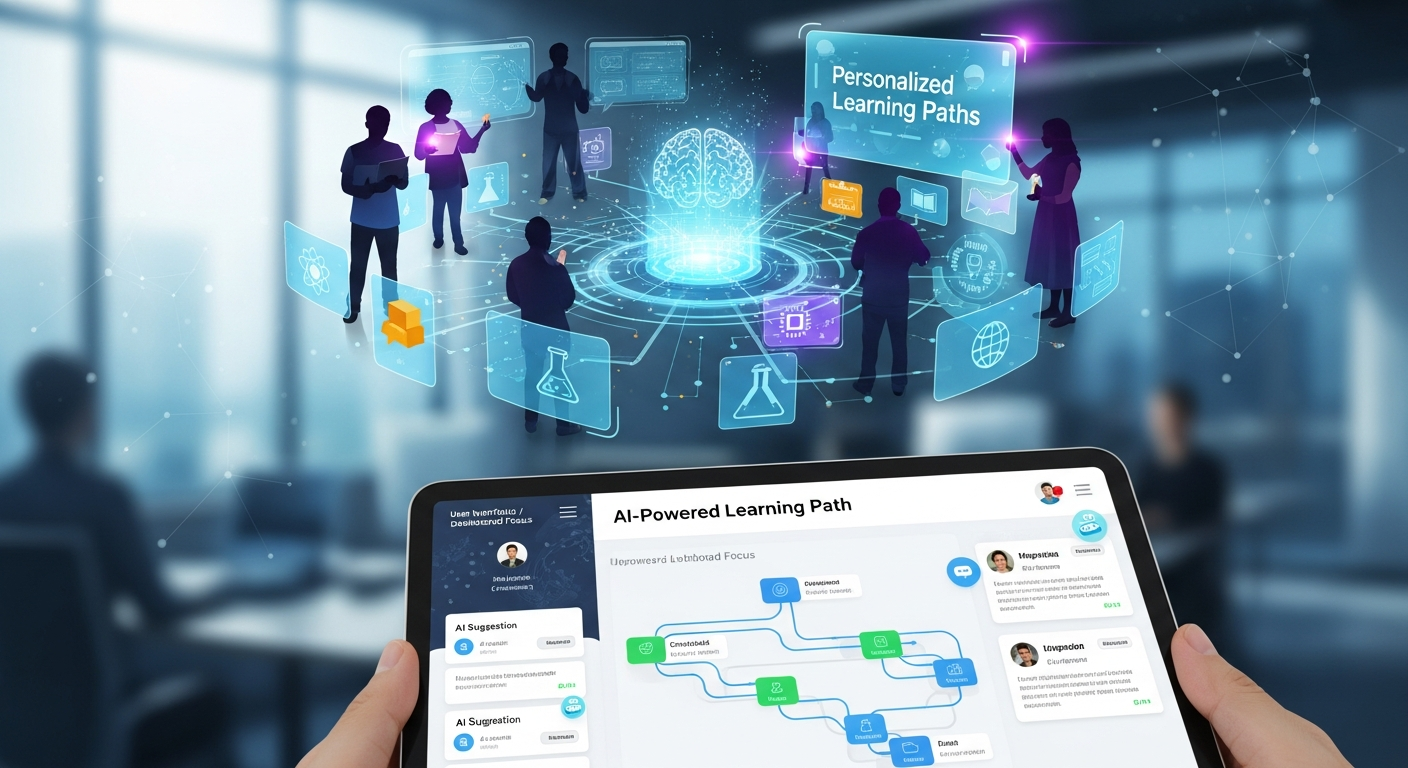
Personalized learning with AI in practice: simple examples
Abstract ideas are fine, but concrete examples stick. Here are three small, human examples that show how AI-driven personalization plays out in real life.
- The struggling math student. A learner misses several questions on fractions. The system recognizes a skill gap, pulls up a short diagnostic, then suggests two targeted practice problems followed by a mini-lesson with visual examples. The student spends 15 extra minutes and improves on the next quiz.
- The busy professional. Someone learning data analysis can only spend two 20-minute blocks a day. The platform uses that info to suggest micro-lessons and short practice sets, focusing on the most impactful skills. Progress continues without long sessions.
- The product designer building a course. The product team watches aggregated learning paths and sees a common drop-off after module three. They add a short project and a checkpoint quiz that adapts to mastery, which reduces churn and improves completion rates.
These examples show small interventions that add up. You don’t need complex models to make a noticeable difference early on. Start simple, measure, and iterate.
Design principles for building AI-driven personalization
If you’re building a product or designing a feature, these are practical principles I follow. They’re straightforward and they save time.
- Start with learning goals. Personalization is not just about engagement. Define what mastery looks like. What skill should a learner gain after this module?
- Collect the right signals. Don’t only count clicks. Track time on task, hint requests, error patterns, and revisit behavior. These signals tell you what to change.
- Make models interpretable. Teachers and product stakeholders should be able to understand decisions. Use explainability tools or simple models first.
- Respect privacy and consent. Be transparent about data usage. Anonymize where possible and give learners control over their data.
- Design for feedback loops. Use A/B tests and continuous evaluation to validate if personalization improves learning outcomes.
- Keep human oversight. Teachers and coaches matter. AI should assist, not replace, human judgment.
One thing I often remind teams is to avoid optimizing for a proxy metric alone. For example, click-through rate can go up without actual learning gains. Keep your eye on real learning outcomes.
Metrics that actually matter
Metrics guide decisions. The trick is choosing ones that reflect true learning, not vanity. Here are metrics I recommend tracking:
- Learning gain. Pre-post assessments that measure knowledge growth. This is the most direct evidence of effectiveness.
- Time to competency. How long does it take an average learner to reach a defined skill level?
- Completion and drop-off rates. Where do learners leave the course and why?
- Retention and return rate. Are learners coming back to study more?
- Engagement quality. Look at time on task, active problem solving, and hint usage, not just clicks.
- Teacher intervention rate. Are teachers spending less time on routine tasks and more on coaching?
Beware of misleading indicators. High activity with low learning gain means noise. Always pair behavioral metrics with assessments that measure comprehension.
Common mistakes and how to avoid them
Every team I’ve worked with makes similar mistakes at first. Catch them early and you’ll save months of rebuilds.
- Assuming more data equals better outcomes. Quantity helps, but noisy or irrelevant data misleads models. Clean labels and consistent tagging matter more than raw volume.
- Over-personalizing too soon. If you personalize every micro-decision, you might reduce shared learning experiences. Balance individuality with group activities.
- Ignoring edge cases. Students with sporadic activity or unconventional goals can be penalized by blunt algorithms. Build guardrails for outliers.
- Hiding how recommendations work. Users trust systems that explain themselves. Give learners and teachers a simple reason for suggestions.
- Relying solely on automated grading. Automated grading is great for quick feedback but not for complex assignments. Blend AI feedback with human review for projects and essays.
A quick example of a pitfall. A platform I advised recommended faster paths to learners who completed quizzes quickly. The result: learners rushed answers, scores went up, but long-term retention fell. We fixed it by adding spaced practice and retention checks.
Roadmap for EdTech startups and product teams
Not every team has deep ML expertise. Here’s a practical roadmap you can follow, whether you’re a founder or a product manager.
- Define goals and minimal viable personalization. Pick one clear outcome, like improving diagnostic accuracy or reducing drop-off after module two.
- Instrument your product. Add the right events and labels. Track answers, timestamps, hint usage, and content versions.
- Start with rules and simple models. Implement a rules-based path and test if it moves the metric you care about. If yes, iterate to probabilistic models.
- Build an evaluation pipeline. Automate A/B tests and track learning gains, not just clicks. Use analytics to surface where personalization helps or hurts.
- Add richer models. Introduce collaborative filtering for resource suggestions and knowledge tracing for skill mastery. Keep the models explainable.
- Scale and monitor. Look for bias, data drift, and fairness issues. Set alerts and rolling evaluations so your system stays healthy.
From my experience, this phased approach reduces risk. You learn which signals actually predict learning and build from there, rather than trusting assumptions.
Architecture and tooling notes
You don’t need a complex stack to start. Many teams succeed with a small set of tools and cloud services.
- Event pipeline. Track interactions with a lightweight events system. Use a managed service or open-source pipeline that delivers data to your analytics and ML layers.
- Storage and labeling. Keep a clean, versioned dataset. Label content by skill, difficulty, and type. This makes modeling simpler.
- Model training and deployment. Start with batch models, then add online updates. Use simple CI/CD for model deployment so you can roll back quickly.
- Experimentation platform. A/B testing is essential. Even small interventions need controlled evaluation.
- Explainability layer. Logs and lightweight explanations help teachers and learners trust recommendations.
For teams that prefer managed services, many cloud providers offer ML and analytics building blocks that plug into your product. If you’re building with tight budgets, open-source libraries and a solid event schema get you surprisingly far.
Case studies and scenarios
Concrete cases help show impact. These scenarios are based on what I’ve seen in the field, simplified so you can imagine them in your context.
Case 1: A coding bootcamp wanted to increase job-readiness. They instrumented coding exercises, tracked error types, and ran a simple knowledge tracing model. The platform started recommending targeted debugging exercises and mini-projects. Time to competency for core skills dropped by 30 percent.
Case 2: A language platform struggled with mid-course drop-off. They introduced micro-lessons and a recommender that prioritized conversational practice when a learner’s listening scores lagged. Completion rates improved and learners reported higher confidence on surveys.
Case 3: A university LMS added AI-driven hints for math homework. Initially the hints were too specific and gave away answers. After refining the hint generator to offer progressive prompts, students used fewer hints overall and showed higher retention.
In each case the common pattern was the same. Start with a clear problem. Add minimal instrumentation. Test a small intervention. Iterate based on actual results.
Future trends and practical implications
AI is evolving fast. A few trends are worth watching because they will shape how personalization happens in the next few years.
- Conversational AI and tutoring. Large language models will make chat-based tutors more helpful. Expect more natural explanations, roleplay scenarios, and instant personalized feedback.
- Multimodal learning. Video, audio, and interactive simulations combined with AI will let platforms assess skills that text alone cannot capture.
- Continual and lifelong learning paths. Systems will track skills across courses and time, supporting upskilling and reskilling journeys.
- Explainability and fairness. Regulations and user expectations will push platforms to explain decisions and reduce bias, not just optimize engagement.
These trends mean product teams need to think beyond single courses. Build systems that can evolve with models and data. Make decisions transparent. And always validate whether a new capability actually helps learners learn better.
Quick checklist before you build personalization
Here is a compact checklist I use when advising teams. It helps avoid common mistakes and keeps the project focused.
- Do we have a clear learning outcome to optimize?
- Are we tracking the right signals for that outcome?
- Can we explain why the system recommends a resource?
- Have we designed for privacy and data control?
- Do we have a plan for evaluation and iteration?
- Are teachers or coaches included in the loop?
If you can answer yes to most of these, you’re in a good position to start small and scale safely.
Final thoughts
AI in e-learning portals is not about replacing teachers. It’s about augmenting them and scaling what works. Personalization helps learners get what they need, when they need it. Adaptive learning technology makes that possible at scale.
If you’re building a product, start with one measurable problem. Instrument, test, and iterate. If you’re a student, look for platforms that show why they recommend content and that measure actual progress.
In my experience, teams that stay learner-focused and data-driven find small wins fast. Those wins compound into real changes in outcomes.
Read more : Why Platforms for Online Courses Are the New Career Builders for Students
Helpful Links & Next Steps
If you want to dig deeper or tailor a roadmap to your product, feel free to Book a meeting. I’m happy to chat about practical next steps or lightweight experiments you can run this quarter.
FAQs
1️⃣ What is personalized learning with AI?
AI designs tailored education journeys by changing material, pace, and tests based on a student's individual needs and way of learning.
2️⃣ How does AI improve e-learning portals?
AI makes education more engaging through the use of adaptive lessons, learner progress tracking, content recommendations, and providing feedback instantly.
3️⃣ Will AI replace teachers?
No. While AI is a great help to teachers as it can take over the task automation and give insights, human guidance and mentoring are still indispensable.
4️⃣ Is AI-based learning suitable for all learners?
Certainly. AI is capable of different learning speeds, thus it can support learners who are slow as well as those who are fast, and both types will be able to reach their objectives in an efficient way.